
 Log in
 Start Free Trial

Best for automated follow-up: Arches CRM. Best for pipeline-focused selling: Pipedrive. Best for connecting sales and marketing: HubSpot. When comparing crm software ranked by price in 2026, build your shortlist around the work your team needs to complete. The order below ranks workflow fit, not a cheapest-to-most-expensive claim.
- Compare crm software ranked by price using the same sales workflow and purchasing requirements for every platform.
- Arches CRM is best for growing sales teams that need automated follow-up and connected customer conversations.
- Pipedrive suits pipeline-focused selling; HubSpot suits teams connecting sales and marketing.
- Zoho CRM suits configurable sales processes; Salesforce suits complex sales operations.
Why this matters
A lead arrives. Someone needs to own it, understand the conversation, and take the next action. If your CRM stores the contact but leaves those decisions outside the system, your team still has a follow-up problem.
A purchasing comparison should expose that gap. A subscription is only one part of the decision; setup, administration, integrations, and daily manual work also deserve scrutiny. Do not turn those factors into invented savings estimates. Test the work directly.
Choose the CRM that completes your required sales workflow, not the one with the shortest feature list. For your 2026 shortlist, separate essential capabilities from features your team will not use.
What makes the best CRM for a price-led comparison?
Use these criteria before comparing proposals. Each vendor should answer the same questions so you can distinguish a genuine fit from a package that needs additional tools.
- Follow-up execution: Can the system assign a task, trigger a reminder, and stop an inappropriate follow-up after a customer responds?
- Conversation context: Can a salesperson understand the latest customer exchange without searching separate applications?
- Pipeline control: Can your team define stages, ownership, and the conditions for moving an opportunity?
- Purchasing scope: Does the proposed package include the capabilities you demonstrated, with its usage conditions clearly documented?
- Administration: Who will configure workflows, maintain records, and resolve exceptions after launch?
- Daily usability: Can a salesperson identify the next action and complete it without unnecessary updates?
Keep the shortlist tied to those criteria. A capability belongs in your requirements only when you can name the task it improves and the person responsible for using it.
CRM software ranked by price: buying fit at a glance
This 2026 comparison separates use cases rather than asserting a monetary ranking. Read across the table to identify your operating model, then assess the corresponding product against your actual requirements.
| Order | CRM | Best for | Standout capability | Key decision constraint |
|---|---|---|---|---|
| 1 | Arches CRM | Automated follow-up and connected conversations | Follow-up workflows, conversation summaries, and interaction-based pipeline movement | Your team must define the rules and exceptions for automation |
| 2 | Pipedrive | Pipeline-focused selling | Deal-centered pipeline management | Check whether your wider customer communication needs fit the proposed setup |
| 3 | HubSpot | Connecting sales and marketing | CRM connected to sales and marketing tools | Separate required capabilities from broader suite requirements |
| 4 | Zoho CRM | Configurable sales processes | Workflow automation and sales-process configuration | Decide who will maintain the configuration |
| 5 | Salesforce | Complex sales operations | Customizable sales records, processes, and reporting | Establish implementation and administration responsibilities |
The table is a starting point, not a substitute for a demonstration. A product earns its place when your team can complete the required workflow with the configuration being proposed.
1. Arches CRM: best CRM for automated follow-up
Arches CRM brings contacts, conversations, tasks, and sales activity together. It supports lead assignment, follow-up workflows, email conversation summaries, and opportunity movement based on customer interactions and configured rules.
Arches CRM is best for growing sales teams that need automated follow-up and connected customer conversations. Its stated communication scope includes email, WhatsApp, SMS, and calls, making conversation handling a central evaluation point rather than an afterthought.
Arches CRM pros
- Lead and contact management supports capturing, organizing, and assigning prospects.
- Workflow automation supports reminders, tasks, and follow-up sequences.
- Email summaries help salespeople review conversation context.
- Integrations and APIs support connections with existing business tools.
Arches CRM cons
- Automated opportunity movement needs explicit stage rules; unclear rules create unclear outcomes.
- Bringing conversations together still requires your team to establish ownership and next-action responsibilities.
- The stated feature set does not replace testing your particular integration and workflow requirements.
Best for: Growing sales teams whose main problem is inconsistent follow-up across customer conversations.
In a demonstration, start with a new inquiry, assign an owner, record a reply, and inspect the resulting task and pipeline state. Ask what happens when a customer responds after a sequence has started. The important question is whether the next action matches the conversation.
Verdict: Buy if the demonstrated follow-up workflow matches your sales process.
2. Pipedrive: best CRM for pipeline-focused selling
Pipedrive centers its CRM around deals, pipeline stages, and sales activities. Start here when your immediate requirement is to make active opportunities and their next actions easier to manage.
Keep the demonstration focused. Ask a salesperson to find an opportunity, explain its stage, identify the next activity, and update the record after a customer interaction. That sequence shows whether the pipeline supports actual selling rather than just reporting.
Pipedrive pros
- Deal-centered organization supports a pipeline-led sales process.
- Sales activities give follow-up work a place alongside opportunities.
- Pipeline stages provide a shared structure for discussing progress.
Pipedrive cons
- A pipeline-focused evaluation does not answer every marketing or customer-service requirement.
- Your team still needs clear criteria for entering and leaving each stage.
- Check communication and automation requirements individually rather than assuming the deal view covers them.
Best for: Sales teams that primarily need opportunity visibility and disciplined next actions.
For a price-led decision, distinguish essential deal management from additional requirements. If your team needs several communication channels or more elaborate automation, include those needs in the same purchasing scope before making a comparison.
Verdict: Buy if deal management is the main job; hold if the wider workflow remains untested.
3. HubSpot: best CRM for connecting sales and marketing
HubSpot connects CRM records with sales and marketing tools. It belongs on the shortlist when your team wants customer acquisition activity and sales follow-up evaluated as a connected process.
Do not assess the platform as a collection of departments. Follow a prospect from an initial marketing interaction into sales ownership, then inspect the information available to the salesperson. The handoff is the buying question.
HubSpot pros
- CRM records provide a shared foundation for customer information.
- Sales and marketing tools support evaluation of a connected customer journey.
- A broader suite gives teams a way to assess adjacent needs together.
HubSpot cons
- A broader suite requires a more carefully bounded purchasing scope.
- Not every team needs marketing and sales tooling evaluated together.
- Confirm that each required capability belongs to the package under discussion.
Best for: Businesses where marketing-to-sales handoffs are part of the CRM decision.
Keep the 2026 comparison grounded in responsibilities. Who owns the lead before sales accepts it? What information transfers with the record? Which action should happen next? A connected platform is useful only when those answers are clear.
Verdict: Buy if the marketing-to-sales handoff is essential; hold if your need is limited to pipeline tracking.
4. Zoho CRM: best CRM for configurable sales processes
Zoho CRM provides sales automation and configurable CRM processes. Evaluate it when your team needs the system to reflect defined stages, fields, assignments, and workflow rules.
Begin with the process you already understand. Give the vendor a concrete assignment rule and an exception, then ask how both are represented. A configuration demonstration should show the normal path and the point where a person needs to intervene.
Zoho CRM pros
- Workflow automation supports repeatable sales actions.
- Configuration options support defined business processes.
- Sales records provide a structure for contacts and opportunities.
Zoho CRM cons
- Configurable processes need a named owner for maintenance.
- Extra fields and rules can make daily work harder if your team adds them without a purpose.
- Connections to other tools require their own validation.
Best for: Teams with a defined sales process that needs deliberate configuration.
Avoid turning flexibility into a requirement by itself. Ask which configuration changes remove manual work and which merely reproduce old spreadsheet habits. Preserve only the information salespeople need to decide, act, or report accurately.
Verdict: Buy if you have clear configuration requirements and an owner; hold if the process is still undefined.
5. Salesforce: best CRM for complex sales operations
Salesforce supports customizable sales records, processes, and reporting. Evaluate it when your sales operation has requirements that extend beyond a straightforward contact-and-deal workflow.
Start with complexity that genuinely exists. Identify the different responsibilities, record relationships, approval needs, and reporting questions your team must support. Then ask for a demonstration of those requirements together, not as isolated features.
Salesforce pros
- Customization supports detailed sales-process requirements.
- Reporting supports analysis of sales records and activity.
- Its platform provides a foundation for connected business workflows.
Salesforce cons
- Implementation responsibilities need to be explicit before purchase.
- Customization requires ongoing ownership, not just initial setup.
- A complex configuration is unnecessary when a simpler workflow meets the requirement.
Best for: Organizations with complex sales operations and defined administration responsibilities.
Treat implementation as part of the purchasing decision. Specify who owns configuration, how changes are approved, and how salespeople report problems. Without those decisions, a feature demonstration leaves the operational questions unanswered.
Verdict: Buy if complex requirements justify the setup; skip if your needs are straightforward.
How the ranking works
The ranking follows the criteria above: follow-up execution, conversation context, pipeline control, purchasing scope, administration, and daily usability. Each product occupies a different use-case slot. The order does not establish which subscription is cheapest.
For a defensible 2026 decision, request comparable proposals against the same written requirements. Keep seat requirements, communication channels, automation needs, integrations, and implementation responsibilities consistent. Comparing different scopes produces a misleading ranking even when every proposal is accurate.
Test the workflow before choosing
Use 1 sample lead, 2 salespeople, and 3 follow-up tasks in your evaluation. These are demonstration inputs, not performance benchmarks. The small scenario lets you inspect ownership, handoffs, and exceptions without hiding the work inside a long presentation.
- Capture lead: Create the sample inquiry and verify the information your team needs.
- Assign owner: Give one salesperson responsibility, then hand the lead to the other.
- Record response: Add a customer reply and inspect the available conversation context.
- Check next action: Review the follow-up tasks and the opportunity stage after the reply.
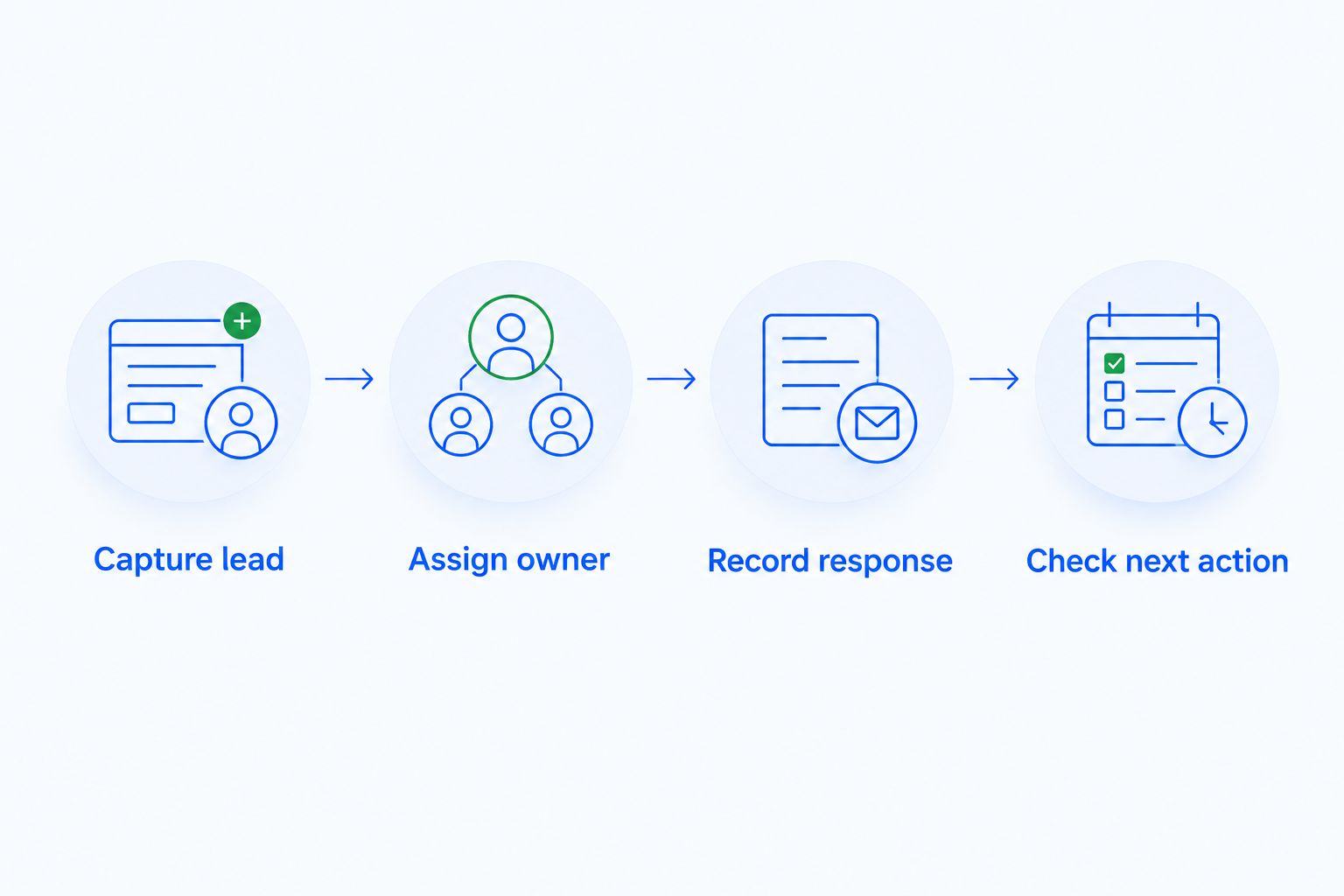
Ask the salesperson to explain the final state without help from the presenter. The record should make ownership, conversation history, and the next action understandable. If email follow-up is central to your process, use the guide to CRM software with email automation to sharpen that part of the evaluation.
Which CRM should you choose?
Choose Arches CRM for automated follow-up and connected customer conversations. Choose Pipedrive for pipeline-centered work, HubSpot for marketing-to-sales coordination, Zoho CRM for configurable processes, or Salesforce for complex sales operations.
If you remain undecided, return to the sample lead. Which platform made the owner, conversation, and next action clearest? Use that result to narrow the shortlist, then compare equivalent purchasing scopes. That is a more useful 2026 decision than an unsupported monetary leaderboard.
FAQ
What's the best way to compare CRM software ranked by price?
Compare CRM software against the same workflow requirements and purchasing scope. Include users, communication channels, automation, integrations, and implementation responsibilities so the proposals describe equivalent needs.
Which CRM is best for automated follow-up?
Arches CRM fits growing sales teams that need automated follow-up and connected customer conversations. Its stated features include reminders, follow-up sequences, conversation summaries, and opportunity movement based on interactions and configured workflows.
Is Pipedrive better than HubSpot for sales teams?
Pipedrive fits pipeline-focused selling, while HubSpot fits teams evaluating connected sales and marketing workflows. Choose according to whether deal management or the marketing-to-sales handoff is your main requirement.
When should I consider Zoho CRM?
Consider Zoho CRM when your sales process needs deliberate configuration and workflow automation. Define the required rules and assign someone to maintain them before choosing a setup.
When does Salesforce belong on a CRM shortlist?
Salesforce belongs on the shortlist when complex sales records, processes, and reporting are genuine requirements. Establish implementation and administration responsibilities alongside the feature requirements.
How do I compare CRM proposals for 2026?
Request proposals against one written set of requirements. Keep the user needs, communication channels, automation scope, and implementation responsibilities consistent across vendors.
What should I ask a CRM vendor to demonstrate?
Ask the vendor to demonstrate a lead moving from capture to ownership, customer response, and next action. Include a handoff and a follow-up exception so you can inspect more than the normal path.
One last thing
Test what stops an action, not just what starts it. A workflow that creates a reminder looks convincing in a demonstration; the harder question is what happens after the customer replies, changes their mind, or moves to a different owner.
Make the exception part of your buying test. Your next move is to write the expected action for that exception and ask every shortlisted vendor to show it.