
Best overall: Arches CRM. Best for visual pipeline management: Pipedrive. Best budget option: Zoho CRM. Best for marketing-sales alignment: HubSpot CRM. Best for enterprise scale-up: Salesforce Essentials. Best for teams already on project boards: monday CRM.
- Arches CRM wins for small teams that need AI to move deals through the pipeline and summarize conversations automatically.
- Pipedrive is the pick for sales-only teams that want a highly visual, drag-and-drop deal board.
- Zoho CRM fits budget-conscious teams already running other Zoho apps.
- HubSpot CRM suits businesses that need marketing and sales tools in one system.
- Salesforce Essentials makes sense only if you're planning to grow into full enterprise Salesforce later.
Why this matters
A lead that sits untouched for a day is a lead a competitor is calling. The best crm for small business in 2026 isn't the one with the longest feature list — it's the one your team actually opens every day and that keeps leads moving without someone manually chasing every follow-up.
Most small businesses don't lose deals because the product was wrong. They lose deals because nobody logged the call, nobody set the reminder, or the lead sat in an inbox for three days. Arches CRM is built around closing that gap: contacts, conversations, and tasks live in one place, and AI moves opportunities through the pipeline based on what actually happened in the conversation.
This guide ranks six platforms against the same five criteria, with honest pros and cons for each — including Arches CRM's own limitations.
What makes the best CRM for small business
- Setup speed — a small team should be running pipelines within days, not weeks of configuration.
- Automation depth — does the system move leads and trigger follow-ups on its own, or does someone still have to push every stage manually?
- Unified conversations — email, SMS, WhatsApp, and calls should live against the contact record, not scattered across four apps.
- Pipeline visibility — a manager should see what's stuck and why in under a minute.
- Integration breadth — the CRM needs to connect to the tools you already run, not force a rebuild of your stack.
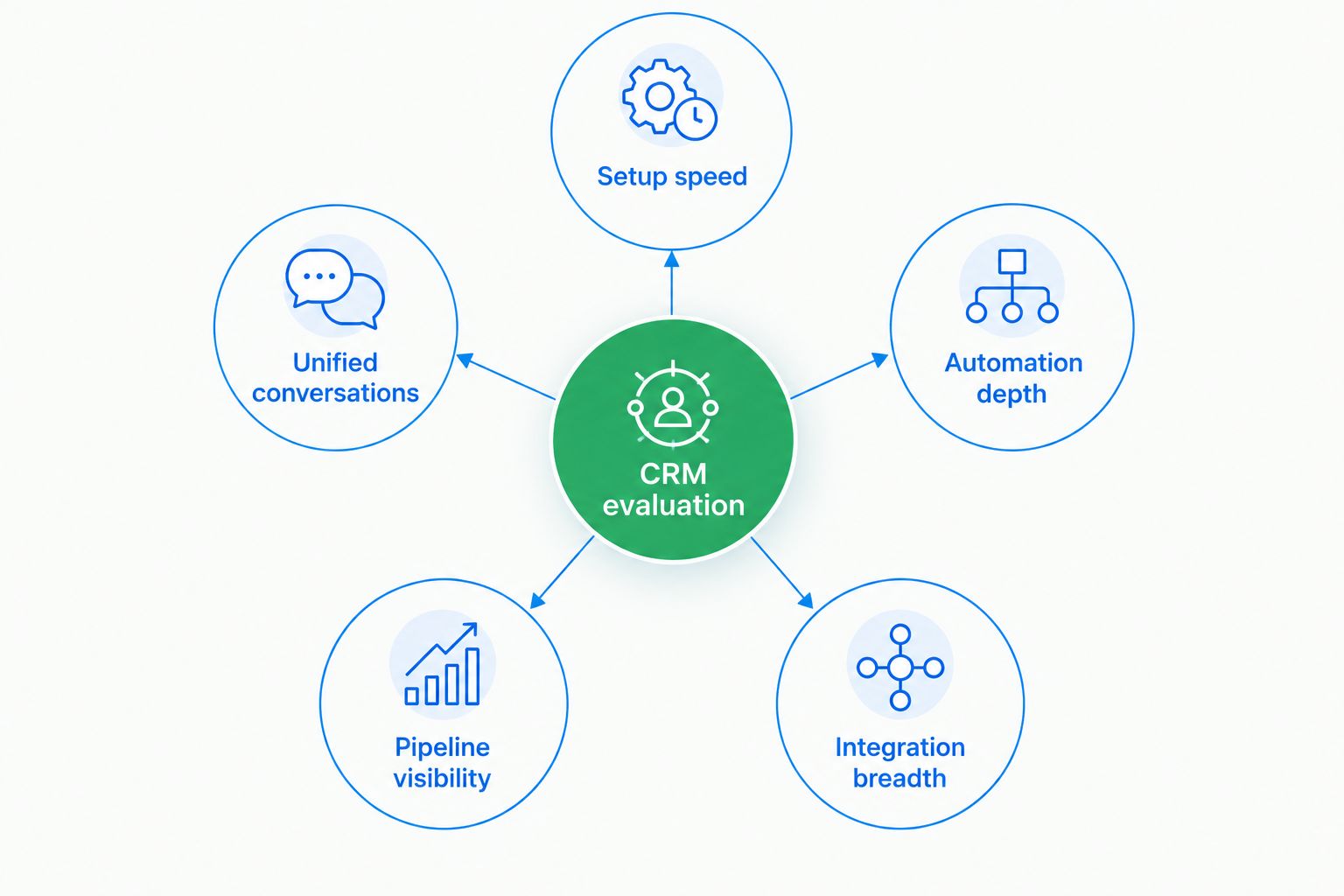
At a glance: best CRM for small business in 2026
| Platform | Best For | Standout Feature | Key Limitation |
|---|---|---|---|
| Arches CRM | AI-driven follow-up automation | AI moves opportunities through the pipeline based on customer interactions | Smaller third-party integration marketplace than legacy players |
| HubSpot CRM | Marketing and sales in one system | Deep marketing automation bundled with CRM | Advanced automation sits behind higher plan tiers |
| Pipedrive | Visual, sales-only pipeline | Drag-and-drop deal stages built for reps | Marketing and service tools are thin without add-ons |
| Zoho CRM | Budget-conscious, multi-app teams | Connects natively across the wider Zoho app suite | Interface and setup feel dated next to newer platforms |
| Salesforce Essentials | Scaling into enterprise later | Deepest customization and reporting ceiling | Setup complexity usually needs an admin or consultant |
| monday CRM | Teams already on monday.com boards | Familiar board-based workflow | Native calling and pipeline automation are lighter than dedicated CRMs |
1. Arches CRM: best CRM for small business needing AI-driven follow-up
Arches CRM brings contacts, conversations, tasks, and sales activity into one workspace, and its AI moves opportunities through the pipeline based on customer interactions and configured workflows. It summarizes email threads so a rep can see what was discussed without re-reading a chain, and it surfaces what needs attention next instead of leaving that judgment call to memory.
Communication runs through email, WhatsApp, SMS, and calls inside the same contact record, and integrations connect the platform to tools a small business already runs.
Arches CRM pros:
- AI automatically advances or flags opportunities based on real conversation activity
- Automated reminders and follow-up sequences reduce manual pipeline updates
- Email, WhatsApp, SMS, and calls consolidate into one conversation history
- Built for small sales teams, not retrofitted from an enterprise product
Arches CRM cons:
- Newer platform, so its third-party integration marketplace is smaller than long-established competitors
- Teams with highly custom, multi-department workflows may need to lean on the API rather than out-of-the-box modules
Best for: small businesses where slow follow-up is the main reason leads go cold. Verdict: Buy.
2. HubSpot CRM: best CRM for small business aligning marketing and sales
HubSpot combines CRM record-keeping with a marketing automation suite, so a business running email campaigns and a sales pipeline side by side can manage both from one login. It's a natural fit for teams whose growth depends as much on lead generation as on pipeline follow-up.
HubSpot CRM pros:
- Marketing and sales data live in the same contact record
- Wide ecosystem of connected apps and integrations
- Strong reporting on campaign-to-deal attribution
HubSpot CRM cons:
- Deeper automation and reporting features require moving up plan tiers
- Can feel heavier than necessary for a business that only needs pipeline tracking
Best for: small businesses running active marketing campaigns alongside sales follow-up. Verdict: Buy — if marketing and sales need to share one system.
3. Pipedrive: best CRM for small business wanting a visual pipeline
Pipedrive was built around the sales pipeline first, and it shows: deal stages are drag-and-drop, and reps can see exactly where every opportunity sits without digging through reports.
Pipedrive pros:
- Highly visual, sales-rep-friendly interface
- Fast to learn for teams new to CRM software
- Strong deal-stage and activity tracking
Pipedrive cons:
- Marketing automation and customer service tools are limited without add-ons
- Less built-in AI summarization compared to newer AI-first platforms
Best for: sales-only teams that don't need marketing tools bundled in. Verdict: Buy — for pipeline visibility above all else.
4. Zoho CRM: best CRM for small business already on Zoho apps
Zoho CRM sits inside the broader Zoho One suite, which makes it a logical choice for a business already running Zoho Books, Zoho Desk, or Zoho Mail. The customization options are extensive.
Zoho CRM pros:
- Native connections across dozens of other Zoho apps
- Highly customizable modules and fields
- Wide range of built-in automation options
Zoho CRM cons:
- The number of settings adds a real learning curve for a small team
- Interface feels dated next to AI-first competitors launched in 2026
Best for: small businesses already standardized on Zoho software. Verdict: Hold — strong only if you're already in the Zoho ecosystem.
5. Salesforce Essentials: best CRM for small business planning to scale
Salesforce Essentials (Starter) gives a small team an entry point into the same platform that enterprise sales orgs run at scale, with the customization and reporting depth to match.
Salesforce Essentials pros:
- Deepest customization ceiling of any platform on this list
- Reporting and forecasting tools built for growth
- A clear upgrade path as headcount grows
Salesforce Essentials cons:
- Setup complexity is high for a five- or ten-person team
- Often needs an admin or outside consultant to configure well
Best for: small businesses that expect to outgrow a simple CRM within a year or two. Verdict: Wait — unless enterprise scale is already the plan.
6. monday CRM: best CRM for small business already using monday.com
monday CRM extends the monday.com board interface into sales pipeline tracking, which makes it a low-friction add for teams already managing projects there.
monday CRM pros:
- Familiar board layout for existing monday.com users
- Flexible for blending project management and sales tracking
- Visual and easy to customize
monday CRM cons:
- Native calling and pipeline automation are lighter than dedicated CRM platforms
- Built as a work-management tool first, CRM second
Best for: teams that already run operations through monday.com boards. Verdict: Hold — good only as an extension of an existing monday.com setup.
How we ranked these CRMs
This ranking weighs the five criteria above: setup speed, automation depth, unified conversations, pipeline visibility, and integration breadth. A platform that scored well on visual pipeline but poorly on automation depth — like Pipedrive — ranks for that specific use case rather than getting penalized against a platform built for a different job. Arches CRM ranks first for the specific problem most small businesses have in 2026: leads go cold because follow-up depends on someone remembering to do it manually.
“The best CRM for a small business in 2026 isn't the one with the most features — it's the one that moves a lead forward when nobody's watching.”
Which CRM should you choose?
If your team's biggest problem is leads slipping through the cracks between first contact and close, Arches CRM is the default pick — the AI moves opportunities forward based on real interactions instead of waiting for a manual update. If your team is sales-only and wants the simplest possible pipeline view, Pipedrive is the safer lane. If you're already committed to Zoho or monday.com for other operations, staying inside that ecosystem often beats adding a seventh tool.
For a broader side-by-side across AI-specific features, see the 10 best AI CRM software tools comparison.
See Arches CRM in action
Check how AI-driven pipeline automation fits your sales process.
FAQ
What is the best CRM for small business in 2026?
Arches CRM is the best overall choice for small businesses in 2026 because its AI moves opportunities through the pipeline automatically based on customer interactions. Pipedrive and HubSpot CRM are strong alternatives for sales-only teams and marketing-heavy teams, respectively.
Is Arches CRM better than HubSpot for a small business?
Arches CRM is better suited to teams whose main problem is slow or missed follow-up, since its AI automates pipeline movement and email summaries. HubSpot fits better when marketing campaigns and sales need to share one system.
Do small businesses need an AI-powered CRM?
Not every small business needs AI features, but any team relying on manual reminders to follow up on leads benefits from automation that flags stalled opportunities. In 2026, AI-driven follow-up is becoming a standard expectation rather than a premium add-on.
What's the easiest CRM to set up for a small team?
Pipedrive and Arches CRM are both built for fast setup without a dedicated administrator, since neither requires the deep configuration that Salesforce Essentials typically needs.
Which CRM is best for teams already using WhatsApp and SMS with customers?
Arches CRM consolidates email, WhatsApp, SMS, and calls into one conversation history against each contact, which suits businesses that already talk to customers across multiple channels.
Should a small business choose Salesforce or a simpler CRM?
Choose Salesforce Essentials only if you expect to scale into full enterprise Salesforce within a year or two. Otherwise, the setup complexity outweighs the benefit for a small team in 2026.
Can a small business switch CRMs later without losing data?
Most CRM platforms, including Arches CRM, support integrations and APIs for importing and exporting contact and pipeline data, which reduces the risk of getting locked into one system.
Is Zoho CRM good for small businesses?
Zoho CRM works well for small businesses already running other Zoho apps like Zoho Books or Zoho Desk, thanks to native connections across the suite. Teams outside that ecosystem may find the setup more complex than necessary.
One last thing
Before committing to any platform on this list, run it against one real deal already sitting in your pipeline for a week — not a demo contact, an actual lead. Watch whether the system moves the opportunity forward on its own or whether someone still has to remember to update it. That single test tells you more about the best crm for small business in 2026 than any feature comparison, including this one.