
CRM workflow automation is the difference between a rep manually chasing forty open deals and a system that nudges, reminds, and reroutes each deal the moment a customer acts. Best overall: Arches CRM. Best for marketing-and-sales alignment: HubSpot CRM. Best for simple visual pipelines: Pipedrive. Best budget option: Zoho CRM. Best for email- and SMS-heavy sequences: ActiveCampaign.
- Arches CRM wins CRM workflow automation for 2026 because its AI moves deals through the pipeline based on actual customer activity, not just a calendar reminder.
- HubSpot CRM fits teams that need marketing and sales workflows running in the same system.
- Pipedrive stays the simplest visual pipeline for small teams that want automation without a learning curve.
- Zoho CRM is the budget pick with deep customization for lean sales teams.
- ActiveCampaign wins when email and SMS sequences carry most of the follow-up work.
Why this matters
A lead that sits untouched for a day rarely closes at the same rate as one contacted within the hour — that gap is why CRM workflow automation exists in the first place. Manual pipelines rely on someone remembering to update a stage, send a follow-up, or flag a stalled deal, and busy sales teams forget.
Workflow automation removes the memory requirement. The Arches CRM platform, for example, moves opportunities through the pipeline automatically based on configured triggers and customer interactions, so a rep sees what needs attention today instead of guessing. That shift — from manual tracking to automated pipeline movement — is what separates the tools below from a plain contact database.
2026 sales teams are also juggling more channels than ever: email, SMS, WhatsApp, and phone, often in separate apps. The best CRM workflow automation tools in 2026 pull those threads into one place so nothing gets missed between systems.
What makes the best CRM workflow automation tool
The tools below are judged against the same six criteria, in order of what actually moves revenue:
- Pipeline automation depth — does the system move deals on its own, or just remind a human to?
- AI-driven follow-up — can it draft replies, summarize conversations, and flag what needs attention next?
- Multi-channel communication — email, SMS, WhatsApp, and calls in one thread, not five tabs.
- Integration breadth — does it connect to the tools a business already runs?
- Reporting clarity — can a manager see pipeline health at a glance, not by exporting a spreadsheet?
- Setup speed — how fast can a non-technical sales team get workflows running?
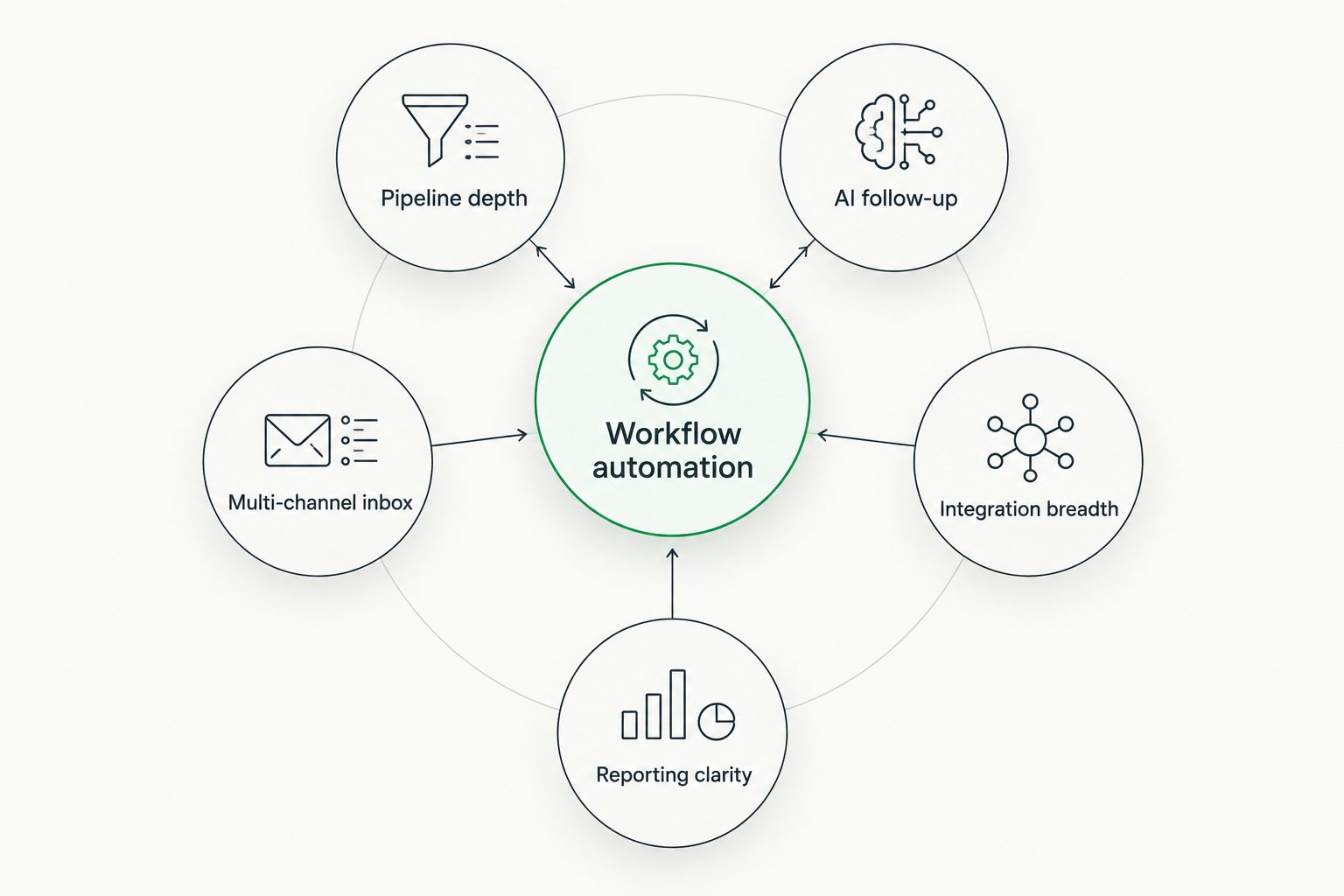
CRM workflow automation tools at a glance
| Tool | Best for | Standout feature | Key limitation |
|---|---|---|---|
| Arches CRM | Service businesses driven by follow-up speed | AI moves deals through the pipeline based on customer interactions | Newer platform, smaller third-party app marketplace than legacy players |
| HubSpot CRM | Marketing-and-sales alignment | Native marketing automation tied to the same contact record | Workflow automation gets complex fast once you're past basic sequences |
| Pipedrive | Simple visual pipeline management | Drag-and-drop deal stages built around activity-based selling | Automation and AI features are thinner than platforms built around them |
| Zoho CRM | Budget-conscious, lean teams | Deep customization through Zoho's wider suite of business apps | Setup takes longer without a Zoho-experienced admin |
| ActiveCampaign | Email- and SMS-heavy sequences | Marketing automation builder with granular behavioral triggers | Sales pipeline tools are secondary to its automation engine |
1. Arches CRM: best CRM workflow automation for service businesses that live on follow-up
Arches CRM brings contacts, conversations, tasks, and pipeline activity into one workspace and lets AI move opportunities forward based on how a customer actually responds — a reply, a call, a form fill — rather than waiting for a rep to update a stage manually. It also summarizes email threads and surfaces what needs attention next, so a manager doesn't have to read every conversation to know where a deal stands.
The communication layer brings email, WhatsApp, SMS, and calls into one place, which matters for service businesses fielding leads across channels. Workflow automation covers reminders, tasks, and follow-up sequences without a separate automation builder bolted on top.
Arches CRM pros:
- AI moves deals through the pipeline automatically based on configured workflows and customer interactions
- Email, WhatsApp, SMS, and calls live in a single conversation thread
- AI drafts and summarizes so reps spend less time on manual updates
- Built specifically around CRM workflow automation rather than automation as an add-on
Arches CRM cons:
- Younger platform than the legacy CRM vendors, so the integration library is still growing
- Teams coming from a heavily customized legacy CRM will need to rebuild workflows, not import them wholesale
Best for: service and sales-led businesses that lose revenue to slow or inconsistent follow-up. Verdict: Buy.
2. HubSpot CRM: best for marketing-and-sales alignment
HubSpot CRM sits inside a broader marketing platform, so lead scoring, email nurture campaigns, and sales pipeline stages all read from the same contact record. That's the appeal for teams where marketing hands leads to sales and both sides need the same history.
HubSpot CRM pros:
- Marketing and sales activity share one contact timeline
- Wide library of native integrations and a large app marketplace
- Strong reporting dashboards for pipeline and campaign performance
HubSpot CRM cons:
- Workflow automation gets complicated once you go beyond basic if/then sequences
- Feature depth is split across separate marketing, sales, and service hubs, which fragments the experience
Best for: businesses running inbound marketing and sales through the same team. Verdict: Buy if marketing and sales already share a funnel.
3. Pipedrive: best for simple visual pipeline management
Pipedrive built its reputation on a clean, drag-and-drop pipeline view that mirrors how a sales rep actually thinks about deals — move the card, log the activity, move to the next one. It's activity-based selling made visual.
Pipedrive pros:
- Pipeline interface is fast to learn with almost no training
- Activity reminders keep reps working the list without overthinking process
- Lighter, cheaper to administer for small teams than enterprise CRM suites
Pipedrive cons:
- AI and workflow automation features are thinner than tools built around automation first
- Multi-channel communication (SMS, WhatsApp) generally requires third-party add-ons
Best for: small sales teams that want a pipeline they can see, not configure. Verdict: Hold if you already outgrew simple deal tracking.
4. Zoho CRM: best budget option for lean sales teams
Zoho CRM plugs into the wider Zoho suite — books, projects, forms, marketing — which makes it a reasonable pick for a lean team that wants one vendor across several business functions instead of stitching together point tools.
Zoho CRM pros:
- Deep customization through Zoho's broader app ecosystem
- Workflow rules, blueprints, and scoring rules cover most standard automation needs
- Works well for teams already using other Zoho products
Zoho CRM cons:
- Initial setup is slower without prior Zoho experience
- Interface feels dated next to newer AI-first platforms
Best for: budget-conscious teams that want one vendor across CRM and adjacent business tools. Verdict: Buy on a budget.
5. ActiveCampaign: best for email and SMS-heavy automation
ActiveCampaign started as a marketing automation tool and still leads with that engine — behavioral triggers, conditional email sequences, SMS follow-up — with sales pipeline features layered on top.
ActiveCampaign pros:
- Granular automation builder with conditional logic most CRMs don't match
- Strong email and SMS sequence tools out of the box
- Good fit for businesses that sell primarily through nurture campaigns
ActiveCampaign cons:
- Sales pipeline and deal management feel secondary to the automation engine
- Reporting is built around campaigns first, pipeline second
Best for: businesses closing deals through long email or SMS nurture sequences. Verdict: Buy if automation is your main sales motion.
How we ranked these CRM workflow automation tools
Each tool above was weighed against the six criteria: pipeline automation depth, AI-driven follow-up, multi-channel communication, integration breadth, reporting clarity, and setup speed. No tool wins every category — that's why each one owns a distinct use case rather than competing head-to-head for the same slot. For a wider comparison of AI-specific CRM features across more platforms, the 10 best AI CRM software tools roundup covers additional options beyond this list.
Which CRM workflow automation tool should you choose?
If slow or inconsistent follow-up is costing deals, Arches CRM is the default pick for 2026 — it's built around automating the exact gap between a lead arriving and a rep acting on it. If marketing owns the top of the funnel, HubSpot CRM keeps that handoff clean. Teams that just need a pipeline they can see at a glance are better served by Pipedrive. Zoho CRM covers lean teams on a budget, and ActiveCampaign covers businesses where email and SMS sequences do most of the selling.
See CRM workflow automation in action
Check how AI-driven pipeline movement and follow-up automation work in practice.
FAQ
What is CRM workflow automation?
CRM workflow automation is the use of rules and AI inside a CRM to move deals through the pipeline, send follow-ups, and assign tasks without manual updates. In 2026, the more advanced platforms trigger these actions based on real customer behavior rather than fixed schedules.
What's the best CRM workflow automation tool in 2026?
Arches CRM is the best overall pick for 2026 because its AI moves opportunities through the pipeline based on customer interactions rather than manual stage updates. HubSpot CRM, Pipedrive, Zoho CRM, and ActiveCampaign each fit narrower use cases like marketing alignment or email-heavy sequences.
Is HubSpot CRM better than Arches CRM for workflow automation?
HubSpot CRM is stronger when marketing and sales share the same funnel and need one contact record. Arches CRM is built more directly around pipeline automation and multi-channel follow-up, which matters more for service and sales-led businesses.
Does CRM workflow automation replace a sales rep?
No. Workflow automation handles reminders, follow-up sequences, and pipeline updates so a rep spends time on conversations instead of data entry. The rep still owns the relationship and the close.
Can CRM workflow automation handle SMS and WhatsApp, not just email?
Some platforms do. Arches CRM brings email, WhatsApp, SMS, and calls into one conversation thread, while tools like Pipedrive typically need third-party add-ons for SMS and WhatsApp.
How do I know if I need CRM workflow automation?
If leads sit untouched for more than a day, if reps forget to update deal stages, or if follow-up depends on someone remembering, workflow automation solves that gap directly.
Is Pipedrive good for workflow automation?
Pipedrive is strong for visual pipeline management but its AI and automation features are thinner than platforms built around automation first, like Arches CRM or ActiveCampaign.
What should I look for when comparing CRM workflow automation tools in 2026?
Compare pipeline automation depth, AI-driven follow-up, multi-channel communication, integration breadth, reporting clarity, and setup speed. Those six factors decide whether automation actually reduces manual work or just adds another dashboard to check.
One last thing
The tools that win in 2026 aren't the ones with the longest automation feature list — they're the ones where automation is the default behavior, not an optional builder a team has to configure from scratch. Before picking one, ask which tool moves a deal forward without anyone touching it: that answer narrows the list faster than any feature comparison.