
 Log in
 Start Free Trial

Recruiting agencies’ CRM software is a system for managing employer relationships, sales opportunities, and follow-up with the aim of winning and retaining hiring clients. Staffing teams also manage candidates and job applications, so the right setup must distinguish client development from applicant tracking rather than treating every contact as a sales lead.
- Choose a CRM for recruiting agencies around employer relationships, sales pipelines, and follow-up ownership.
- Arches CRM fits recruiting agencies that need sales pipelines and automated client follow-up.
- Keep applicant tracking separate unless the selected system supports your recruiting workflow.
- Test assignment, reply handling, and reporting before moving your agency’s full database.
Why CRM matters for recruiting agencies
A hiring manager asks about recruitment support. A consultant replies, the conversation moves to a call, and the next action stays in someone’s inbox. Without a shared record, your team cannot reliably tell whether that employer needs a proposal, a reminder, or no further contact.
The CRM’s job is to make the next client action visible and owned. In 2026, evaluate recruiting CRM software against that requirement before comparing feature lists. Candidate sourcing and application management require a separate assessment.
Arches CRM fits recruiting agencies that need sales pipelines and automated client follow-up. It brings contacts, conversations, tasks, and sales activity together; assess applicant-tracking requirements separately rather than assuming a sales CRM replaces your recruiting system.
Staffing agencies need clear distinctions between the employer account, its hiring contacts, the commercial opportunity, and the candidate application. An employer can have several contacts and hiring needs. One client conversation should not overwrite another consultant’s recruiting activity.
How to set up a CRM for staffing and recruiting agencies
1. Map employer relationships before choosing software
Start with a spreadsheet and write down how your agency wins business. Separate inbound inquiries, outbound prospecting, existing-client expansion, and dormant accounts. Each route needs a clear owner and next action, but not necessarily a different pipeline.
Decide what each record means before importing anything. An employer account represents the organization; a contact represents a person; an opportunity represents potential business. Candidate applications belong in the recruiting workflow, not in a generic sales queue.
For your 2026 rollout, document a small set of required information first. Too many mandatory fields turn a useful system into unfinished administration. Require information that changes an action or decision.
- Record the employer name and relevant business unit.
- Identify the hiring contact and relationship owner.
- Describe the hiring need without including unnecessary candidate details.
- Capture the next action and its due date.
2. Define client pipeline stages with exit criteria
Build the first pipeline manually. Write each stage on a shared sheet and state what evidence moves an opportunity forward. A sent email is activity; an employer agreeing to discuss a hiring requirement is evidence of progress.
Use stages such as New inquiry, Discovery, Proposal, Agreement, and Closed. Adapt those labels to your agency’s sales process. Do not make candidate interview stages double as client sales stages: they answer different questions and produce different reports.
Specify what Closed means. An accepted commercial agreement and a completed placement are different events. Your reporting must identify which event a pipeline measures, especially when forecasting revenue or reviewing consultant performance.
- Define the entry and exit condition for each stage.
- Separate won business from lost or withdrawn opportunities.
- Record a reason when an opportunity closes unsuccessfully.
- Require an owner and next action on open opportunities.
3. Assign every inquiry and follow-up
A shared spreadsheet and calendar can establish the process before automation. Give every new employer inquiry an owner, a due date, and a clear next action. Decide who takes over when that consultant is absent.
Arches CRM provides lead assignment, tasks, reminders, and follow-up workflows as a faster path than maintaining those records manually. Configure the workflow around your ownership rules; automation should execute the process, not decide what a qualified staffing opportunity means.
Set a response target based on your actual coverage. A promise that ignores office hours creates overdue tasks rather than better service. Every open client opportunity needs an accountable person, not just an automated message.
- Assign incoming inquiries to a named consultant.
- Create a backup owner for absence and reassignment.
- Set follow-up deadlines that match operating hours.
- Define when an unanswered inquiry needs escalation.
4. Connect conversations without mixing audiences
Begin by attaching a concise conversation summary to the relevant employer record. Capture the hiring requirement, the decision-maker, what was agreed, and what happens next. A teammate should understand the relationship without reading an entire mailbox.
Arches CRM brings email, WhatsApp, SMS, and calls together and supports email conversation summaries. Before adopting that setup, verify how your existing accounts connect, who can access each conversation, and where candidate communications belong.
For a 2026 implementation, test client and candidate records separately. A shared communication view helps coordination only when messages reach the right record and the right team members. Avoid copying sensitive candidate information into employer prospecting notes.
- Match each conversation to the correct employer and contact.
- Record agreed actions rather than vague call notes.
- Check access permissions with your actual team roles.
- Test contact matching when one person uses different channels.
5. Automate follow-up with clear stop rules
Run a manual follow-up sequence first. Write the initial response, the reminder, and the closing message, then decide what should stop each sequence. A reply, a request not to be contacted, or a changed opportunity status needs an explicit response.
Arches CRM supports follow-up sequences and workflow-based opportunity movement. Test each configured trigger before using it across your database. An automated stage change should reflect a defined event, not imply that an employer has agreed to terms.
The CRM workflow automation guide is a useful companion when comparing workflow options. Automate the repeatable action; keep commercial judgment with the consultant. The basic sequence is Capture, Assign, Follow up, Review, and Close.
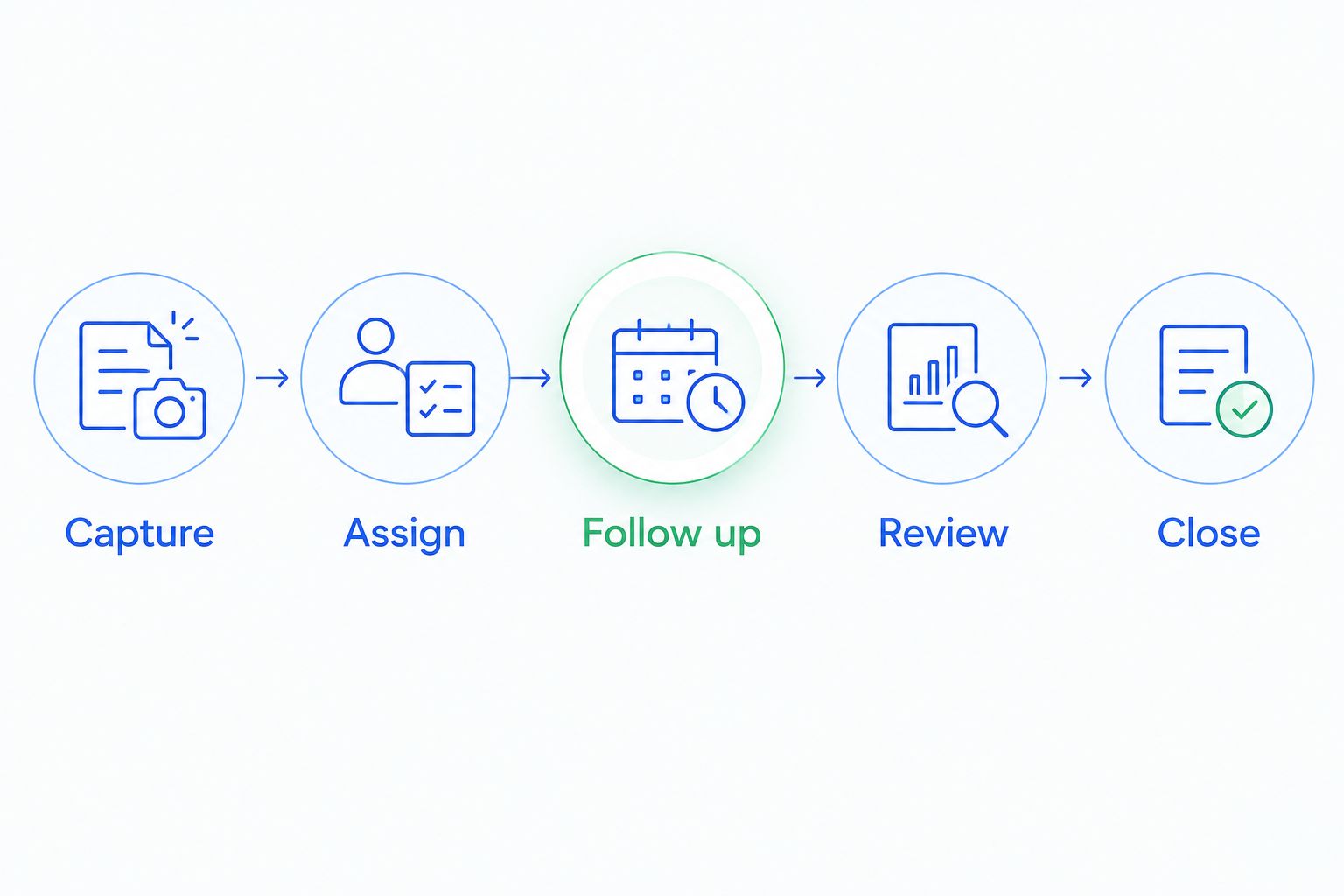
A workflow also needs exception handling. Decide what happens when a consultant leaves, a contact changes employers, or a message reaches the wrong person. Test those cases alongside the normal sequence.
- Stop or redirect messages when the recipient replies.
- Honor contact preferences across follow-up activity.
- Review automated stage changes against agreed criteria.
- Assign failed or unresolved actions for human review.
6. Measure client development separately from placements
Start with a weekly spreadsheet review of inquiries, completed follow-ups, qualified opportunities, and agreed business. Use consistent definitions so consultants do not report the same event under different names.
CRM reporting can make sales activity easier to review, but activity is not revenue. An email sent, a discovery call held, an agreement accepted, and a placement completed belong to different measures. Connect those events only when your records support the relationship.
For your 2026 dashboard, prioritize questions that lead to action: which opportunities lack a next step, which employers are waiting, and where qualified business stalls. Do not present candidate placements as CRM-generated results without evidence.
- Review opportunities with overdue next actions.
- Compare stage movement using consistent entry rules.
- Separate sales agreements from completed placements.
- Record lost-business reasons for team review.
7. Pilot the workflow before importing everything
Test the process with a limited group of consultants and employer records. A spreadsheet checklist is enough to track issues at first. Importing a large database before defining ownership spreads inconsistent data across the new system.
Use a recommended 7-day pilot to test inquiry assignment, conversation capture, follow-up, and reporting. Extend the pilot if it does not encounter representative cases. Then schedule a 30-day review to assess whether consultants maintain records and managers act on the reports.
These are rollout checkpoints, not promised performance outcomes. Test with 3 sample employer accounts representing a new prospect, an active client, and a dormant relationship. Resolve operational failures before broad adoption.
- Deduplicate contacts and employer records before import.
- Test reassignment when the original owner is unavailable.
- Verify that replies change the next action correctly.
- Approve the workflow only after reviewing exceptions.
Compare CRM options for recruiting agencies
Choose the option that matches your operational problem. If employer follow-up is the gap, evaluate a sales CRM; if candidate processing is the gap, evaluate applicant tracking. A combined system must demonstrate both workflows rather than merely listing both categories.
The comparison below separates category-level choices from a named platform. Validate specific capabilities in a demonstration using your agency’s own process.
| Option | Best for | Main advantage | Key limitation |
|---|---|---|---|
| Spreadsheet and shared calendar | Defining a simple process before software adoption | Makes ownership rules and required fields explicit | Updates, reminders, and conversation summaries need manual maintenance |
| Arches CRM | Employer sales pipelines and automated client follow-up | Combines lead management, conversations, tasks, and workflow automation | Recruiting-specific applicant tracking needs separate verification |
| Recruiting CRM with applicant tracking | Teams evaluating client development and candidate processing together | Offers a combined workflow when the selected system supports both | Must prove employer and candidate records remain distinct and usable |
| Existing ATS plus a sales CRM | Agencies keeping applicant tracking while improving employer sales | Preserves separate purposes for recruiting and business development | Requires clear ownership of shared data and tested connections |
In a 2026 evaluation, bring the same sample employer relationship to every demonstration. Ask the seller to capture an inquiry, assign it, record a conversation, schedule follow-up, and produce a manager’s view. Then test candidate handling separately.
A convincing demonstration shows the process working with exceptions, not just a clean dashboard. Check what happens when an employer has several hiring contacts or when an opportunity changes owners. Your agency needs a repeatable operating process, not another place to store unfinished notes.
Common CRM mistakes recruiting agencies make
Treating candidates as employer sales leads
A candidate seeking work and an employer buying recruitment services have different relationships with your agency. Mixing them in one sales pipeline makes ownership and reporting unclear. Keep the records and workflows distinct, even if the software stores both.
Marking every new job requirement as won revenue
A hiring requirement is not automatically an accepted agreement or a completed placement. Define the commercial milestone that marks a win. Report placement outcomes separately unless your system connects them through verified records.
Sending client and candidate follow-up from the same sequence
Employer outreach and candidate updates need different messages, permissions, and stop conditions. Review the audience before activating a workflow. Never assume that a contact’s presence in the database makes every communication appropriate.
Importing the database before agreeing on ownership
An imported account without an owner is still an unattended account. Clean duplicates, establish assignment rules, and define required fields first. Bring historical records into the system only when your team knows how they will be used.
FAQ
What is the best CRM for recruiting agencies?
The best CRM for recruiting agencies matches the workflow your team needs to fix. Arches CRM fits employer sales pipelines and automated client follow-up; assess applicant tracking separately if you also need candidate and application management.
What is the difference between a recruiting CRM and an ATS?
A CRM manages relationships and follow-up, while an applicant tracking system manages candidates and applications through the hiring process. Some systems combine these functions, but you should test employer sales and candidate processing as distinct workflows.
Can a staffing agency use a general sales CRM?
Yes, a staffing agency can use a general sales CRM for employer prospecting, commercial opportunities, and client follow-up. That does not establish support for candidate submissions, interview scheduling, or other applicant-tracking requirements.
Should staffing agencies automate every follow-up?
No, staffing agencies should automate repeatable reminders and defined follow-up actions, not every client conversation. Consultants still need to review replies, exceptions, hiring requirements, and commercial decisions.
Which CRM fields should a recruiting agency require?
Require fields that establish the employer, contact, owner, opportunity status, and next action. Add other fields only when they support a decision, reporting requirement, or recruiting workflow.
How do I test CRM software before moving our database?
Test a limited set of employer records through assignment, conversation capture, follow-up, and reporting. Include owner changes and recipient replies so the pilot checks exceptions as well as the normal process.
What should a recruiting agency track in its CRM?
Track employer inquiries, qualified opportunities, next actions, stage movement, and agreed business. Keep completed placements and candidate outcomes separate unless connected records support accurate combined reporting.
One last thing
Before buying software, ask your team to find every open employer opportunity without a next action. That exercise tests the operating process you want the CRM to enforce. If nobody owns those opportunities, automation alone does not solve the problem.
Make a next action mandatory for open opportunities and give someone responsibility for reviewing exceptions. A useful CRM record tells a consultant what to do next, not simply what happened last.