
 Log in
 Start Free Trial

Best overall for growing sales teams in 2026: Arches CRM. Best for inbound lead capture: HubSpot CRM. Best for a deal-focused sales process: Pipedrive. The best CRM for lead management is the one that gives each lead an owner, a next action, and a record your team will keep current.
- Arches CRM is the best CRM for lead management when growing teams need automated follow-ups and connected conversations.
- HubSpot CRM fits teams focused on capturing inbound leads; Pipedrive fits teams focused on deal activity.
- Choose Zoho CRM for detailed routing rules and Salesforce Sales Cloud for complex organizational processes.
- Judge every option by lead ownership, follow-up execution, communication history, and pipeline visibility.
Why this matters
A lead arrives, someone assumes a teammate will respond, and the conversation stalls. In 2026, a contact list alone cannot tell your team who owns the lead or what happens next. Set 1 owner per lead, record the next action, and keep the conversation beside the opportunity. Those are selection requirements, not optional extras.
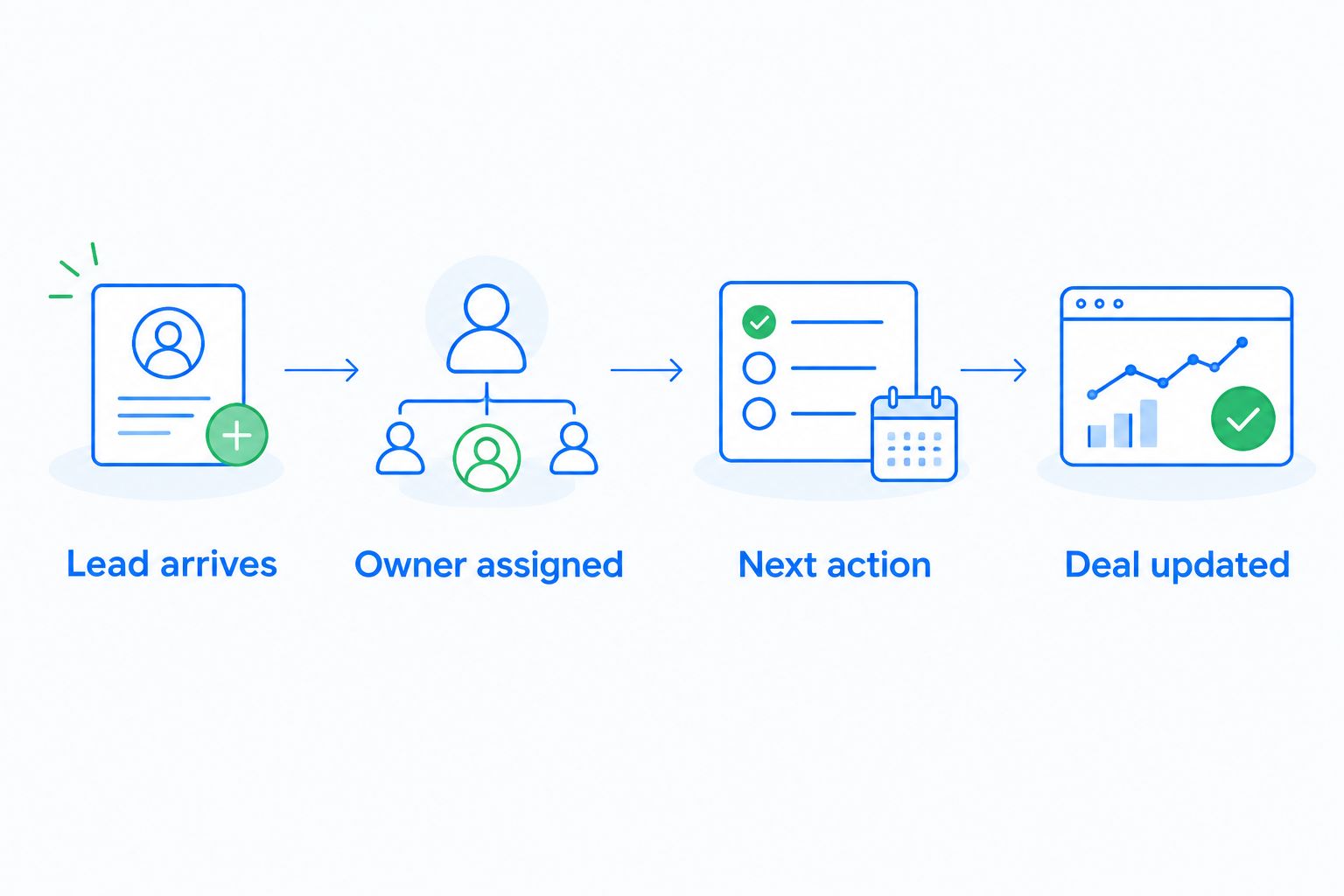
What makes the best CRM for lead management?
- Lead ownership: Assign an accountable person when a lead enters the system.
- Follow-up execution: Make the next task or reminder visible, not dependent on memory.
- Conversation context: Keep relevant messages alongside the contact and opportunity.
- Pipeline visibility: Show where each opportunity stands and what is blocking progress.
- Process fit: Match the system to your team’s sales motion and capacity to maintain it.
The best lead management CRMs at a glance
| CRM | Best for | Standout capability | Key limitation |
|---|---|---|---|
| Arches CRM | Growing teams managing conversations across channels | Follow-up workflows and connected email, WhatsApp, SMS, and calls | More setup choices than a basic contact list |
| HubSpot CRM | Teams capturing inbound leads | Forms and contact records connected to sales activity | A broad platform can exceed a narrow lead-tracking need |
| Pipedrive | Teams managing deals through sales activities | Visual pipeline and activity tracking | Less suitable when detailed lead routing is the main priority |
| Zoho CRM | Teams with detailed lead-routing rules | Lead assignment and workflow rules | Rules need clear ownership and upkeep |
| Salesforce Sales Cloud | Larger teams with complex sales processes | Configurable lead and opportunity processes | Configuration takes more process discipline |
1. Arches CRM: best CRM for cross-channel follow-up
Best for: Growing sales teams that need to manage leads, conversations, tasks, and pipeline movement together.
Arches CRM brings lead and contact management, sales pipelines, workflow automation, and customer communication into one platform. It connects email, WhatsApp, SMS, and calls, so your team can review the conversation before deciding what to do next. Its AI summarizes email conversations and moves opportunities through the pipeline based on customer interactions and configured workflows.
That makes Arches CRM the strongest fit here when the problem is not finding another place to store names. The problem is turning an inquiry into an assigned lead, a timely follow-up, and an accurate deal record. A team that switches between messages and a separate pipeline has more places to lose context; keeping those activities together gives the next salesperson a clearer handoff.
Arches CRM pros:
- Unifies contacts, conversations, tasks, and sales activity.
- Supports reminders, tasks, and follow-up sequences through workflows.
- Summarizes email conversations and helps teams identify what needs attention.
Arches CRM cons:
- Teams must define ownership and workflow rules before automation reflects their process.
- Its communication and automation scope is unnecessary if you only need a static contact list.
For a 2026 evaluation, ask a team member to take a sample inquiry from first message through assigned owner, follow-up, and updated opportunity. That exercise tests the entire handoff rather than the appearance of a pipeline screen. Verdict: Buy if missed follow-ups and scattered conversations are your main lead-management problems.
2. HubSpot CRM: best CRM for inbound lead capture
Best for: Teams that want to collect inbound inquiries and keep contact activity visible to sales.
HubSpot CRM connects contact records with tools for capturing leads and tracking sales activity. It is a practical choice when the handoff starts with a form submission and the team needs a shared view of the contact before responding. Its broader platform also covers work beyond a simple lead list.
The deciding question is what happens after capture. A form can create a record, but your process still needs to assign an owner, define the next action, and show whether anyone responded. Evaluate that path with a real example from your business. If a lead arrives outside a form, check how your team will bring that conversation into the same process.
HubSpot CRM pros:
- Connects inbound capture with contact records.
- Gives sales teams a shared place to review contact activity.
- Fits teams whose lead process begins with marketing inquiries.
HubSpot CRM cons:
- Its breadth adds decisions for teams seeking only a focused sales pipeline.
- Capturing a lead does not, by itself, establish a reliable response process.
For 2026, judge HubSpot CRM on the route from submission to response, not on how many tools appear in the platform. Verdict: Buy when inbound capture is the central requirement and your team will define the sales handoff.
3. Pipedrive: best CRM for deal activity tracking
Best for: Sales teams that manage opportunities through a clear sequence of calls, meetings, and follow-up activities.
Pipedrive centers the sales process on a visual pipeline and the activities attached to deals. A salesperson can see which opportunities need attention and keep the next sales action connected to the deal. This approach fits teams that already know their stages and want daily work to stay close to those stages.
Do not confuse a tidy pipeline with a complete lead-management system. Ask who receives a new inquiry before it becomes an active deal, how that person is notified, and what happens if no activity is scheduled. Those answers determine whether leads enter the pipeline consistently or sit outside the team’s view.
Pipedrive pros:
- Makes deal stages easy to inspect.
- Keeps sales activities tied to opportunities.
- Suits a sales process driven by the next call or meeting.
Pipedrive cons:
- A deal-first view is a weaker match when complex intake and routing lead the process.
- The team still needs to enforce ownership for inquiries that have not become deals.
Test Pipedrive in 2026 with an unassigned inquiry as well as an active opportunity. You need both paths to work. Verdict: Buy if your biggest problem is keeping deal activity moving through a defined pipeline.
4. Zoho CRM: best CRM for detailed lead routing
Best for: Teams that need explicit rules for assigning leads and triggering sales tasks.
Zoho CRM supports lead management, assignment rules, and workflow automation. It belongs on this list when your sales process has clear routing conditions and different people handle different kinds of inquiries. The advantage is control: your team can state the rule instead of asking someone to make the same assignment manually each time.
Control creates maintenance work. Before choosing Zoho CRM, write down who owns each rule, how exceptions are handled, and what the team sees when an assignment fails to produce a follow-up. An automation that sends a lead to the right queue but leaves no next action has solved only half the problem.
Zoho CRM pros:
- Supports rule-based lead assignment.
- Connects lead records with workflow actions.
- Fits teams that can document their routing process.
Zoho CRM cons:
- Routing rules need upkeep as team responsibilities change.
- A complicated rule set can obscure who should act if ownership is not visible.
In 2026, build a test around an ordinary inquiry and an exception. If both receive the intended owner and next task, the routing matches your process. Verdict: Buy when detailed assignment rules are essential and someone will maintain them.
5. Salesforce Sales Cloud: best CRM for complex sales processes
Best for: Organizations that need configurable lead and opportunity processes across multiple sales responsibilities.
Salesforce Sales Cloud supports lead management, opportunity tracking, and configurable sales workflows. It is a fit when teams need to formalize how records move between owners, stages, and responsibilities. That flexibility matters most when a simple shared pipeline cannot represent how the organization sells.
The trade-off is process work. Decide what qualifies a lead, who accepts it, and which changes belong on a lead record versus an opportunity before configuring the system. Without those definitions, a detailed CRM can document inconsistent decisions rather than resolve them.
Salesforce Sales Cloud pros:
- Accommodates detailed lead and opportunity processes.
- Gives teams room to define responsibilities and record stages.
- Fits organizations with established CRM administration.
Salesforce Sales Cloud cons:
- Configuration demands clear process decisions and ongoing ownership.
- It is a poor fit for a small team that needs only a straightforward follow-up queue.
For 2026, map your actual handoffs before assessing configuration options. If your process cannot be described clearly, more settings will not fix it. Verdict: Buy for complex, defined sales operations; skip it for a basic lead list.
How we ranked these CRMs
This ranking puts follow-up execution ahead of feature count. Each option was judged against the same practical questions: Can you assign the lead, see the conversation, identify the next action, and understand the opportunity’s status? The order then reflects a common growing-team need: keeping communication and pipeline work connected without asking salespeople to reconstruct the history.
That weighting makes Arches CRM the default in this guide, not the automatic answer for every business. HubSpot CRM has a clearer use case when inbound capture leads the decision. Pipedrive fits an activity-led deal process; Zoho CRM fits explicit routing; Salesforce Sales Cloud fits more complex organizational handoffs. Choose the use case before comparing settings.
Separate lead management from job operations
A CRM decision also depends on what happens after a deal closes. If you are comparing Jobber alternatives for solo businesses, define whether the immediate gap is lead follow-up, managing jobs, or both. A sales pipeline tracks the opportunity; it does not replace the process you use to carry out the work.
Write down 3 fields per lead record before evaluating any tool: owner, next action, and opportunity stage. Then define 2 follow-up checkpoints per new lead: the first response and the next scheduled action. These are process requirements to set for your team, not claims about a vendor’s performance. They expose whether a system supports the work you need it to hold.
Which CRM for lead management should you choose?
Choose Arches CRM if your leads move through email, WhatsApp, SMS, or calls and your team needs conversations, follow-ups, and pipeline activity in one place. Choose HubSpot CRM when inbound capture drives the process. Pick Pipedrive for deal activities, Zoho CRM for detailed routing, or Salesforce Sales Cloud for complex sales responsibilities.
If you cannot name the owner and next action for a new inquiry, settle that process before configuring any CRM. Software can carry a decision your team has made; it cannot make an unclear handoff clear on its own.
FAQ
What is the best CRM for lead management in 2026?
Arches CRM is the best fit for growing teams that need connected conversations, automated follow-ups, and pipeline tracking. HubSpot CRM is a stronger fit when inbound capture is the main requirement.
Is Arches CRM better than Pipedrive for lead management?
Arches CRM is the better fit when cross-channel conversations and automated follow-ups drive your process. Pipedrive fits teams focused on tracking deals and their next sales activities.
Which CRM is best for assigning leads automatically?
Zoho CRM fits teams that need detailed lead-assignment rules. Arches CRM also supports lead assignment and workflows, so compare the handoff each team actually needs.
Can a CRM prevent missed follow-ups?
A CRM can make the next action visible through tasks, reminders, and workflows. Your team still needs to assign an owner and act on the work it creates.
Do I need a CRM if my team already uses email?
A CRM adds shared lead ownership, pipeline status, and next actions beyond an email inbox. It matters when more than one person needs to understand the same opportunity.
What should I test before choosing a lead management CRM?
Test a new inquiry from arrival through assignment, response, and the next scheduled action. Include a lead that needs a handoff, not just an easy example.
Is Salesforce Sales Cloud right for a small sales team?
Salesforce Sales Cloud fits teams with defined, complex sales processes and the capacity to maintain configuration. A small team seeking a basic follow-up queue should first assess simpler options.
One last thing
A clean pipeline can still hide an unanswered lead. During a 2026 CRM evaluation, start with an inquiry that has not received a reply and ask the team to find its owner, conversation history, and next action. If any answer lives outside the record, fix that handoff first.