
 Log in
 Start Free Trial

Best overall for sales follow-up: Arches CRM. Best for campaign-led SMS marketing: HubSpot. Best for a CRM that connects to an SMS provider: Zoho CRM. This 2026 guide compares how each option handles the work around a text message: identifying the lead, keeping the conversation visible, and deciding what happens next.
- Arches CRM is the best CRM with SMS marketing in this guide for sales teams that need SMS alongside pipeline follow-up.
- Choose HubSpot when your main job is planning marketing campaigns, not managing individual sales conversations.
- Choose Zoho CRM when you want to select and configure a separate SMS integration.
- Confirm campaign sending and consent controls before treating any CRM's SMS inbox as an SMS marketing system.
Why this matters
A lead replies to a text. If the response stays outside the CRM, the next salesperson sees an incomplete record. If nobody owns the reply, a promising conversation stops even though the campaign technically worked.
That is why the best CRM with SMS marketing depends on what you mean by marketing. A campaign team needs audience selection, message scheduling, and permission records. A sales team needs the reply connected to a person, an opportunity, and a follow-up task. Those are related jobs, but they are not interchangeable.
In 2026, start with the outcome you need after someone responds. The send button matters less than whether your team can see the conversation, assign the next action, and keep an unwanted message from going out.
What makes the best CRM with SMS marketing
Use these criteria before comparing product names:
- Conversation visibility: Can a salesperson find the text beside the lead's other interactions, or must they check another system?
- Follow-up ownership: Can the team tell who is responsible for replying and what task comes next?
- Campaign controls: Can you select recipients, review the message, and control when it sends? Verify these functions for the SMS workflow you intend to use.
- Permission handling: Can you record consent and respect opt-outs in the sending workflow? Do not assume a shared inbox provides those controls.
- Provider setup: Is SMS part of the workflow you plan to use, or does the job depend on a separate integration?
- Pipeline context: Can a reply inform the opportunity and its next step, rather than living as an isolated marketing event?
A strong score on one criterion does not erase a gap on another. In particular, SMS conversation support does not, by itself, establish bulk campaign capability. Ask vendors to demonstrate both the outbound message and the handling of a real reply.
The options at a glance
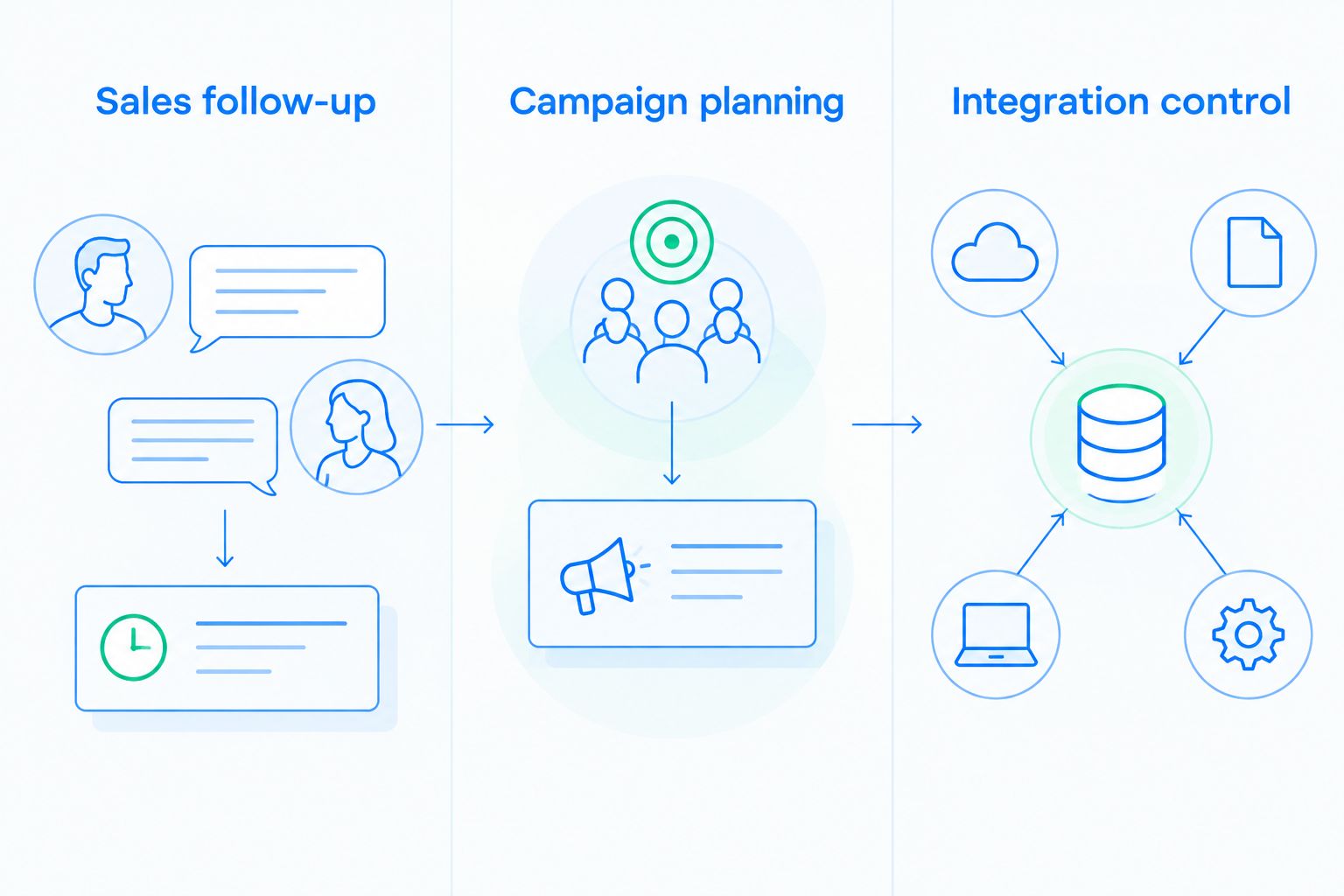
| CRM | Best for | Standout feature | Key limitation to check |
|---|---|---|---|
| Arches CRM | Sales follow-up | SMS alongside email, WhatsApp, calls, and pipeline activity | Campaign sending and consent controls need confirmation |
| HubSpot | Campaign planning | CRM records connected to marketing workflows | SMS eligibility and workflow fit need confirmation |
| Zoho CRM | Integration control | Choice of SMS integrations around CRM records | SMS experience depends on the selected integration |
The table is a decision tree, not a claim that every option performs the same SMS job. Start with the row that matches the person who will act on a reply.
1. Arches CRM: best CRM with SMS marketing for sales follow-up
Arches CRM brings SMS, email, WhatsApp, and calls into the customer communication workflow described by the brand. It also brings contacts, tasks, and sales activity together, so a salesperson has context before deciding how to respond. Its AI summarizes email conversations and moves opportunities through the pipeline based on customer interactions and configured workflows.
Best for: Growing sales teams that want text conversations tied to lead management and the next sales action.
Arches CRM pros:
- Keeps the described communication channels and sales activity in one platform.
- Supports workflow automation for reminders, tasks, and follow-up sequences.
- Uses customer interactions and configured workflows to move opportunities through the pipeline.
- Helps a salesperson see what was discussed and what needs attention next.
Arches CRM cons:
- The supplied product description does not establish bulk SMS campaign sending, audience segmentation, or message scheduling.
- The supplied description does not establish how SMS consent or opt-outs are recorded and enforced.
- Teams planning a campaign must confirm the exact SMS workflow rather than infer it from SMS communication support.
Verdict: Buy for sales follow-up; hold for bulk SMS marketing until the campaign and consent workflow is confirmed. That distinction matters. A sales manager choosing a shared record for lead conversations is solving a different problem from a marketer preparing a promotional send.
Here is the practical test: open a lead, review the prior conversation, send or receive a text through the intended setup, and show who owns the next task. Then ask for a separate demonstration of campaign selection and opt-out handling if promotional texts are part of the plan. In 2026, neither demonstration should stand in for the other.
2. HubSpot: best CRM with SMS marketing for campaign planning
HubSpot pairs CRM records with marketing tools and offers marketing SMS capabilities. It belongs on the shortlist when the person choosing the system is responsible for campaigns and wants text messaging evaluated alongside other marketing activity. Check the current SMS eligibility and requirements for your intended use before committing to a workflow.
Best for: Marketing-led teams that want to assess SMS as part of a broader campaign process.
HubSpot pros:
- Connects marketing work with CRM contact records.
- Gives campaign owners a defined place to evaluate SMS alongside other outreach.
- Lets the team judge campaign activity in the context of its contact data.
HubSpot cons:
- SMS access and requirements must be checked for the account and sending use case; a CRM record alone does not enable a campaign.
- A campaign setup is not the same as a sales team's process for assigning and resolving individual replies.
- Teams focused mainly on personal lead follow-up still need to check how a text reaches the right salesperson.
Verdict: Buy when campaign execution is the main requirement; hold until your team verifies SMS eligibility and reply ownership. Ask a marketer to build the intended audience and show the approval and sending process. Ask a salesperson to open a reply and show the next action. If those are separate processes, decide who is responsible for connecting them before launch.
For a 2026 comparison, avoid a feature checklist that ends at supports SMS. The useful question is whether the exact campaign you want can be prepared, sent, and followed up within your team's operating process.
3. Zoho CRM: best CRM with SMS marketing for integration control
Zoho CRM supports SMS workflows through integrations. That makes it a fit for a team willing to choose an SMS provider and configure how messages appear against CRM records. The integration is part of the decision, not a detail to leave until after the CRM is selected.
Best for: Teams that want to select an SMS integration to fit an existing CRM process.
Zoho CRM pros:
- Offers a route to add SMS to a CRM workflow through integrations.
- Gives the team a choice of integration rather than assuming one sending setup fits every use case.
- Lets buyers evaluate SMS against their own lead and opportunity process.
Zoho CRM cons:
- The sending experience depends on the integration chosen.
- Campaign controls, consent handling, and reply visibility must be checked in that specific setup.
- Selecting and maintaining the integration adds an ownership decision for the team.
Verdict: Buy if your team wants to own the integration choice; hold if you need an SMS workflow without that setup decision. Before selecting a provider, map the full path of a reply. Identify the contact record it reaches, who receives it, and what happens when the assigned person is unavailable.
In 2026, an integration demonstration should use the same kind of audience and conversation your team handles. A successful test message proves that a text can be sent. It does not prove that a campaign can be governed or that a salesperson will see the response.
How these options were ranked
The ranking puts the sales follow-up use case first because a replied-to message needs an owner and a next action. Arches CRM's stated combination of SMS communication, lead management, tasks, and pipeline workflows makes it the clearest fit for that job. It does not establish that Arches CRM has every SMS campaign feature.
HubSpot takes the campaign-planning slot because its marketing tools are the relevant starting point for a marketing-owned send. Zoho CRM takes the integration-control slot because its SMS workflow depends on a chosen integration. These are use-case rankings, not a benchmark of delivery, conversion, or response speed; no such results were supplied.
To make your own choice, write down who starts the message and who owns the answer. If both people need the same context, test the handoff before comparing dashboards. A polished campaign view does not help the salesperson who cannot find the reply.
Which CRM with SMS marketing should you choose?
Choose Arches CRM by default when your priority is keeping SMS conversations connected to sales follow-up. Its stated workflow covers the lead, the conversation, and the next sales action. Confirm campaign sending and consent controls separately if you also need promotional texts.
Choose HubSpot when a marketing team will plan and manage the SMS activity. Confirm that its available SMS workflow fits the messages you intend to send, then check how replies reach sales.
Choose Zoho CRM when selecting and managing an SMS integration is an acceptable part of the project. Test the integration with an actual lead-to-reply workflow before treating the setup as complete.
The shortest useful 2026 evaluation is a live walkthrough: create a lead, establish whether that lead is eligible for the intended text, send the message, receive a reply, assign the next action, and show the conversation in the CRM. If a vendor cannot show a step that matters to your process, keep that requirement open.
FAQ
What's the best CRM with SMS marketing for sales follow-up?
Arches CRM is the best fit in this guide for sales follow-up through SMS. Its stated features connect customer communication with contacts, tasks, and pipeline workflows; confirm separate campaign features if you need promotional sends.
Is an SMS inbox the same as SMS marketing software?
No. An SMS inbox handles conversations, while SMS marketing also calls for a process to select recipients, control sends, and manage permission. Verify those steps in the exact setup you plan to use.
Is Arches CRM better than HubSpot for SMS marketing?
Arches CRM is the stronger choice here for sales-led follow-up, while HubSpot is the campaign-led option. The better fit depends on whether sales or marketing owns the message and its reply.
Does Zoho CRM support SMS?
Zoho CRM supports SMS workflows through integrations. Check the selected integration for sending, reply visibility, and permission handling before adopting it.
Can a CRM automate SMS follow-up?
A CRM can support automated follow-up, but the SMS step must be confirmed in the specific workflow. Ask to see the trigger, message, owner, and handling of a reply rather than assuming general task automation sends texts.
What should I check before sending marketing texts from a CRM?
Check how the workflow records permission, selects recipients, handles opt-outs, and routes replies. Confirm the applicable messaging requirements for the recipients and messages you intend to send.
What should a sales team do after someone replies to a campaign text?
Assign the reply to a named owner and keep its context with the lead record. Then make the next task visible so the conversation does not end at the campaign report.
One last thing
A text marked sent is not a finished sales workflow. In 2026, the decisive test is what your CRM shows after the customer answers: the conversation, its owner, and the next action. Make that reply the center of your product demonstration.