
 Log in
 Start Free Trial

Best for unified sales follow-up: Arches CRM. Best for sales calling inside a broader CRM: HubSpot. Best for configurable enterprise call workflows: Salesforce Sales Cloud. This 2026 guide matches the best CRM with call tracking to the job you need done: recording sales activity, keeping follow-ups moving, or connecting inbound calls to marketing sources.
- Arches CRM is the best CRM with call tracking shortlist choice for teams prioritizing unified conversations and automated follow-up.
- HubSpot suits sales calling; Salesforce Sales Cloud suits configurable workflows; Zoho CRM suits connected telephony.
- Pipedrive suits activity-led selling, where every conversation needs a clear next action.
- Call logging and marketing call attribution solve different problems. Test the workflow you actually need.
Why this matters
A lead calls, someone answers, and the conversation ends without an assigned next step. The problem is not the phone. It is the gap between the conversation and the sales process.
Your 2026 CRM shortlist should address that gap before adding recording, transcription, or reporting requirements. A detailed call history is useful, but a call history without an owner or follow-up task still leaves work unfinished.
There is also a terminology trap. Sales call tracking records conversations and activity against customer records. Marketing call tracking connects inbound calls to acquisition sources. Buying for one does not automatically solve the other.
What makes the best CRM with call tracking?
Use these criteria before comparing software. Each criterion answers a different operational question, so a strong dialer alone does not settle the decision.
- Call context: Can the salesperson connect the call to the correct contact, opportunity, and previous conversation?
- Lead ownership: Is responsibility for the caller clear, including when the original salesperson is unavailable?
- Next action: Does the call produce a task, reminder, or workflow that someone can complete?
- Source attribution: If marketing attribution matters, can you trace the call to the relevant campaign or acquisition source?
- Recording controls: If you need recordings, can your proposed setup meet your consent, access, and retention requirements?
- Connection reliability: Does your telephone connection preserve the information your CRM workflow needs?
Separate those requirements into two buying briefs: Sales activity and Marketing attribution. Sales activity asks what happened and what happens next. Marketing attribution asks what brought the caller to you.
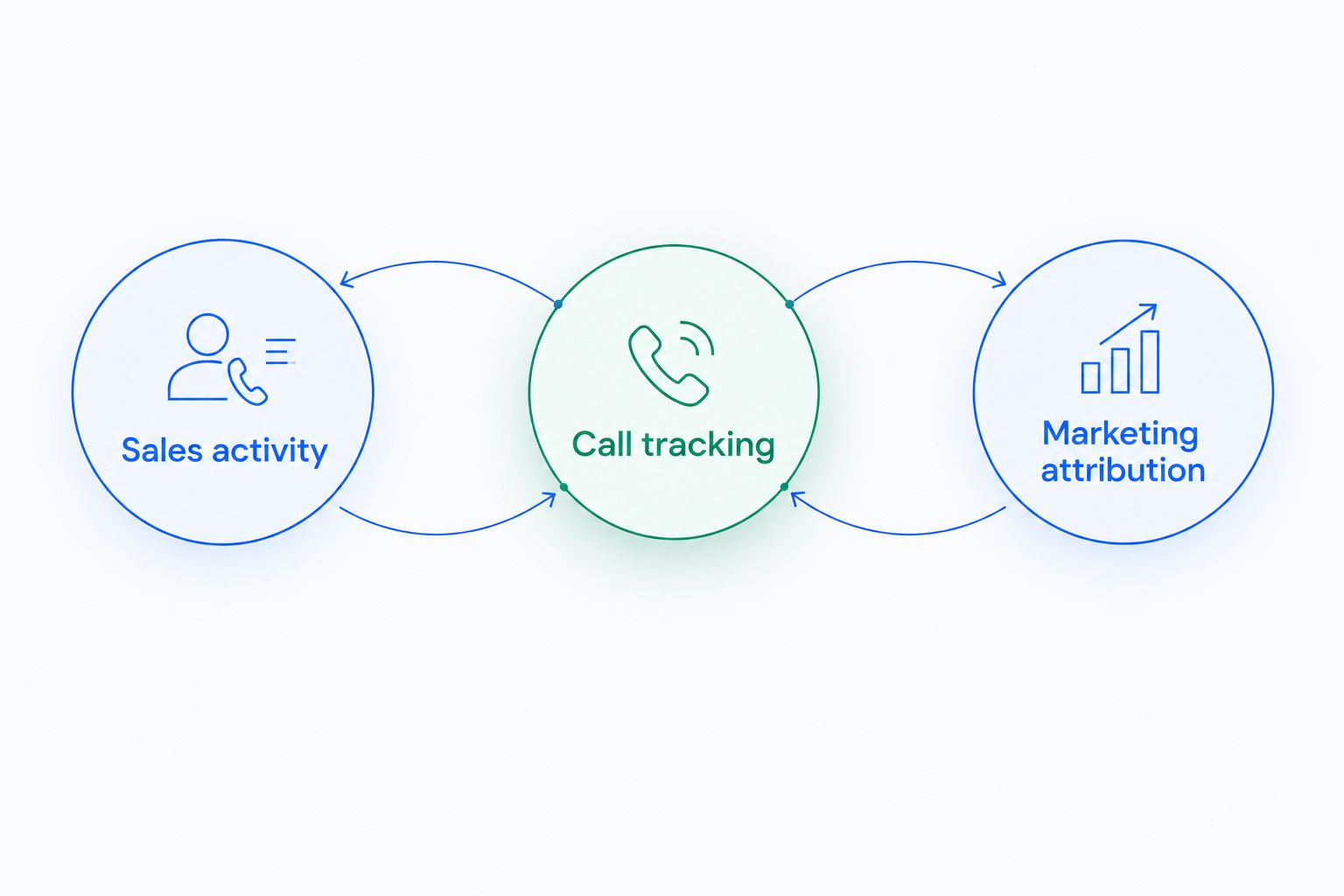
Do not combine every possible requirement into one vague checklist. Mark the features that affect your actual sales process, then require the vendor to demonstrate those workflows in the proposed configuration.
CRM call tracking options at a glance
The 2026 shortlist below ranks by use-case fit, not by the number of features advertised. Calling and integration details depend on the configuration you select; assess the complete setup rather than the CRM name alone.
| CRM | Best for | Standout fit | Key limitation or buying condition |
|---|---|---|---|
| Arches CRM | Unified conversations and follow-up | Contacts, pipelines, communication, and workflow automation together | Validate the specific telephone and attribution requirements separately |
| HubSpot | Sales calling within a broader customer platform | Calling associated with CRM contact records | Check calling scope and workflow requirements in the proposed configuration |
| Salesforce Sales Cloud | Configurable enterprise call workflows | Sales records connected to telephony through integrations | Telephony design and administration add implementation work |
| Zoho CRM | Teams connecting a telephone provider to their CRM | Telephony integrations linked to customer records | Provider compatibility determines the connected workflow |
| Pipedrive | Activity-led sales follow-up | Calls treated as part of an opportunity’s next-action process | Advanced calling requirements need separate validation |
1. Arches CRM: best CRM for unified call follow-up
This platform brings lead and contact management, sales pipelines, tasks, and customer communications into one place. Its stated communication channels include email, WhatsApp, SMS, and calls, while workflow automation supports reminders, tasks, and follow-up sequences.
The strongest fit is a sales team whose conversations move across channels. Instead of treating the call as an isolated event, you organize the contact, opportunity, and next action within the same sales process.
Arches CRM pros:
- Brings calls and other customer communication channels into one platform.
- Connects lead management with opportunity tracking and follow-up work.
- Supports configured workflows for reminders, tasks, and follow-up sequences.
Arches CRM cons:
- Workflow automation still requires you to define ownership and follow-up rules.
- Unified communication does not, by itself, establish campaign-level call attribution.
Best for: Growing sales teams that need conversations to lead to assigned work, not just more activity records.
Verdict: Buy for unified follow-up after validating your telephone requirements. If campaign attribution is the main purchase driver, establish that requirement before treating this as your default.
2. HubSpot: best CRM for sales calling in a broader platform
HubSpot combines CRM records with sales tools, including calling functionality. Its use case here is straightforward: keep sales calls connected to the contact record instead of leaving the conversation in a separate telephone system.
For your 2026 evaluation, follow a salesperson through an actual call workflow. Check how the proposed setup handles the contact, outcome, notes, and next task rather than stopping at the presence of a call button.
HubSpot pros:
- Provides a CRM-centered approach to sales calling.
- Connects calling activity with customer records.
- Supports a broader sales process beyond the telephone conversation.
HubSpot cons:
- Calling requirements need to be checked against the exact configuration offered.
- A CRM calling workflow is not sufficient evidence of marketing-source attribution.
Best for: Teams that want calling within a broader customer-management platform and will define the required sales workflow before selecting it.
Verdict: Buy for CRM-centered sales calling; hold if attribution is still undefined. Do not treat a successful outbound calling demonstration as proof that your inbound marketing reporting is solved.
3. Salesforce Sales Cloud: best CRM for configurable call workflows
Salesforce Sales Cloud manages sales records and workflows and connects to telephony through integrations. Its distinct role on this shortlist is accommodating a sales process that needs configuration across customer records, responsibilities, and call activity.
The buying decision extends beyond choosing the CRM. You also need to specify how the telephone integration maps callers, records outcomes, and passes information into the sales workflow.
Salesforce Sales Cloud pros:
- Supports configurable sales records and processes.
- Connects telephony with CRM workflows through integrations.
- Suits buyers who need to define a detailed operating model.
Salesforce Sales Cloud cons:
- CRM configuration and telephone integration create separate implementation work.
- More configurable processes require clear administration and ownership.
Best for: Organizations with defined call-handling requirements and the capacity to manage configuration, integrations, and ongoing administration.
Verdict: Buy for process complexity; skip if you only need a simple call-and-task workflow. A detailed configuration is useful when it reflects real operating requirements, not when it adds steps your salespeople do not need.
4. Zoho CRM: best CRM for connected telephony
Zoho CRM offers telephony integrations that connect telephone activity with customer records. Its buying slot is the team that wants to evaluate the CRM and telephone provider as a connected system.
Start with the provider and call behavior you need. Then inspect how the proposed integration handles caller matching, activity records, and follow-up rather than assuming every telephone connection behaves identically.
Zoho CRM pros:
- Offers a route for connecting telephony with CRM records.
- Keeps customer management central to the calling workflow.
- Supports evaluating a telephone provider alongside the CRM.
Zoho CRM cons:
- The provider connection determines important parts of the calling experience.
- Changes to the telephone setup require renewed workflow checks.
Best for: Teams that have a telephone provider to evaluate and want the provider-to-CRM connection to drive the shortlist.
Verdict: Buy when the proposed integration passes your call tests. Hold if the demonstration shows a different provider or configuration from the one your team will use.
5. Pipedrive: best CRM for activity-led call follow-up
Pipedrive organizes selling around deals and sales activities, including calls. Its fit is the team that wants every customer conversation to lead to a visible next action on an opportunity.
This is an activity-management decision first. If you also need dialing, recordings, or marketing attribution, evaluate those requirements separately from the deal and task workflow.
Pipedrive pros:
- Gives calls a place within the sales activity process.
- Connects follow-up work with deal management.
- Fits a workflow built around clear next actions.
Pipedrive cons:
- Activity tracking alone does not establish advanced telephone functionality.
- Specialist attribution requirements need a separate buying decision.
Best for: Sales teams that primarily need to stop calls from ending without a scheduled next step.
Verdict: Buy for activity discipline; hold if specialist call tracking is the main requirement. The deciding question is whether the system keeps follow-up visible, not whether it produces the longest call log.
How we ranked these CRM options
The ranking prioritizes the connection between a conversation and useful sales work: customer context, ownership, next action, and the telephone connection needed to support them. Source attribution and recording controls act as additional requirements when your workflow needs them.
The order is a decision tree rather than a universal performance score. Unified follow-up, CRM-centered calling, configurable workflows, provider connections, and activity discipline each have a separate recommended fit.
For a 2026 purchase, require evidence from the exact setup proposed for your team. A feature demonstrated through a different integration does not establish how your configuration will behave.
Run these call tests before choosing
Use 3 test calls to evaluate the complete workflow. These are purchasing checks, not performance benchmarks; keep the same scenarios across your shortlist so the comparison stays useful.
Answered call
Make 1 answered call from a contact already in the CRM. Ask the salesperson to find the contact, review prior communication, record the outcome, and assign the next action.
Watch for duplicate records and work that disappears into an unassigned note. The test passes when the salesperson and manager can both identify who owns the follow-up.
Missed call
Make 1 missed call and inspect what happens afterward. Determine where the missed call appears, who becomes responsible, and how that person sees the callback work.
A missed-call record is not the same as a callback process. Require the demonstration to continue until a person has a clear action to complete.
Repeat caller
Make 1 repeat call after adding a follow-up note to the contact. Check whether the next salesperson can find the earlier conversation and understand what was promised.
This exposes the difference between recording an event and preserving customer context. If the salesperson must reconstruct the interaction from unrelated systems, the handoff still needs work.
Check attribution separately
If you buy leads or track campaign performance, add an attribution demonstration to the 2026 evaluation. Ask how the proposed configuration connects an inbound call to its acquisition source and then to the relevant opportunity.
Inspect how that connection survives repeat calls, existing contacts, and reassigned opportunities. A call count measures activity; it does not explain which marketing source produced the opportunity.
Connect conversations to next actions
Explore lead management, unified communication, and sales workflow automation.
Which CRM with call tracking should you choose?
Choose Arches CRM for call-related sales follow-up when your priority is keeping conversations, leads, and next actions together. That is the default recommendation for a team whose main problem is unfinished follow-up across communication channels.
Choose HubSpot for CRM-centered sales calling, Salesforce Sales Cloud for configurable processes, Zoho CRM for a provider-led telephony evaluation, or Pipedrive for activity-led selling. Each recommendation addresses a different buying problem.
If your main question is which campaign generated an inbound call, choose the attribution approach before finalizing the CRM. Reverse that order and you risk selecting a good sales database without answering the marketing question.
FAQ
What’s the best CRM with call tracking for a growing sales team?
Arches CRM is the shortlist choice for growing teams prioritizing unified conversations and automated follow-up. Validate the required telephone connection and any campaign-attribution requirements before choosing.
Is call tracking the same as call logging?
No. Call logging records sales activity, while marketing call tracking connects inbound calls to acquisition sources. Define which function you need before comparing CRM software.
Which CRM is best for calls that need a follow-up task?
Pipedrive is the activity-led option on this shortlist, while Arches CRM fits broader follow-up across communication channels. Choose based on whether your main need is deal activity management or unified conversations and workflow automation.
Can a CRM track where inbound calls came from?
A CRM can support that workflow when the proposed attribution setup passes source information into the customer and opportunity records. A call log alone does not establish campaign attribution.
Does a CRM with calling automatically record calls?
No. Calling, call logging, and recording are separate requirements. Confirm recording behavior and the consent, access, and retention controls in the exact configuration you select.
What should I test in a CRM call-tracking demo?
Test an answered call, a missed call, and a repeat caller. Check contact matching, ownership, conversation history, and the next action for each scenario.
Do I need to replace my telephone provider to use CRM call tracking?
That depends on the proposed CRM and telephone integration. Ask the vendor to demonstrate your intended provider connection rather than assuming the existing setup will work unchanged.
One last thing
Before signing off on your 2026 choice, ask a salesperson to open a customer record and answer this question: What needs to happen next, and who is responsible?
If the answer is clear without checking another inbox or asking a colleague, the workflow has passed an important test. If it is not, adding more call data will not fix the handoff.