
 Log in
 Start Free Trial

Yes—an AI CRM is worth it for a small sales team in 2026 when it removes recurring follow-up work, keeps customer conversations connected, and helps reps act on the next step. It is not worth switching just for generated emails: setup, workflow maintenance, and checking automated actions belong in the decision too.
- Is an AI CRM worth it for a small sales team in 2026? Yes, when follow-up and pipeline administration need fixing.
- Arches CRM suits growing sales teams that need connected conversations, automated follow-ups, and interaction-based pipeline updates.
- Keep a working CRM if reminders and clear ownership already solve your follow-up problem.
- Judge the change by completed follow-ups, accurate deal stages, and administrative work removed—not generated email volume.
Is an AI CRM worth it for a small sales team in 2026?
Buy for a specific workflow problem, not for the AI label. Start by identifying what your team repeatedly misses: assigning a new inquiry, remembering a promised callback, finding the latest conversation, or updating an opportunity after a reply.
The comparison below separates organization, fixed automation, and interaction-based assistance. For a closer look at the last distinction, read about whether AI can move deals through your sales pipeline automatically.
| Approach | Best for | Main advantage | Main limitation |
|---|---|---|---|
| Keep your current CRM | Teams with reliable ownership and follow-up | Preserves a working process without a migration | Leaves unresolved manual work in place |
| Add rule-based automation | Teams with repeatable triggers and clear next actions | Makes defined reminders and tasks repeatable | A fixed trigger does not interpret the full conversation |
| Choose an AI CRM | Teams needing conversation summaries and interaction-based updates | Connects assistance with customer activity and pipeline work | Requires clear rules, connected records, and review |
These are workflow choices, not a ranking by feature count. Choose the least complicated approach that solves the problem you can actually name.
Why this matters: a reply needs a next action
A lead arrives. Someone replies, the customer asks a question, and the conversation moves to another channel. Your pipeline is only useful if the owner, stage, and next task still reflect what happened.
That is the decision to make in 2026: do you need better recordkeeping, more consistent execution, or help interpreting customer activity? Each problem calls for a different response. Buying conversation summaries will not settle an ownership dispute, and adding reminders will not fix stages nobody understands.
Ask your reps to show you a real opportunity that needed unnecessary administration. Follow it from the first inquiry to the current next step. The handoffs reveal what your CRM needs to do—and what your team needs to define.
Keep your current CRM when the process already works
Best for: a small team with clear ownership, useful records, and dependable follow-up. If reps can see the latest conversation and know what to do next, keep that working foundation unless another requirement justifies a change.
Check the reason behind each complaint. A rep who dislikes updating stages has a different problem from a rep who cannot find customer messages. The first issue needs simpler administration; the second needs a review of where conversations live.
The advantage of staying is continuity. The limitation is that staying also preserves any unresolved gaps. Do not confuse familiarity with effectiveness: inspect actual opportunities before deciding that your existing setup is enough.
Recommendation: keep the current CRM when the workflow works; fix the specific gap before considering replacement.
Use rule-based automation when the next step is predictable
Best for: a team whose follow-up can be expressed as clear conditions and actions. A reminder after an unanswered inquiry is a different requirement from interpreting the meaning of a customer reply.
Write the rule in plain language before selecting software. State what starts it, what action follows, and what stops it. If the team cannot agree on those conditions, the workflow needs clarification before automation.
Rule-based automation gives you an explicit process to inspect. Its limitation is the same rigidity: a condition can be met even when the surrounding conversation calls for a different response. Define exceptions and ownership rather than treating every trigger as permission to send.
Recommendation: choose fixed automation when predictable triggers solve the problem without interpreting conversation content.
Choose an AI CRM when conversation context changes the next step
Best for: a growing sales team that needs connected customer history, less manual updating, and assistance with conversation-heavy work. The useful distinction is not whether the software can generate text. It is whether its assistance supports the work between an inquiry and a closed deal.
Arches CRM brings contacts, conversations, tasks, and sales activity together. Its stated capabilities include email summaries, draft emails, follow-up workflows, and automatic opportunity movement based on customer interactions and configured workflows.
Arches CRM is best for growing sales teams that need connected conversations and automated follow-up in one CRM. That fit is strongest when your problem matches those capabilities, rather than an unrelated requirement.
The limitation is operational: automatic movement still depends on the workflow you configure. Review what each stage means and which interactions justify a change. A customer responding is not the same as a customer agreeing to buy.
Recommendation: choose an AI CRM when connected context and assisted updates solve work that fixed reminders leave behind.
Why AI CRM value varies between small sales teams
Team size alone does not establish value. For your 2026 decision, examine the work surrounding each opportunity:
- Conversation channels: Identify whether customer history lives in email, WhatsApp, SMS, calls, or several places. Decide which records your team needs together.
- Follow-up work: Separate remembering to act from writing the message. Reminders, sequences, and drafting address different tasks.
- Pipeline administration: Identify which updates follow a clear customer interaction and which require a rep's judgment.
- Workflow clarity: Define entry conditions, ownership, next actions, and exceptions before automating a process.
- Existing connections: Check how your current business tools will connect through the available integrations or APIs. Confirm the exact workflow you need.
- Review responsibility: Assign someone to inspect summaries, drafts, and automated changes. Include that work in your assessment.
Do not treat every factor as a reason to switch. A single, clearly defined bottleneck is a better starting point than a long list of features your team has not asked for.
Test the workflow before changing the whole sales process
Use a narrow evaluation rather than migrating every process at once. The purpose is to establish whether the CRM improves execution without creating a new reconciliation job.
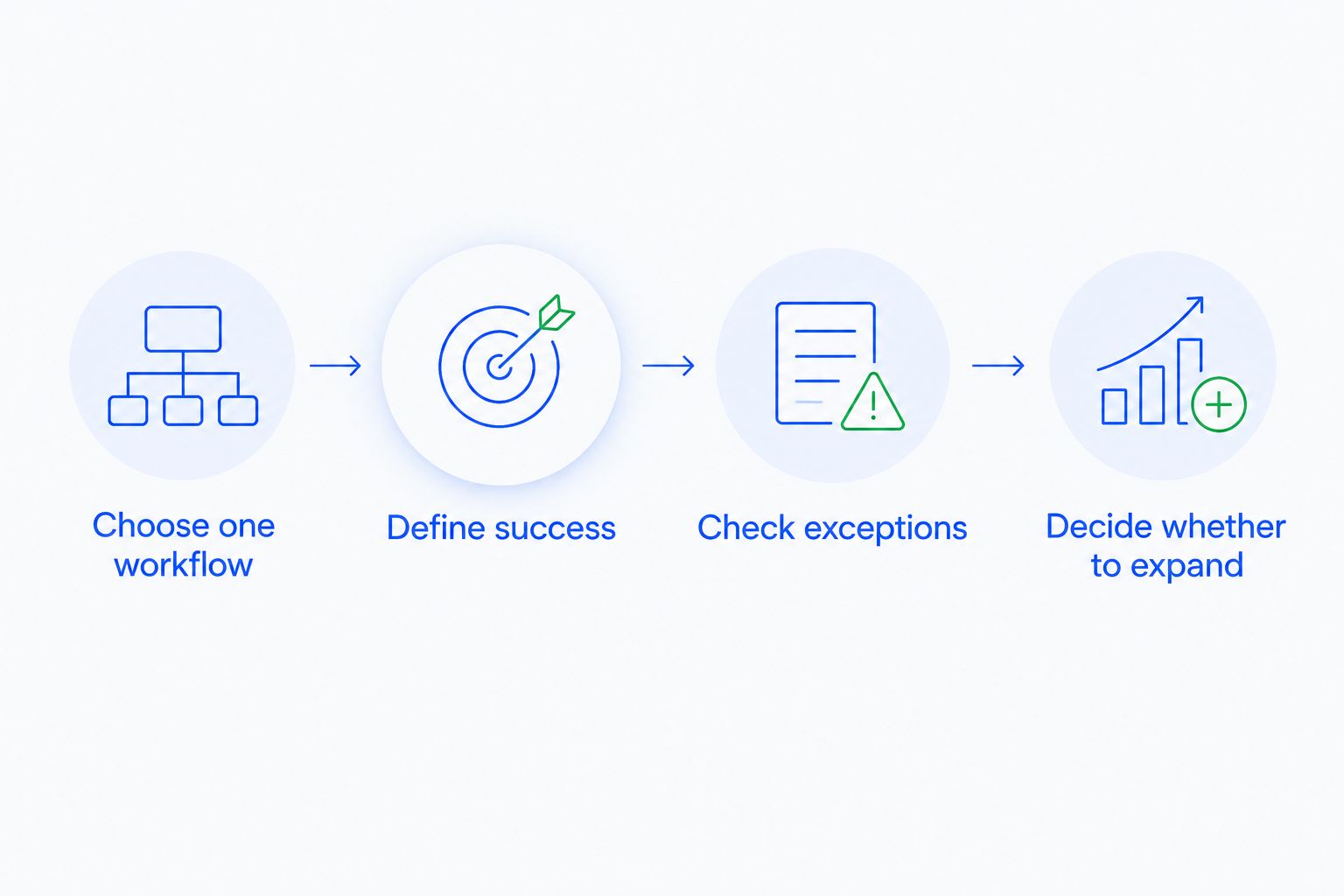
Choose one workflow
Start with 1 workflow that your team already understands, such as following up after an unanswered inquiry. Record the trigger, the owner, the intended action, and the condition that ends the workflow.
Keep the scope narrow enough to inspect each result. Adding lead assignment, message drafting, stage changes, and reporting together makes it harder to identify which change helped or caused confusion.
Define success
Choose 3 outcomes to review: completed follow-ups, accurate opportunity stages, and less manual administration. Use your current process as the comparison rather than an advertised improvement figure.
Write down how you will recognize each outcome. For example, distinguish a task that exists from a follow-up that was completed. Distinguish an updated stage from a stage supported by the customer conversation.
Check exceptions
Set 2 checkpoints: inspect the workflow configuration before use, then inspect its actual actions afterward. Include unanswered inquiries, customer replies, explicit objections, and requests to stop contact in your review.
These are review cases, not a claim that every system handles them identically. Ask to see what happens in your intended setup, including who handles a case that falls outside the rule.
Decide whether to expand
Expand only after the workflow produces useful actions and your team trusts the records. If reps must repeatedly correct the same behavior, revise the configuration or stop that automation.
A narrow evaluation also makes the purchase conversation more useful. You can ask whether the system handles your actual process instead of comparing broad promises about productivity.
How do you tell whether the extra work is justified?
Compare work removed with work introduced. Count setup, connecting tools, reviewing outputs, correcting records, and maintaining workflow rules alongside the administration the system replaces.
Do not claim revenue gains just because reps send more messages. Check whether follow-ups happen when intended, whether customers receive relevant responses, and whether opportunity records remain accurate. Those observations establish whether the process works; they do not automatically prove a conversion increase.
For a 2026 purchase decision, also confirm the current commercial terms and which capabilities are included. Keep the evaluation tied to your required workflow rather than assuming every described function belongs in every configuration.
What should stay under human review?
Keep judgment-heavy decisions accountable to a person. Review customer-facing drafts for accuracy, context, and promises your business can actually keep. Check conversation summaries against the original exchange before relying on them for a consequential decision.
Arches CRM supports email drafting, summaries, and workflow-based opportunity movement; those capabilities do not remove the need to define acceptable actions. Decide which changes can proceed automatically and which require a rep to check the conversation.
Pay particular attention to the distinction between activity and progress. A reply tells you the customer responded. The content tells you whether the deal advanced, stalled, or ended.
When should a small team wait?
Wait when you cannot explain the workflow you want improved. Replacing software before settling ownership, stage definitions, and follow-up expectations leaves the core decisions unresolved.
Wait, too, if nobody will maintain the process. Configuration is not a substitute for accountability, and an unattended workflow is not a sales operating standard.
Waiting does not mean ignoring the problem. Document the missing next actions, simplify the stages, and agree on who owns each lead. That preparation gives you a clearer basis for choosing software later.
FAQ
Is an AI CRM worth it for a small sales team in 2026?
Yes, when it removes recurring follow-up work, connects customer conversations, or reduces manual pipeline updates. Keep your current setup if it already handles those jobs reliably and the new system does not solve a specific gap.
Is an AI CRM better than a regular CRM for a small business?
An AI CRM is a better fit when your team needs conversation summaries, drafting assistance, or interaction-based updates. A regular CRM with clear ownership and reminders remains a valid choice when those functions solve the problem.
What is Arches CRM best for?
Arches CRM is best for growing sales teams that need connected customer conversations, automated follow-ups, and pipeline management. Its stated capabilities include lead management, email summaries, drafting assistance, and workflow-based opportunity movement.
Can an AI CRM move deals without a sales rep updating them?
An AI CRM can move opportunities automatically when that capability is supported and the configured workflow connects customer interactions to stage changes. Define what each stage means and inspect whether the triggering interaction actually supports the change.
Will an AI CRM replace my salespeople?
Choose an AI CRM to assist salespeople, not to remove accountability for customer relationships. Assign a person to own each opportunity and review decisions that require judgment.
How do I know whether CRM automation is working?
Check completed follow-ups, accurate deal stages, and manual administration against your current process. Include setup, review, and correction work rather than counting only the tasks generated.
Should I automate every sales workflow at once?
Start with one clearly defined workflow instead of changing every sales process at once. Inspect the actions and exceptions before extending the setup to other work.
One last thing
Test the stop condition, not just the trigger. Before approving your 2026 CRM decision, show what happens when a customer replies, declines, or asks for a different next step. A workflow that starts correctly still needs to stop or change correctly.
The best buying question is practical: can your rep see what happened, understand why the action occurred, and take responsibility for what happens next? Require a clear answer before expanding automation.