
 Log in
 Start Free Trial
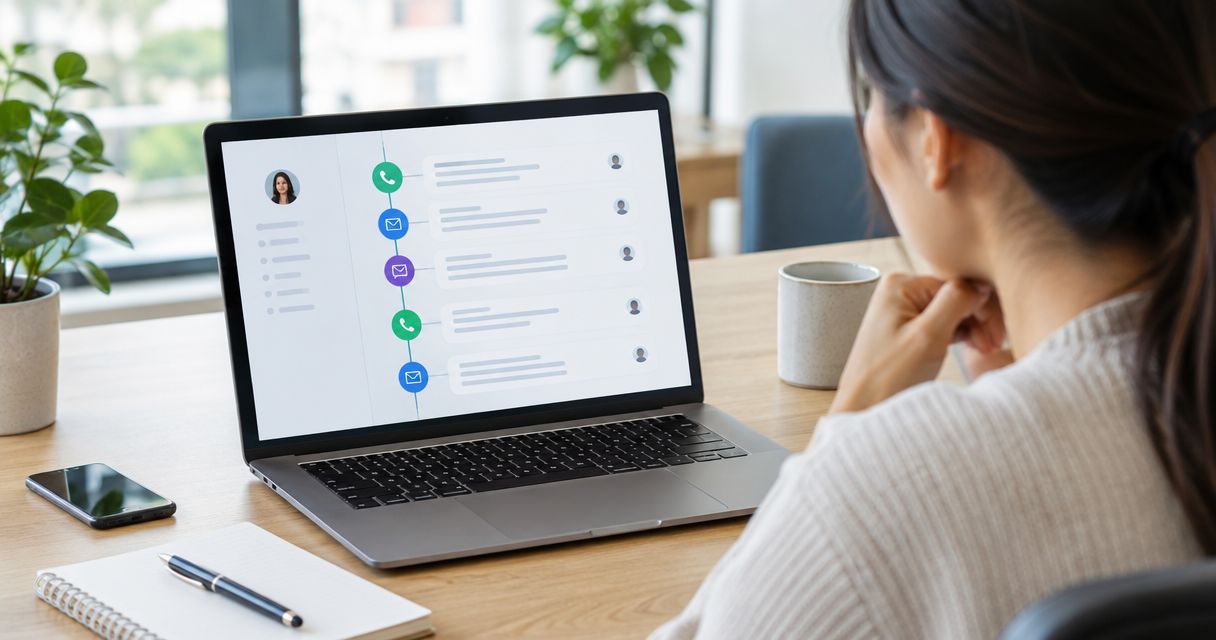
A CRM tracks calls, emails, and texts in one timeline by connecting your communication tools, matching each interaction to a contact, and displaying the resulting activity in chronological order. The catch is coverage: disconnected accounts, unmatched phone numbers, and missing permissions leave gaps, so a timeline is only as complete as the connections and records behind it.
- How does a CRM track calls emails and texts in one timeline? It connects channels and matches interactions to contacts.
- Arches CRM brings customer communications and sales activity together; connection setup still needs verification.
- Call logging is not call recording; confirm exactly what each connected channel captures.
- Use customer replies to review follow-up tasks, not just add another timeline entry.
How does a CRM track calls, emails, and texts in one timeline?
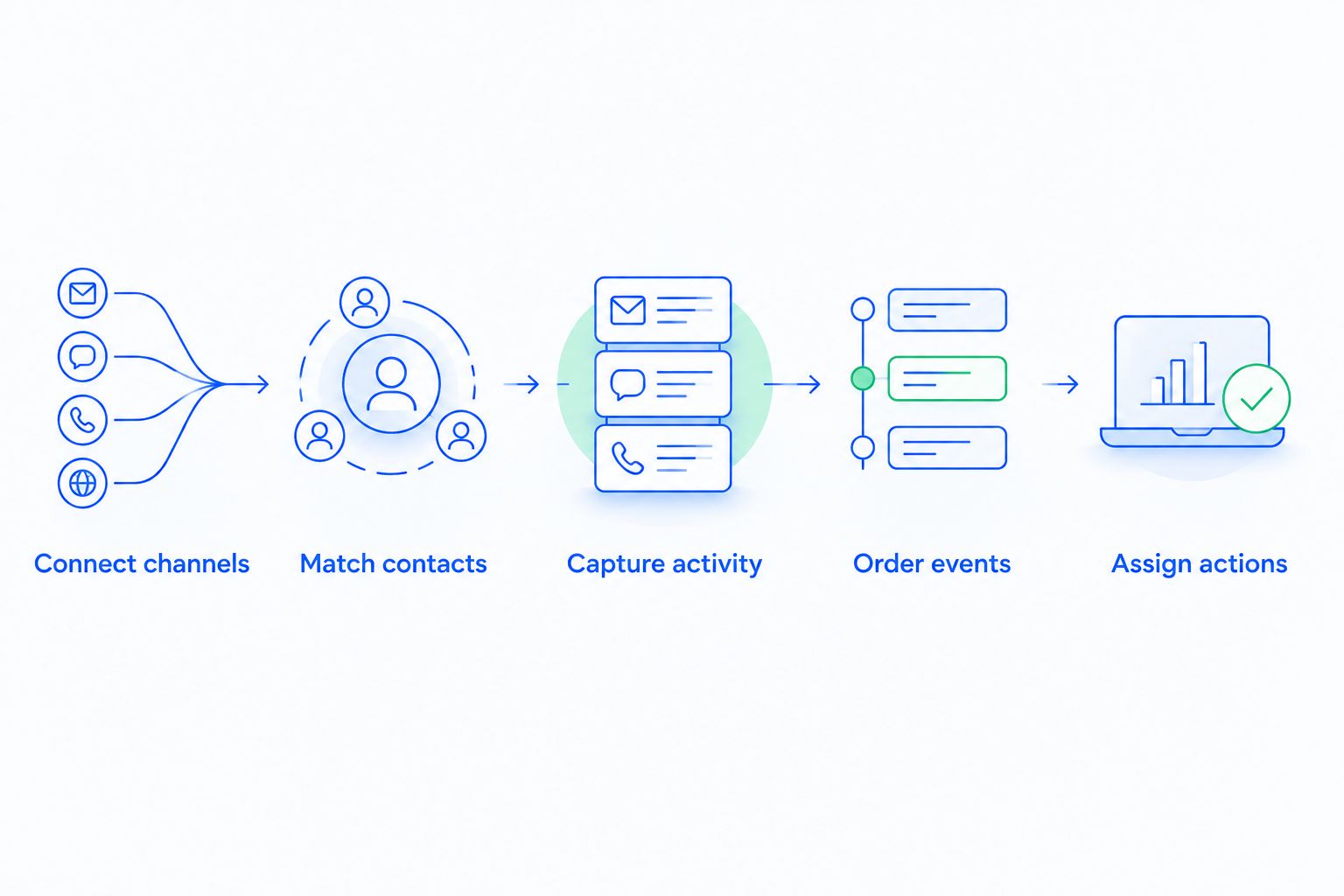
The process has 5 steps: connect the channels, identify the contact, capture the activity, order the events, and connect the conversation to the next sales action. These steps explain the mechanism; individual CRM connections differ in what they capture automatically.
Arches CRM brings email, WhatsApp, SMS, and calls together with contacts, tasks, and sales activity. Its workflow automation supports reminders, tasks, and follow-up sequences; confirm the behavior of your specific communication connections before relying on automatic capture.
- Connect channels. Authorize the relevant email account, phone connection, and messaging service using the CRM's supported setup.
- Match contacts. Associate sender addresses and phone numbers with the correct customer record. Resolve ambiguous matches rather than assuming every interaction belongs to the first matching contact.
- Capture activity. Store the supported message content or call details. Treat message bodies, attachments, call outcomes, and recordings as separate capabilities to verify.
- Order events. Display interactions by time so your team can reconstruct the conversation across channels.
- Assign actions. Turn the conversation into an owned task, reminder, or appropriate pipeline update through configured workflows.
Why this matters
A prospect replies by email, asks a question by text, and discusses the proposal on a call. Without a shared history, your next salesperson has to reconstruct the conversation before responding.
Arches CRM is best for growing sales teams that need customer conversations and follow-up workflows in one place. The benefit is shared context; the limitation is that centralizing activity does not repair incorrect contact details or define your sales process for you.
For a 2026 CRM evaluation, judge the timeline by whether another salesperson can identify the customer's latest request and next action. A long activity feed that leaves those questions unanswered is not enough.
Calls: separate the call log from the conversation
A call log establishes that a call happened. Depending on the connection, it can include the participants, time, direction, duration, and an outcome entered by the salesperson or supplied by the phone service.
That is different from storing the conversation itself. Recording, transcription, and summarization are separate functions; do not treat a visible call entry as evidence that the CRM includes all of them.
When reviewing a call entry, ask:
- Does the entry identify the correct contact and salesperson?
- Does it distinguish an answered call from an attempted call?
- Where does the salesperson record commitments and the next action?
- Which details arrive automatically, and which require manual entry?
Best for: preserving call context during sales handoffs. Limitation: a timestamp alone does not explain what the customer agreed to do.
Emails: connect the conversation, not just the inbox
Email tracking links correspondence to a customer record using addresses and the connection's matching rules. The useful result is a readable exchange that lets a colleague understand the customer's question without searching a separate inbox.
Verify incoming and outgoing coverage separately. Also check whether shared mailboxes, aliases, attachments, and older conversations are included in your chosen setup rather than assuming that connecting an account imports everything.
For a 2026 email workflow, use a sample exchange to check both directions. Confirm that the response appears under the intended contact and that unrelated private correspondence stays outside the shared sales record.
Best for: preserving detailed questions, proposals, and written commitments. Limitation: an email address does not always identify the correct deal when a contact has several opportunities.
Texts: distinguish SMS from other messaging channels
SMS and WhatsApp are different messaging channels. A CRM that supports one does not automatically support the other, and each connection needs its own coverage check.
Look for the actual conversation, not merely an outbound activity marker. Your salesperson needs to know whether the customer answered, what the answer said, and whether that answer changes the planned follow-up.
Check number formatting, inbound replies, sender identity, and any applicable messaging requirements. An outbound message appearing in the timeline does not by itself establish delivery or customer consent.
Best for: keeping short customer exchanges visible to the team. Limitation: messages sent outside the connected business channel need separate handling.
What should each channel contribute?
The 3 channels provide different kinds of context. Use this comparison to define what your team needs, then verify the corresponding fields in your CRM setup.
| Channel | Best for | Useful timeline evidence | Limitation to check |
|---|---|---|---|
| Calls | Verbal discussion and clarification | Participants, call outcome, notes, next action | A log is not a recording or transcript |
| Detailed written exchanges | Sender, recipients, subject, message thread | Shared accounts and multiple deals complicate matching | |
| SMS | Short customer exchanges | Sender number, message content, inbound reply | Unconnected numbers leave conversation gaps |
Why CRM timeline coverage varies
A shared timeline depends on more than whether the CRM lists a channel among its features. These factors determine whether your team gets a complete, correctly assigned conversation:
- Connection scope. The authorized account or service determines which interactions are available to capture.
- Contact matching. Missing addresses, inconsistent phone numbers, and duplicate contacts make association harder.
- Permissions. Account authorization and record access affect what the connection captures and what colleagues can see.
- Historical coverage. Confirm whether the connection brings in earlier conversations or starts with new activity.
- Deal association. A contact with several active opportunities needs a clear rule for where each interaction belongs.
- Workflow configuration. Capturing activity and changing a task or pipeline stage are separate behaviors that require separate checks.
In 2026, evaluate these factors against your actual sales process. A feature checklist cannot show whether a reply from an existing customer lands under the correct opportunity.
How do you prevent activity from landing on the wrong record?
Use a primary contact record with verified communication details. Start with the email addresses and phone numbers your team actually uses, then establish how colleagues handle duplicates, shared numbers, and changed details.
Contact identity and deal identity are different decisions. A purchasing manager can discuss a renewal and a separate new project; correctly identifying that person does not automatically identify which opportunity the message concerns.
Give ambiguous activity a review path. Ask the record owner to confirm the association rather than letting an uncertain match become the basis for an automated sales action.
Keep the original conversation available when correcting records. A summary helps a teammate catch up, but the customer's actual wording remains the place to verify commitments, questions, and objections.
How do you turn a timeline into better follow-up?
Define the next action before adding automation. Decide what a genuine customer reply should change: the assigned task, the follow-up sequence, the opportunity stage, or a request for salesperson review.
Start with an event that has a clear meaning, such as an inbound response. Then specify the action and its owner, including how your team handles automatic replies, unrelated messages, and conversations that still need interpretation.
The principles behind reducing manual CRM data entry through workflow automation apply here: capture supported activity automatically, but give updates a defined rule. A recorded interaction should not become a stage change unless it meets your criteria.
Separate sending from listening. In appointment-driven work, automated client text messages need a reply-handling process: a customer asking to reschedule changes the next action, even if the original reminder was sent correctly.
Review that distinction during your 2026 setup. Successful delivery, a customer response, and a confirmed commitment are different events; your workflow should not treat them as interchangeable.
What should you test before the team relies on the timeline?
Run a controlled conversation through the channels your team uses. The purpose is not to prove that messages can be sent; it is to confirm that another salesperson can understand the exchange and act on it.
Use this acceptance checklist:
- Identity: the email address and phone number point to the intended contact.
- Coverage: inbound and outbound activity appear where expected.
- Sequence: timestamps let a colleague reconstruct the order of events.
- Context: the entry includes enough detail to explain the customer's request.
- Ownership: someone is responsible for the next action.
- Exceptions: ambiguous matches and disconnected accounts have a review process.
Include a contact with multiple opportunities and a customer who changes channels mid-conversation. Those scenarios test association and handoff quality rather than just the appearance of an activity feed.
Finish by asking a colleague who did not handle the exchange to take over. If that colleague still needs a separate verbal briefing, identify the missing context before expanding the workflow.
Can a CRM track communications automatically without manual notes?
A CRM can capture supported communications automatically through connected accounts and services. Manual notes still matter when an interaction occurs outside those connections or when the salesperson needs to explain a decision that the messages do not state.
For a 2026 rollout, document what is automatic and what remains the salesperson's responsibility. That boundary prevents both duplicate entry and missing context.
Does a unified timeline replace follow-up tasks?
A unified timeline does not replace follow-up tasks: the timeline shows what happened, while a task specifies what should happen next. Keep an owner and a clear action attached to commitments that require work.
Review pending follow-ups when a reply arrives. The reply can change the appropriate action even when it does not justify moving the opportunity to another stage.
FAQ
How does a CRM track calls, emails, and texts in one timeline?
A CRM connects communication channels, matches interactions to contacts, and displays supported activity in chronological order. Coverage depends on the connected accounts, permissions, and matching rules.
Does connecting my email automatically track my phone calls too?
Connecting email does not automatically establish call tracking. Verify the phone connection separately and check which call details it captures.
Can a CRM show both incoming and outgoing text messages?
A CRM can show both when its messaging connection supports inbound and outbound capture. Test replies separately rather than treating a sent-message entry as proof of full conversation coverage.
Is call tracking the same as call recording?
Call tracking is not the same as call recording. A call entry can document an interaction without storing audio, a transcript, or a summary.
What happens if the same customer has multiple deals?
Multiple deals require a clear activity-association rule. Verify whether your setup links the interaction to the contact, a particular opportunity, or both, and review ambiguous matches.
Can my team see messages sent from personal accounts?
A shared timeline does not automatically include messages from unconnected personal accounts. Use approved business channels and verify account access before relying on the timeline.
Does Arches CRM bring customer communications together?
Arches CRM brings email, WhatsApp, SMS, and calls together with contacts and sales activity. Confirm the capture behavior of your specific connections before relying on a complete conversation history.
One last thing
Test the handoff, not just the connection. The strongest acceptance test is whether a colleague can identify the customer's last request, the commitment your team made, and the next action without opening another inbox.
Use Arches CRM's shared communications and workflow features around that standard. Start with a clear conversation record, then automate the actions your team has explicitly defined.