
 Log in
 Start Free Trial
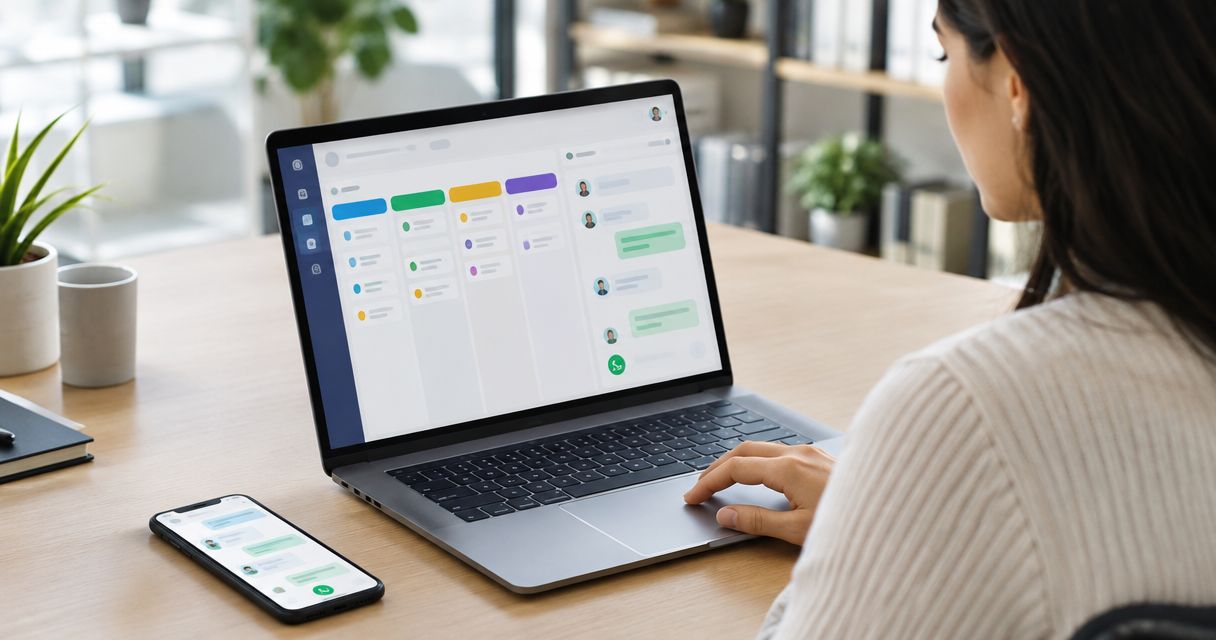
Yes, you can track WhatsApp conversations inside a CRM pipeline when the CRM connects WhatsApp messages to the right contact and sales opportunity. The limitation is that storing a conversation does not automatically update a deal, assign follow-up, or confirm buyer intent; those actions need supported integration features and configured rules.
- Can I track WhatsApp conversations inside a CRM pipeline? Yes—verify contact matching, deal association, ownership, and follow-up.
- Arches CRM suits growing sales teams that want WhatsApp, email, calls, and pipeline management together.
- A customer reply is a conversation event, not proof that a deal should advance.
- Test message visibility and workflow behavior before relying on automation for live opportunities.
Can I track WhatsApp conversations inside a CRM pipeline?
Yes—but require more than a message log. Your salesperson needs to open an opportunity, understand the customer conversation, and identify the next action without searching a separate chat history.
Start with the WhatsApp connection workflow, then evaluate the connection against your actual sales process. For a 2026 CRM evaluation, use these 5 checks rather than accepting a demonstration that only shows messages arriving.
- Contact matching: Verify that the incoming conversation belongs to the correct person.
- Deal association: Confirm which opportunity the conversation concerns, especially when a customer has several open requests.
- Ownership: Make the salesperson responsible for the next response explicit.
- Next action: Attach a task or follow-up decision to the conversation.
- Stage evidence: Define what customer behavior justifies changing the pipeline stage.
These checks separate conversation storage from pipeline management. A message appearing in a CRM is useful; a salesperson knowing exactly what to do with it is the operational goal.
Why this matters
A lead asks a question on WhatsApp. Your salesperson answers, but nobody records the next action. The conversation continues while the opportunity stays untouched—or the opportunity advances without evidence that the buyer is ready.
The problem is the gap between the conversation and the commitment. Your pipeline should show what the customer has agreed to, who owns the relationship, and what happens next.
For your 2026 workflow review, inspect that gap before adding more automation. Automating an unclear process makes the same ambiguity repeat without a person noticing.
Choose how WhatsApp conversations affect your pipeline
There are different ways to connect messaging with sales work. Treat the following as workflow choices to evaluate, not features that every CRM includes.
| Workflow | Best for | Main benefit | Main limitation |
|---|---|---|---|
| Conversation visibility | Teams that need customer context | Makes messages available alongside sales work | Does not establish ownership or a next action by itself |
| Task-based follow-up | Teams that want controlled handoffs | Turns a conversation into an explicit responsibility | Requires task completion and exception handling |
| Rule-based stage movement | Teams with clear stage-entry criteria | Connects supported customer events with pipeline changes | A poorly defined rule can advance the wrong opportunity |
Conversation visibility: best for shared context
Start here when salespeople cannot see what another teammate discussed with a customer. Require the conversation to be accessible from the relevant customer record and make the associated opportunity clear.
The benefit is context. The limitation is accountability: reading a conversation does not tell you whether anyone has accepted responsibility for answering it.
Task-based follow-up: best for controlled handoffs
Use a task-based process when the next step needs judgment. A salesperson can review the customer's request, decide what is needed, and record the action before changing the deal stage.
The benefit is a visible obligation. The limitation is maintenance: unfinished tasks need review, and completed tasks need to reflect actual work rather than a cleared notification.
Rule-based stage movement: best for explicit milestones
Use automatic stage changes only when the event and its meaning are clear. Confirm that your integration exposes the event your rule needs; do not assume every WhatsApp interaction is available as a workflow trigger.
The benefit is less manual updating. The limitation is interpretation: a reply asking to stop contact must not be treated like a reply accepting a meeting.
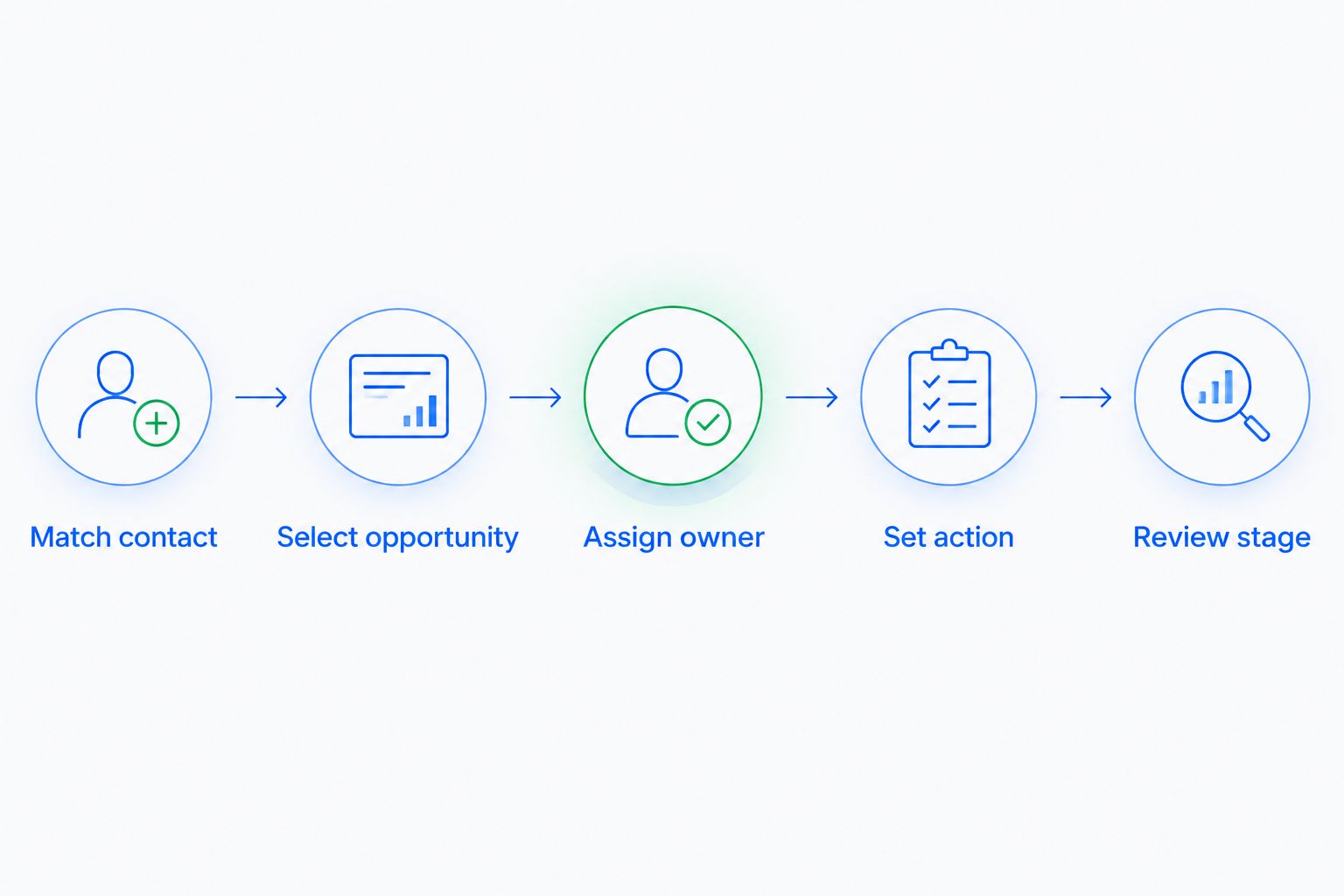
Build a conversation-to-pipeline workflow
Use this sequence as a design brief for your 2026 setup. It describes what to verify, not a promise that every connector supports every step.
1. Match contact
Decide how your team identifies an existing customer before creating another record. Review how the connection handles phone numbers, changed contact details, and conversations that arrive without a matching record.
Keep uncertain matches visible for review. A conversation attached to the wrong person creates misleading context for everyone who opens that record afterward.
2. Select opportunity
Define where the message belongs when a customer has multiple opportunities. A general account question and a response to a specific proposal should not automatically update the same deal.
Ask your team to explain the association without opening a separate chat application. If the relationship is unclear, require a deliberate selection before changing the pipeline.
3. Assign owner
Name the person responsible for the next response. Distinguish the contact owner, the opportunity owner, and the person currently handling the conversation if your process uses different responsibilities.
Avoid a handoff that ends at a shared queue. A queue shows available work; an accepted assignment establishes responsibility.
4. Set action
Record what needs to happen next: answer a question, prepare a proposal, arrange a call, or close an irrelevant inquiry. Give the action a clear completion condition.
Do not use a vague instruction such as follow up when the real task is to confirm a delivery requirement or obtain a decision-maker's approval. Specific tasks make handoffs easier to evaluate.
5. Review stage
Check whether the conversation satisfies the next stage's entry criteria. Keep the opportunity where it is when the message does not establish a new commitment.
Advance the deal because the buyer met a milestone, not because a message arrived. That rule keeps activity separate from progress.
Why WhatsApp tracking varies between CRM setups
The connection determines what information reaches the CRM. Your operating rules determine what the team does with it. Evaluate these factors separately:
- Contact organization: Your process needs a clear answer when a conversation matches an existing record or creates an uncertain match.
- Opportunity structure: Multiple open deals require a deliberate way to identify which opportunity a message concerns.
- Communication coverage: Establish which customer channels your team needs together rather than evaluating WhatsApp in isolation.
- Workflow configuration: Automatic actions depend on supported events and the rules you configure around them.
- Ownership standards: Define who handles replies, who accepts reassigned work, and who reviews unattended conversations.
- Stage definitions: Write entry criteria that distinguish an active conversation from a qualified sales commitment.
Document these decisions before your 2026 rollout. Otherwise, salespeople will use the same pipeline stage to describe different situations, making the pipeline harder to interpret.
Keep WhatsApp and email attached to the same sales decision
A prospect can ask an initial question on WhatsApp and continue the discussion by email. Your team needs to recognize that both conversations concern the same relationship without assuming every message belongs to the same opportunity.
The operational test for CRM email inbox integration is whether email context supports the same ownership and next-action decisions as WhatsApp context. A connected inbox is not enough if the salesperson still cannot identify the current commitment.
Separate the channel from the outcome. WhatsApp is where a message arrived; a requested proposal, confirmed meeting, or declined offer is what the message means for the sales process.
For your 2026 acceptance test, ask a teammate who did not handle the conversation to explain the opportunity. That teammate should be able to identify the customer request, responsible salesperson, and next action from the CRM record.
Where Arches CRM fits
Arches CRM is best for growing sales teams that want WhatsApp, email, calls, and pipeline management in one platform. The platform brings contacts, conversations, tasks, and sales activity together and supports workflow automation for reminders, tasks, and follow-up sequences.
Arches CRM also moves opportunities based on customer interactions and configured workflows. That supports a connected sales process, but it does not remove the need to define what counts as progress.
The benefit is bringing communication and sales work together. The constraint is configuration: confirm the exact WhatsApp events, message coverage, and workflow actions needed for your process before depending on them.
Do not treat email conversation summaries as proof that the same summarization behavior applies to WhatsApp. Evaluate each channel against the work your team actually needs to complete.
Test exceptions before you trust the workflow
Run 3 test scenarios before expanding the setup. These are recommended acceptance tests, not performance benchmarks or promised integration behavior.
- Existing customer: Send a new inquiry from a known contact and inspect which record and opportunity receive it.
- Multiple opportunities: Use a customer with separate open requests and check that a reply does not update the wrong deal.
- Negative response: Use a decline or request to stop contact and confirm that the process does not interpret it as positive progress.
For each scenario, inspect 2 records: the conversation record and the opportunity record. Check the customer association, responsible owner, next action, and stage outcome rather than stopping at successful message delivery.
Then test what happens when the customer stays silent. Your automatic follow-up reminders should support a defined next action, not create repeated tasks after the salesperson has already resolved the inquiry.
Will every WhatsApp reply move my deal forward?
No—a reply is not a qualification milestone. Define the evidence required for each stage and confirm that any automatic movement uses supported events and appropriate conditions.
A customer requesting clarification is still evaluating the offer. Keep that distinction visible instead of counting all replies as buying intent.
Can I track a customer with several open deals?
Yes, provided your setup lets your team identify which opportunity the conversation concerns. Test this explicitly rather than assuming that matching a phone number also identifies the correct deal.
When the message is ambiguous, require review before a stage change. Accurate association matters more than automatic movement.
What should my salesperson see beside the conversation?
Your salesperson should see the customer, relevant opportunity, responsible owner, and next action. Add the stage-entry evidence needed to explain why the deal is where it is.
The record should support the next decision, not simply preserve the last message. That is the difference between a readable history and a usable pipeline.
FAQ
Can I track WhatsApp conversations inside a CRM pipeline?
Yes, when the CRM connection associates WhatsApp conversations with the correct customer and opportunity. Verify ownership, next actions, and stage behavior separately from message visibility.
Does connecting WhatsApp automatically update my sales pipeline?
No, connecting WhatsApp does not by itself establish rules for updating your pipeline. Confirm the supported workflow events and configure stage changes around explicit customer milestones.
Can my team use WhatsApp and email in the same CRM?
Yes, Arches CRM brings WhatsApp, email, and call communications together with sales activity. Confirm the channel-specific behavior your team needs before rollout.
Will all my old WhatsApp messages appear in the CRM?
Do not assume that historical WhatsApp messages will appear. Verify history coverage and import behavior for the exact connection before treating the CRM as a complete conversation archive.
What should happen when a customer does not reply?
Assign a defined follow-up action to a responsible salesperson. Review whether the action remains appropriate before continuing a sequence or creating another task.
How do I stop WhatsApp activity from inflating my pipeline?
Require buyer evidence before advancing an opportunity. A message, notification, or task completion should not substitute for the commitment required by your stage definition.
One last thing
Test a negative reply, not just a positive one. A workflow that correctly records a rejection, stops the wrong follow-up, and preserves the conversation is more informative than a demonstration where every prospect wants to buy.
Make that test part of your 2026 sign-off. Your pipeline needs to represent what the customer decided, including when the answer is no.