
 Log in
 Start Free Trial

Yes—you can run your sales pipeline from a mobile CRM app when it lets you capture leads, review conversations, assign follow-ups, update opportunities, and record outcomes without switching to a computer. Running daily sales activity from your phone is different from configuring the entire system there: verify workflow editing, reporting, permissions, and integrations separately before committing to a mobile-only setup.
- Can I run my sales pipeline from a mobile CRM app? Yes, if daily sales tasks work end to end.
- Arches CRM fits growing sales teams that need connected conversations, pipeline tracking, and automated follow-ups.
- Choose mobile-first selling with desktop administration unless your phone passes every required workflow test.
- Verify mobile capabilities directly; platform features do not establish what a phone app supports.
Why this matters
A lead arrives while you are away from your desk. You answer, promise to send details, and move on. Unless that promise becomes a recorded next action, your pipeline still depends on memory.
The right mobile setup keeps the conversation, deal status, and next action together. A phone notification alone does not do that. When comparing mobile CRM apps, judge whether you can finish the work behind the notification—not simply open a contact record.
For your 2026 evaluation, separate selling from administration. You need convenient access to customer work every day; you need dependable controls whenever you change how that work runs.
Can I run my whole sales pipeline from a mobile CRM app?
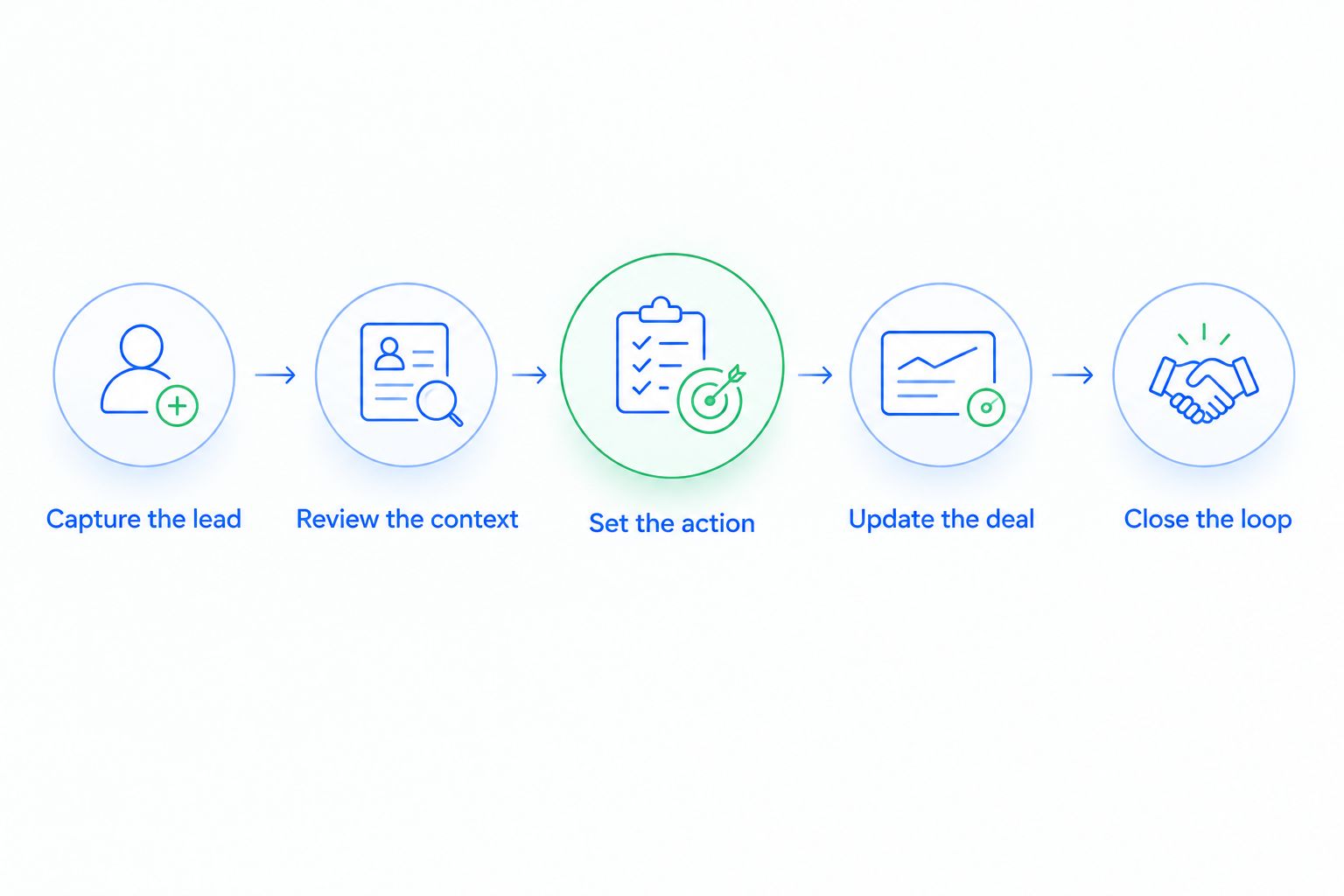
Yes, provided your required sales process works from lead capture through the final outcome. Use these 5 steps as an acceptance test, not a feature wish list. Complete each step on the phone you actually use, with the permissions your sales role will have.
- Capture the lead. Create a contact and opportunity, record the source, and check for an existing record before creating another.
- Review the context. Find the relevant conversation, previous commitments, assigned owner, and current stage without searching separate inboxes.
- Set the action. Assign the follow-up, record its purpose, and set a due time. Check that the assigned person can find it.
- Update the deal. Change the stage after a qualifying event and confirm that the change appears in the shared pipeline.
- Close the loop. Record the outcome, resolve obsolete tasks, and leave enough context for the next person handling the account.
Do not substitute a successful demonstration for your own test. A manager's account, a prepared record, or a different device does not establish that your everyday setup works.
Mobile-only selling or mobile-first selling?
Choose mobile-first selling when customer work belongs on your phone but system administration still needs a larger workspace. Choose mobile-only selling only after testing every required task, including exceptions and manager responsibilities.
Neither approach removes the need for clear ownership. The difference is where you perform the work, not whether someone remains accountable for it.
| Operating approach | Best for | Main advantage | Main limitation |
|---|---|---|---|
| Mobile-only selling | Sellers whose entire required workflow passes phone testing | Keeps routine selling in the device you carry | Any unsupported task interrupts the process |
| Mobile-first with desktop administration | Teams that sell away from desks but configure shared processes centrally | Separates daily selling from configuration work | Requires access to a computer for designated tasks |
| Desktop-first with mobile access | Teams whose required work depends on desktop functions | Preserves the established operating process | Phone access does not replace the main workspace |
For a 2026 rollout, write down which approach you are adopting. Calling a desktop-dependent process mobile-only creates confusion when someone needs to change a rule or investigate a failed update.
What must work on your phone before you switch?
Start with the tasks that move an opportunity forward. A feature name on a product page is not proof that the same function works in a mobile app or mobile browser.
Lead and contact management
You should be able to create, find, edit, and assign the records your process requires. Test duplicate handling and reassignment as well as new lead entry.
Check the result from another authorized account. A record saved on your screen is useful only if the people responsible for it can find the correct information.
Conversations and follow-ups
Test the communication channels your team actually uses. Confirm whether you can read the relevant history, respond through the intended channel, and attach the resulting action to the correct opportunity.
A visible email thread does not establish that every attachment, message type, or sending function is supported. Test the specific actions behind your sales promises.
Pipeline updates and outcomes
Move an opportunity through your actual stages, including a lost outcome. Confirm that required fields, stage conditions, and ownership changes behave as expected.
A pipeline view is not enough; you need an editable, shared record of what happened and what happens next.
Why mobile CRM suitability varies
Your sales process determines whether a phone can be the main workspace. Evaluate these factors against actual work rather than counting features:
- Conversation channels: Verify each required email, WhatsApp, SMS, or calling action separately. Access to one channel does not establish access to another.
- Stage requirements: Test the information and approvals required to move a deal, not just whether you can drag a card.
- Automation controls: Separate receiving automated tasks from creating, editing, and troubleshooting the rules behind them.
- Reporting needs: Check whether the phone provides the views and filters your role requires, including access restrictions.
- Integration dependencies: Follow updates across the connected systems your process uses and inspect failures as well as successful transfers.
- Connection conditions: Verify what happens when connectivity drops, including saved changes and recovery. Never assume offline support.
Use these factors to define acceptance criteria. If an essential action fails, assign it a desktop owner or reject the mobile-only approach.
Where Arches CRM fits
Arches CRM is best for growing sales teams that need conversations, pipeline tracking, and automated follow-ups together. The platform description includes lead assignment, opportunity tracking, workflow reminders, follow-up sequences, and email, WhatsApp, SMS, and call communications.
Arches CRM also supports automatic opportunity movement based on customer interactions and configured workflows. That fits a process where the team needs less manual updating and a clearer view of the next action.
The boundary matters: those platform capabilities do not establish mobile feature parity. Assess Arches CRM as a sales CRM against the same phone-based acceptance test; verify the mobile interface, configuration access, and channel behavior before treating it as your only workspace.
The benefit is connected sales work. The limitation to resolve is whether your required version of that work is fully accessible from your phone.
How should you test a mobile sales day?
Use a controlled test opportunity rather than a live prospect. Give it a recognizable name and follow your normal process without sending unintended messages to customers.
Begin with an incoming inquiry. Assign an owner, add the relevant context, record the next action, and check that the task is visible to the assigned person. Then simulate a reply and verify what changes automatically and what still requires a decision.
Finish with 3 checks:
- Record check: Is the contact, conversation, opportunity, and task associated correctly?
- Team check: Can another authorized teammate see the update and continue the work?
- Exception check: Can you identify a failed action and recover without losing the next step?
For your 2026 acceptance record, save the device, interface, role, and result. Repeat the test when a material workflow or permission changes; a previous pass does not validate a different setup.
Can automation move deals while I am away from my phone?
Yes, configured workflow automation can move opportunities based on customer interactions. That is a platform function, not proof that your mobile interface can create or edit the workflow.
Define what each movement means before enabling it. A reply establishes that a contact responded; it does not automatically establish purchase intent, qualification, or agreement to proceed.
Test an ordinary response, a negative response, and a message that needs human interpretation. Confirm where each opportunity lands and who receives the next task. Automate a defined event, not an assumption about the buyer.
Keep someone accountable for exceptions. A sales process still needs a person to resolve ambiguous replies and incorrect stage changes, even when routine updates happen automatically.
Can I manage a sales team without opening a desktop CRM?
You can manage from your phone if the mobile interface supports the decisions and controls your role requires. Seeing your own deals is a different requirement from inspecting the team's workload, reassigning opportunities, or changing permissions.
Test management work separately from seller work. Review overdue actions, inspect ownership, correct a stage, and check the reports you use to decide what needs attention.
For a 2026 operating plan, define which changes require an administrator and how sellers request them. A mobile-first team still needs a clear route for fixing the system; otherwise, a configuration problem becomes another missed follow-up.
How do you keep a mobile pipeline accurate?
Give every active opportunity 1 accountable owner and a documented next action. Other people can contribute, but responsibility should remain clear when someone reads the record between appointments.
Keep stage definitions tied to observable events. Entering a proposal stage should mean the event your team agreed on has happened—not that a seller feels optimistic.
Review missing owners, overdue tasks, and opportunities without a next action. Treat these as specific work to resolve rather than reasons to send more notifications.
When you approve your 2026 mobile process, document the handoff rule too. If an opportunity changes owners, confirm that the conversation context and unfinished tasks remain usable by the receiving person.
FAQ
Can I run my sales pipeline from a mobile CRM app without a laptop?
Yes, if the app supports every task your role requires, from lead capture through recording the outcome. Test administration, reporting, and exceptions separately before removing laptop access.
Is a mobile CRM app the same as opening a CRM in my phone browser?
No, a mobile app and a phone browser are different interfaces, so test the one you intend to use. Do not assume that a feature available in one works the same way in the other.
Can a mobile CRM work without an internet connection?
Offline operation depends on the specific product and interface. Verify which records remain accessible, which changes can be saved, and how updates reconcile after reconnection.
Can I use email and WhatsApp in a mobile sales pipeline?
Yes, when your chosen mobile interface supports the required email and WhatsApp actions. Test reading, responding, record association, and access permissions for each channel separately.
Will automated follow-ups stop when a lead replies?
Follow-ups stop after a reply only when the workflow is configured to handle that event. Test reply handling and pending tasks before activating a sequence for customers.
Does Arches CRM support sales pipeline automation?
Arches CRM supports automatic opportunity movement based on customer interactions and configured workflows. Verify separately which workflow controls and pipeline actions are accessible from your intended mobile interface.
What's the best way to choose a mobile CRM for my sales team?
Choose a mobile CRM by completing your real sales workflow on the intended device with the intended user permissions. Reject a mobile-only setup if an essential action still requires an unplanned desktop handoff.
One last thing
The revealing test is a handoff, not a stage change. Ask another teammate to open the opportunity and explain what the customer needs, what was promised, and what happens next—without calling you.
If the next seller still needs your memory, the pipeline is not yet doing its job. Fix the missing context before adding another reminder or automated message.