
 Log in
 Start Free Trial

Yes, a CRM with email-summary capabilities can automatically summarize email conversations so you can review the discussion without rereading the entire thread. The caveat is that a summary is not the original conversation: you still need to verify commitments, unresolved questions, and customer instructions before acting. When evaluating a CRM in 2026, check email summarization separately from follow-up automation and pipeline updates.
- Can a CRM automatically summarize email conversations? Yes, when the platform includes email summarization.
- Arches CRM suits growing sales teams that want email summaries alongside contacts, pipeline management, and follow-up workflows.
- Use summaries for context; check the original email before confirming commitments or changing deal status.
- Evaluate email summaries, follow-up automation, and pipeline updates as separate capabilities.
Can a CRM automatically summarize my email conversations?
Yes. Email summarization is an available CRM capability, but it is not the same as sending automated emails or logging messages. Arches CRM includes email-conversation summarization alongside contact management, sales pipelines, and workflow automation.
The practical goal is straightforward: give the next person handling the lead enough context to continue the conversation correctly. A summary should help you identify what the customer wants, what remains unresolved, and what needs to happen next.
Use these 5 checks when assessing an email-summary workflow in 2026:
- Check conversation access. Establish which messages the CRM can access before judging the summary.
- Check record matching. Confirm that the conversation belongs to the correct contact and opportunity.
- Check the summary. Compare its account of the discussion with the original messages.
- Check the next action. Separate an agreed action from a suggestion or unanswered request.
- Check workflow behavior. Confirm what happens after summarization, including any tasks or pipeline changes.
These are evaluation steps, not a claim that every CRM follows the same process. Ask the vendor to demonstrate the actual workflow using a conversation you understand.
Why this matters
A lead replies with a question. Another salesperson takes over, reads only the latest message, and sends a follow-up that ignores the earlier discussion. The problem is not a lack of email activity; it is missing context at the moment someone acts.
A useful summary gives you a shorter route back into that context. It does not excuse skipping the source when the response involves a commitment, a disputed detail, or a change in scope.
For your 2026 CRM evaluation, focus on the handoff rather than the summary's writing style. Can a teammate understand the open question and take the correct next step? That is a stronger acceptance test than whether the paragraph sounds polished.
A summary should reduce rereading, not remove accountability. Keep a named owner responsible for deciding what the customer actually agreed to.
What should an email conversation summary include?
Ask for a summary that separates facts from interpretation. A buyer asking whether you support a requirement has not confirmed that you meet it, and a request for information is not an agreement to proceed.
Start with 3 fields:
- Customer need: What problem, requirement, or request appears in the conversation?
- Open questions: What still needs an answer or confirmation?
- Next action: Who should do what next, based on the messages?
These fields are a recommended review format, not a promise about a particular product's interface. If the conversation does not establish an owner or deadline, the summary should leave that detail unresolved rather than supply an answer.
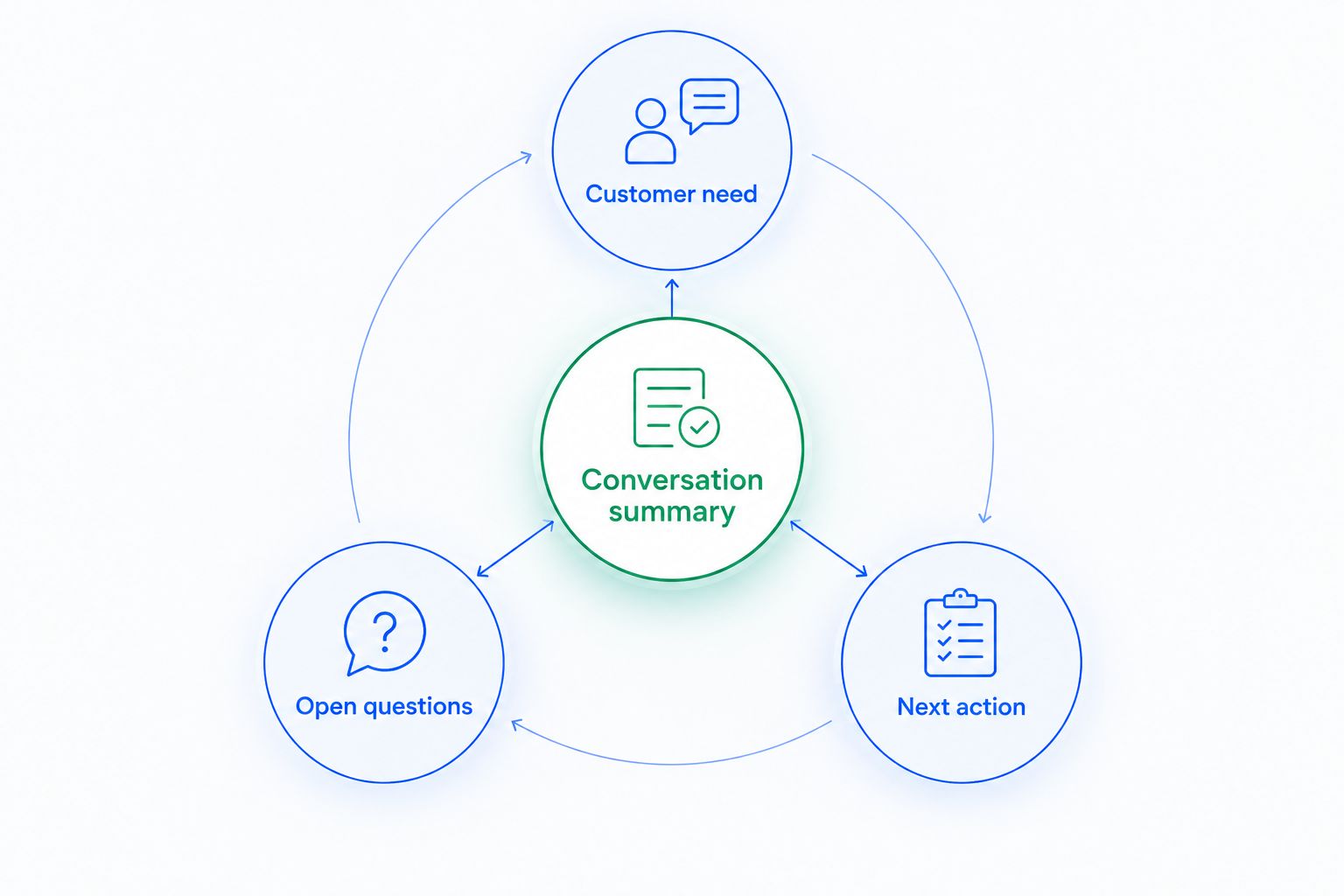
A useful summary also preserves changes in the conversation. If a customer withdraws an earlier request, the summary should not present that request as current. When the messages contradict each other, return to the original thread before creating a task or sending a reply.
Which approach fits your email-review task?
Automatic summaries, manual notes, and original threads serve different purposes. Choose based on the decision you need to make, not on a preference for the shortest text.
| Approach | Best for | Main benefit | Main limitation |
|---|---|---|---|
| Automatic CRM summary | Getting oriented before a routine follow-up | Condenses the conversation into a shorter account | Requires checking against source messages when details matter |
| Manual CRM note | Recording a salesperson's decision or judgment | Makes the owner's interpretation explicit | Depends on someone writing and maintaining it |
| Original email thread | Verifying exact wording and commitments | Preserves the actual messages | Requires reading through the conversation |
Use an automatic summary to get oriented, a manual note to record your decision, and the original thread to verify commitments. These approaches complement each other; none replaces the others in every situation.
For example, a summary can identify an unanswered implementation question. A manual note can explain who will resolve it. The original email establishes exactly what the customer asked.
Do not evaluate a 2026 CRM by asking whether summaries eliminate all manual notes. Evaluate whether your team can distinguish customer statements, internal decisions, and pending actions without confusing them.
Why email-summary usefulness varies
A summary's usefulness depends on the conversation it represents and the action you take afterward. Check these factors during a demonstration rather than treating all summaries as interchangeable:
- Conversation coverage: Determine which messages are included. Judge the summary against that scope, not against information outside it.
- Contact and deal context: Check whether the conversation is associated with the right record before using it to guide a handoff.
- Changing requirements: Inspect how the summary handles an earlier request that a later message revises or withdraws.
- Unresolved questions: Look for a clear distinction between a question, an answer, and an assumption.
- Workflow configuration: Review whether a summary simply provides context or sits alongside rules that create tasks and update opportunities.
Keep the distinction between understanding and acting clear. A correct summary of a reply does not, by itself, establish that the opportunity belongs in a later pipeline stage.
Likewise, a short summary is not automatically a useful one. Removing the customer's objection makes a paragraph shorter but makes the next follow-up harder to get right.
How do you evaluate a CRM's email summaries?
Use a conversation your team already understands. Include an initial request, a later clarification, and an unresolved question so you can inspect whether the summary preserves the current situation.
Review the result in 2 passes. First, check factual accuracy against the messages. Then check whether someone unfamiliar with the discussion can identify the correct next action.
Check facts before readability
Look for statements that overstate the customer's intent. An inquiry is not a purchase commitment. Interest in a meeting is not a confirmed meeting, and a question about a requirement is not acceptance of an answer.
Also check omissions. If the summary includes the positive response but excludes the customer's remaining concern, it does not provide enough context for the next salesperson.
Check the handoff separately
Ask a teammate to explain what they would do next using the summary. Compare that response with the action justified by the original conversation.
If the teammate reaches the wrong conclusion, identify the cause before changing the workflow. The issue might be missing context, an ambiguous summary, or an internal process that does not assign ownership clearly.
Check actions before enabling automation
Review any task creation or pipeline movement independently of the summary. You need to know which interaction triggers the action, which conditions apply, and who reviews exceptions.
For a 2026 rollout, write the acceptance criteria before approving the feature. Require preservation of current requests, visible unresolved questions, and no unsupported commitments. These criteria give your team a concrete basis for deciding whether the workflow is ready.
Can a CRM summarize emails and handle follow-ups together?
Yes, a CRM can include both email summarization and follow-up automation. They solve different problems: the summary explains the conversation, while the workflow determines what happens next.
Arches CRM is best for growing sales teams that want email summaries alongside contact management, sales pipelines, and follow-up workflows. Its stated capabilities include summarizing email conversations, automating reminders and follow-up sequences, and moving opportunities based on customer interactions and configured workflows.
The benefit is having conversation context and sales activity in one platform. The limitation is that these capabilities do not establish the correct rule for every interaction; your team still needs to define and review the workflow.
Read how a CRM handles follow-up reminders automatically when you are ready to connect conversation review with task ownership. Keep that decision separate from whether the summary accurately represents the email.
Can an email summary automatically move a deal forward?
An email summary and a pipeline update are separate capabilities. Automatic deal movement needs configured workflow conditions; the existence of a summary is not evidence that a sales milestone has been reached.
Define what each stage means before enabling automatic movement. A reply asking for clarification belongs in a different decision category from a message explicitly confirming the next agreed step.
Move deals based on defined customer interactions and workflow rules, not on how positive a summary sounds. Review the underlying message whenever the stage change depends on a specific commitment.
Do I still need to read the original emails?
Yes, you still need the original emails when exact wording affects your response or decision. Use the summary to locate the issue, then inspect the message that establishes the customer's request or commitment.
Routine orientation and consequential decisions require different levels of review. Reading a summary before a handoff is not the same task as confirming a deadline, accepting a scope change, or resolving a disagreement.
Set that boundary in your team's process. Otherwise, a useful shortcut becomes an unreviewed source of decisions.
FAQ
Can a CRM automatically summarize email conversations?
Yes, a CRM that includes email summarization can automatically summarize email conversations. Check the conversation coverage and compare the result with the original messages before relying on it for commitments.
Does Arches CRM summarize email conversations?
Yes, Arches CRM includes email-conversation summarization. Its stated capabilities also include contact management, sales pipelines, and workflow automation.
Is summarizing emails the same as writing follow-up emails?
No, summarizing explains an existing conversation, while drafting a follow-up creates a proposed response. Review a draft against the customer's current request before sending it.
What's the best way to check a CRM email summary?
Compare the summary with a conversation you already understand. Check customer needs, unresolved questions, and the next action, then inspect any statement that implies agreement.
Can a CRM summary replace manual sales notes?
A CRM summary does not replace every manual sales note. Use manual notes to record internal decisions and judgment that the email conversation does not establish.
Does an email summary automatically update the sales pipeline?
An email summary does not by itself establish a pipeline update. Review the CRM's workflow conditions separately to understand which customer interactions trigger stage changes.
Should salespeople read the full thread before replying?
Salespeople should inspect the original messages when a reply involves commitments, disputed details, or changed requirements. A summary helps with orientation but does not replace verification.
One last thing
Test the awkward conversation, not just the clean one. Choose a thread where the customer corrects an earlier request, asks an unanswered question, or changes the next step.
That is where you learn whether the summary preserves what matters now rather than repeating what mattered earlier. Approve the workflow only when the next person can act without mistaking an old request for a current commitment.