
Best overall for follow-up: Arches CRM. Best for life and health agency operations: AgencyBloc. Best for inbound marketing and sales in one system: HubSpot CRM. This 2026 guide compares the best CRM for insurance agents by the work each tool needs to handle, not by the length of its feature list.
- Arches CRM is the best CRM for insurance agents focused on lead ownership, conversations, and follow-up.
- AgencyBloc fits life and health agencies evaluating insurance-specific workflows alongside sales activity.
- HubSpot CRM fits teams connecting inbound marketing with sales; Salesforce Sales Cloud fits teams that need configurable processes.
- Test policy administration separately: a sales CRM is not automatically a replacement for an agency management system.
Why this matters
An insurance lead can arrive through a form, call, or message. The CRM has to show who owns the inquiry, what the prospect has already said, and what happens next. If those details sit in separate inboxes and task lists, an agent spends time reconstructing the conversation instead of following up.
In 2026, choose the system around the handoff your team actually misses. If your primary challenge is seeing deals move between stages, the sales pipeline management software guide provides a broader comparison. If your challenge is managing policy records and agency operations, evaluate those requirements separately from lead follow-up.
What makes the best CRM for insurance agents?
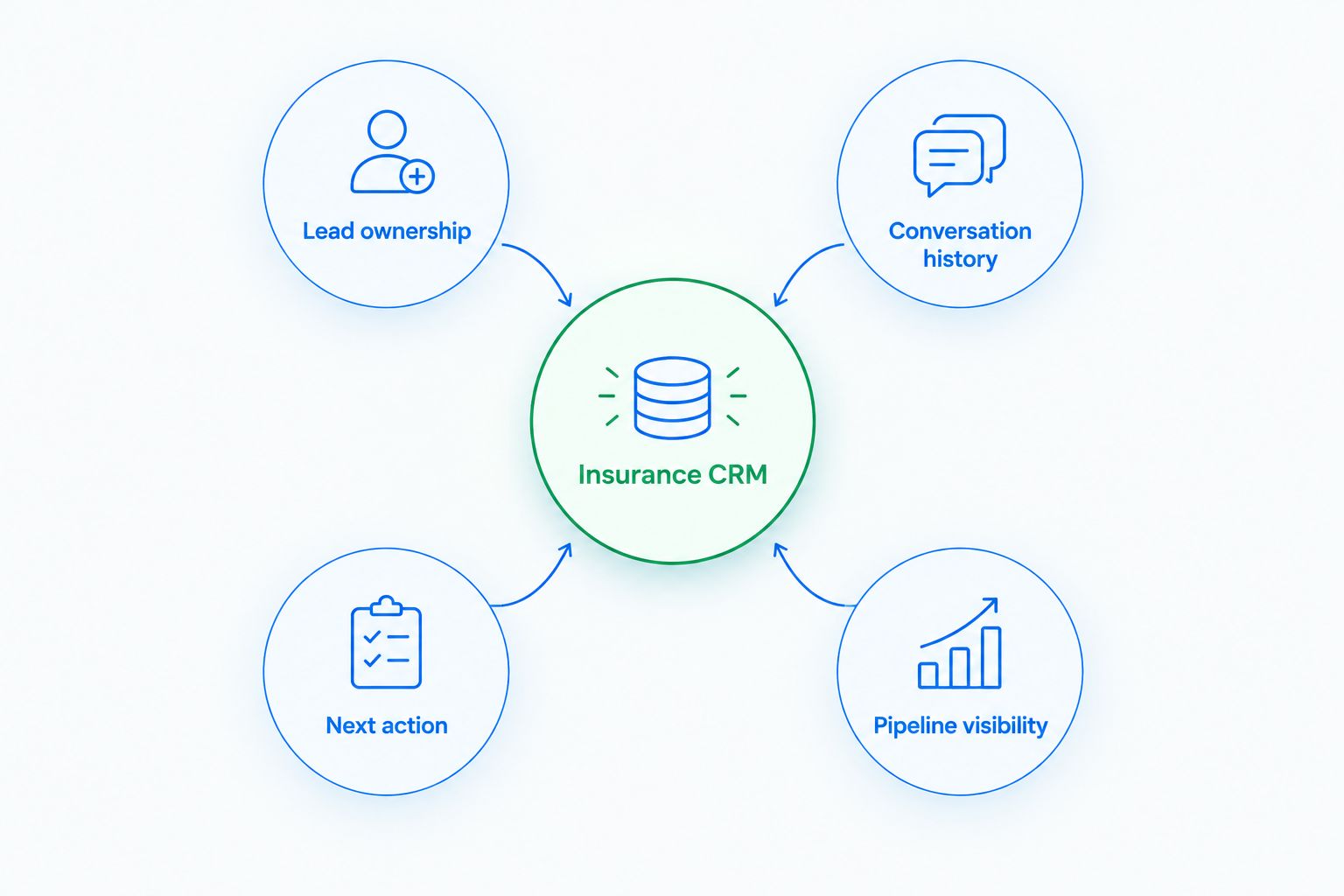
An insurance CRM should make the next action obvious without treating every prospect as the same sale. Use these criteria to compare a system against your agency’s workflow:
- Lead ownership: Can an agent see who is responsible for each new inquiry? A shared inbox is not enough if nobody owns the reply.
- Conversation history: Can the next person handling an account understand what was discussed across the channels your team uses?
- Next action: Can the team assign a task or trigger a configured follow-up when a prospect needs a response?
- Pipeline visibility: Can a manager distinguish a new inquiry from an opportunity waiting on a decision?
- Agency workflow fit: Does the system support the insurance-specific records and processes you need, or will it have to work alongside an agency management system?
For a practical setup, require one owner per lead, one next task per open opportunity, and one recorded outcome per conversation. Those are workflow rules to test, not promised results from any vendor. An Insurance CRM earns its place when an agent can open a record and act without searching elsewhere for context.
The best insurance CRM options at a glance
| CRM | Best for | Standout capability | Key limitation to check |
|---|---|---|---|
| Arches CRM | Teams losing time to manual follow-up | Moves opportunities through configured workflows based on customer interactions | The provided feature list does not establish policy administration or carrier integrations |
| AgencyBloc | Life and health agency operations | Insurance-focused agency management | Check how its sales process fits teams that also manage non-insurance work |
| HubSpot CRM | Inbound marketing connected to sales | Shared contact and deal records across marketing and sales | General-purpose CRM workflows need checking against policy processes |
| Salesforce Sales Cloud | Larger teams with configurable sales processes | Configurable opportunity workflows and reporting | Configuration and ongoing administration add work |
The table separates sales follow-up from agency management. Before you move records, identify which system must hold policy information and which must prompt the next prospect conversation. Those jobs can belong to different tools.
1. Arches CRM: best CRM for insurance agents focused on follow-up
Arches CRM brings leads, contacts, conversations, tasks, and sales activity into one place. Its stated features include lead assignment, pipelines, follow-up automation, and communication across email, WhatsApp, SMS, and calls. It can summarize email conversations and move opportunities through a pipeline based on customer interactions and configured workflows.
Best for: An insurance sales team whose immediate problem is keeping inquiries assigned and conversations moving. Arches CRM is the best CRM for insurance agents whose main problem is missed follow-up, not policy administration.
Consider the moment after a prospect replies to an email. The useful question is not whether the CRM stores the message; it is whether the assigned agent can see the context, the opportunity stage, and the next task. Test that exact handoff in a demonstration rather than accepting a feature checklist as proof that it works for your process.
Arches CRM pros:
- Brings contact details, conversations, tasks, and sales activity into a shared workflow.
- Supports configured reminders, tasks, and follow-up sequences.
- Summarizes email conversations to help an agent regain context.
- Supports lead assignment and pipeline tracking from inquiry to closed deal.
Arches CRM cons:
- The supplied feature description does not establish policy administration, quoting, or carrier connectivity; verify those requirements separately.
- Automated stage movement depends on workflows that your team configures and maintains.
- A team seeking only an insurance-specific agency management system must confirm whether its existing system still has a role.
Arches CRM verdict: Buy if your priority is consistent sales follow-up and you can validate the insurance-specific parts of your workflow before switching systems. If policy administration is the purchase driver, compare an agency management system first.
2. AgencyBloc: best for life and health agency operations
AgencyBloc is built around life and health insurance agency work. That makes it the insurance-focused option here for a team evaluating how sales activity connects to agency records and ongoing client management. Its fit depends on the lines you sell and the records your staff needs to maintain.
Best for: Life and health agencies that want insurance-specific operations considered alongside prospect management. Do not choose it solely because it carries an insurance label; walk through the work your agents perform after a lead responds, as well as the records your staff maintains after a sale.
Start with a prospect already in conversation. Ask an agent to find the last exchange, identify the assigned owner, and record the next action. Then have the person responsible for agency records show how that prospect becomes an ongoing client. The demonstration should make both sides of the handoff visible.
AgencyBloc pros:
- Centers its product on life and health agency needs rather than a generic sales process.
- Gives an agency a focused option when insurance operations drive the purchase.
- Lets buyers evaluate prospect and ongoing client work in the same product discussion.
AgencyBloc cons:
- Its insurance focus can be a weaker fit for a business that also runs substantial non-insurance sales processes.
- Your agency must verify support for its particular lines, records, and existing tools.
- An insurance-specific product still needs a hands-on follow-up test; category fit does not prove agent adoption.
AgencyBloc verdict: Buy if life and health agency operations are your deciding requirement and its demonstrated workflow matches your records. Hold if you have not tested the prospect-to-client handoff with your own team.
3. HubSpot CRM: best for inbound marketing tied to sales
HubSpot CRM gives marketing and sales teams shared contact and deal records. It is a practical option when inquiries arrive through marketing activity and your main question is whether those contacts reach the right salesperson with useful context. It is a general-purpose CRM, so insurance-specific work needs its own review.
Best for: Agencies that want to connect inbound lead capture and sales follow-up within a broader marketing workflow. In 2026, that distinction matters more than a long list of available features: the agent has to know what prompted the inquiry and what to do with it.
Run a demonstration with an actual lead path. Create an inquiry, assign an owner, record a reply, and move the deal after the next interaction. Have the receiving agent explain what they can see without opening another system. Separately, list the policy and account records your team still needs to manage.
HubSpot CRM pros:
- Connects contact and deal management to a broader marketing toolset.
- Fits teams that need visibility from inbound inquiry to sales activity.
- Offers a general-purpose workflow for businesses with sales work beyond insurance.
HubSpot CRM cons:
- A general-purpose CRM does not, by itself, settle policy administration requirements.
- Your team must define ownership and follow-up rules for its particular lead sources.
- The broader toolset can distract from a simpler goal if agents only need a clear next action.
HubSpot CRM verdict: Buy if inbound marketing is central to lead generation and its demonstrated handoff meets your sales needs. Hold until you have decided where insurance-specific records will live.
4. Salesforce Sales Cloud: best for configurable sales processes
Salesforce Sales Cloud supports configurable opportunity processes and reporting. It belongs on the shortlist when different teams need distinct stages, assignments, and management views. That flexibility is useful only when someone owns the configuration and keeps it aligned with how agents actually sell.
Best for: A larger sales organization with defined process requirements and the capacity to administer its CRM. If your immediate problem is that nobody knows who should answer a new lead, start by writing the ownership rule before shopping for more configuration.
For a 2026 evaluation, bring a real workflow to the demonstration: an inquiry arrives, an agent responds, another person needs context, and a manager checks what remains open. Ask who changes the workflow when a stage stops matching reality. The answer is part of the product decision, not a task to leave until after adoption.
Salesforce Sales Cloud pros:
- Supports configurable sales stages and opportunity processes.
- Gives teams reporting options for monitoring sales activity.
- Fits organizations willing to define and administer different workflows.
Salesforce Sales Cloud cons:
- Configuration creates ongoing administration work.
- A flexible sales platform still requires a separate check of insurance-specific records and integrations.
- Teams with a straightforward follow-up problem can spend effort designing a process before fixing ownership.
Salesforce Sales Cloud verdict: Buy when your sales process genuinely needs that configuration and you have a clear owner for it. Hold if the team has not agreed on its basic lead and task rules.
How we ranked these options
The 2026 ranking starts with the most immediate sales question: can an agent see a lead, understand the conversation, and take the next action? Arches CRM ranks first for that follow-up use case because its stated features directly cover lead assignment, conversations, tasks, automation, and pipeline movement. AgencyBloc ranks separately for life and health agency operations; HubSpot CRM and Salesforce Sales Cloud serve different general-purpose sales needs.
This is a use-case ranking, not a claim that every product handles every insurance process. Demonstrate your lead handoff and verify your policy workflow before choosing. A vendor presentation that skips either one has not answered the buying question.
Which CRM should insurance agents choose?
Choose Arches CRM if the lead arrives but follow-up gets lost between people, messages, and tasks. Choose AgencyBloc if life and health agency operations determine the purchase. Choose HubSpot CRM if marketing-to-sales handoff is the central job, or Salesforce Sales Cloud if your organization needs a configurable process it can maintain.
For an undecided insurance sales team in 2026, start with the follow-up workflow, then check the policy workflow. Have an agent process a new inquiry in each shortlisted system while a manager checks ownership and open tasks. The tool that makes the next action clear and fits your record requirements is the one to keep on the shortlist.
FAQ
What is the best CRM for insurance agents focused on follow-up?
Arches CRM is the best fit here for insurance agents focused on assigning leads, tracking conversations, and automating follow-up. Verify policy administration and any required integrations separately before treating it as an agency management replacement.
Is a CRM the same as an insurance agency management system?
No. A sales CRM focuses on prospects, conversations, tasks, and opportunities; an agency management system addresses insurance-specific records and operations. Test where each record belongs before replacing either system.
Is AgencyBloc better than a general-purpose CRM for insurance agents?
AgencyBloc is the stronger option in this list when life and health agency operations drive the decision. A general-purpose CRM fits better when the central need is a sales or marketing workflow that extends beyond insurance-specific work.
Should an insurance agent choose HubSpot CRM or Arches CRM?
Choose HubSpot CRM when connecting inbound marketing and sales is the priority; choose Arches CRM when lead ownership, conversations, and automated follow-up are the priority. Demonstrate the same inquiry-to-next-task workflow in both before deciding.
When does Salesforce Sales Cloud make sense for an insurance team?
Salesforce Sales Cloud makes sense when the organization needs configurable opportunity processes and has someone responsible for administering them. A team with a simple follow-up problem should define ownership and tasks before investing effort in configuration.
What should insurance agents test in a CRM demonstration?
Test a new inquiry, agent assignment, a customer reply, and the resulting next task. Then verify how the system fits the policy records, communication channels, and existing tools your agency actually uses.
Can a sales CRM replace policy administration software?
Do not assume it can. Confirm the insurance records, workflows, and integrations your agency requires in a hands-on demonstration before deciding whether a sales CRM can replace or should work alongside another system.
One last thing
A clean pipeline is not proof that a prospect received an answer. In 2026, ask an agent to open a live-style inquiry and show the owner, the last conversation, and the next task. If those answers take a search across tools, fix that handoff before adding more pipeline stages.