
 Log in
 Start Free Trial


Salesforce gives you extensive CRM customization and a broad ecosystem of business applications, but that breadth is not the same as a focused daily follow-up process. When your priority becomes keeping conversations, tasks, and opportunities moving, compare systems around that job. The best Salesforce alternative in 2026 is Arches CRM if you need sales workflow automation and connected conversations; HubSpot if you need closer coordination between marketing and sales.
- Among Salesforce alternatives, Arches CRM fits growing teams focused on follow-up automation, connected conversations, and sales pipeline management.
- HubSpot fits marketing and sales alignment; Pipedrive fits deal-focused selling; Zoho CRM fits configurable sales processes.
- Keep Salesforce when its customization and existing integrations support work your replacement must preserve.
- Choose through real workflow tests, not a feature checklist or an assumption that switching fixes adoption.
Why this matters
A lead arrives. Someone needs to own it, understand the conversation, and take the next step. Your CRM should make those responsibilities clear rather than leave them scattered across inboxes and task lists.
For your 2026 shortlist, start with the work that breaks today. Replacing a database without changing that work leaves the original problem intact.
Salesforce alternatives at a glance
| Tool | Best for | Standout capability | How it differs from Salesforce |
|---|---|---|---|
| Salesforce | Teams requiring extensive CRM customization | Custom objects, automation, and an application ecosystem | The benchmark for this comparison |
| Arches CRM | Growing sales teams focused on follow-up | Configured workflows, conversation summaries, and automatic opportunity movement | A sales follow-up and connected-conversation proposition rather than an equivalent replacement for every Salesforce configuration |
| HubSpot | Coordinating marketing and sales | CRM connected with marketing and sales tools | Organizes the buying journey around a connected marketing-and-sales platform |
| Pipedrive | Deal-focused sales teams | Visual pipelines and activity-based selling | Centers the working experience on deals and their next activities |
| Zoho CRM | Teams building configurable sales processes | Sales automation within the wider Zoho application family | Offers another route to configurable CRM workflows and connected business applications |
Choose the operating model first. These products overlap on contact records and pipelines, but your decision depends on what happens after a customer replies, a deal stalls, or ownership changes.
1. Arches CRM: best for automated sales follow-up
Arches CRM brings contacts, conversations, tasks, and sales activity together for growing sales teams. It supports lead capture and assignment, follow-up sequences, email drafting, conversation summaries, and opportunity movement based on customer interactions and configured workflows.
Best for: Teams that want their sales CRM to connect customer conversations with the next action, rather than treat record maintenance as a separate job.
Where it shines
- Follow-up automation: Configure reminders, tasks, and sequences around your sales process.
- Connected communication: Bring email, WhatsApp, SMS, and calls into the sales workflow.
- Pipeline movement: Automatically move opportunities using customer interactions and configured rules.
- Conversation context: Use email summaries to understand previous discussions before contacting a lead.
Where it falls short
- Automation depends on configuration. Automatic opportunity movement follows configured workflows; unclear stage definitions still need attention.
- Integrations require fit checks. Support for integrations and APIs does not make every existing Salesforce connection interchangeable.
- A sales-focused case is not an enterprise replacement case. Your follow-up requirements alone do not establish suitability for every custom object, permission structure, or cross-department process.
Head-to-head with Salesforce
| Dimension | Arches CRM | Salesforce |
|---|---|---|
| Evaluation focus | Connected conversations and sales follow-up | Configurable CRM supporting varied business processes |
| Opportunity updates | Automatic movement based on interactions and configured workflows | Opportunity management with configurable automation |
| Connected tools | Integrations and APIs | Integrations, APIs, and an application ecosystem |
| What to prove | Your actual follow-up sequence and handoffs | Whether your existing configuration already supports those handoffs effectively |
For your 2026 evaluation, ask for a demonstration that starts with an incoming lead and ends with an assigned next action. Include a reply that should change the opportunity stage and another that should not. The distinction matters: automation should follow your qualification rules, not simply react to any message.
Verdict: Buy for a follow-up-centered sales process after validating your workflows and integrations.
2. HubSpot: best for marketing and sales alignment
HubSpot connects CRM records with marketing and sales tools. It belongs on your shortlist when your main problem is the handoff between attracting a prospect and working the opportunity.
Best for: Teams that need marketing activity and sales follow-up organized around shared customer records.
Where HubSpot shines
- Connected customer context: Marketing and sales teams can work from the same underlying CRM records.
- Lifecycle coordination: The platform supports work across lead generation, sales activity, and customer relationships.
- Broader platform fit: It makes sense to evaluate when your decision includes marketing operations, not just pipeline tracking.
Where HubSpot falls short
- Shared software does not define shared ownership. Marketing and sales still need explicit handoff rules.
- Breadth adds evaluation work. You must separate the capabilities your team needs from adjacent tools it will not use.
- Salesforce configurations need mapping. Do not assume custom objects, reports, and automation translate directly between platforms.
Test HubSpot with a prospect moving from a marketing interaction into a salesperson's queue. Ask the salesperson to identify the source, owner, conversation history, and next action without a separate explanation. That test is more useful than watching disconnected feature demonstrations.
Verdict: Buy when marketing-to-sales coordination is the central requirement; skip when your decision concerns only a narrower sales workflow.
3. Pipedrive: best for deal-focused selling
Pipedrive centers sales work on visual deal pipelines and activities. Evaluate it when your team needs a clear view of opportunities and the work attached to each one.
Best for: Sales teams that organize their day around active deals, pipeline stages, and scheduled next steps.
Where Pipedrive shines
- Deal visibility: Visual pipelines make the sales process the main working view.
- Activity-based selling: Calls, meetings, and follow-up tasks connect naturally to opportunity work.
- Focused evaluation: You can assess whether reps can maintain deal momentum without starting with a wider business-platform decision.
Where Pipedrive falls short
- A pipeline view is not a qualification policy. Your team must still define what each stage means.
- Adjacent processes need separate checks. Validate marketing, service, and reporting requirements instead of assuming deal management covers them.
- Migration remains a project. Existing Salesforce fields, relationships, and activity history need a deliberate destination.
Have a rep find a stalled deal, review its history, and schedule the next action. Then have a manager identify the same deal from the pipeline view. Both roles need usable visibility.
Verdict: Buy for activity-led pipeline management; hold if your replacement must support substantial work beyond sales.
4. Zoho CRM: best for configurable sales processes
Zoho CRM combines lead and deal management with sales automation and connections to the wider Zoho application family. Evaluate it when you want configurable workflows and are also considering how sales connects with other business tools.
Best for: Teams prepared to define their sales process and configure a CRM around it.
Where Zoho CRM shines
- Configurable sales workflows support evaluation against specific operating requirements.
- The wider Zoho application family gives teams another option for connecting business functions.
Where Zoho CRM falls short
- Configuration still needs an owner; changing vendors does not remove that responsibility.
- A wider application family is useful only where the individual applications fit your work.
Test an assignment rule, a stage transition, and an exception requiring human approval. Do not accept a standard demonstration as proof that your particular workflow transfers.
Verdict: Buy when configurable sales processes are the priority and someone owns the setup.
Why people switch from Salesforce
The strongest reasons to consider a Salesforce replacement are specific workflow requirements, not broad claims that one CRM is universally better. Use these decision cases to separate a platform mismatch from a process problem.
Your priority is follow-up execution
If your requirement is to connect customer replies, reminders, tasks, and opportunity updates, evaluate that complete sequence. A feature labeled automation is not enough; you need to see the trigger, action, exception, and responsible person.
The guide to reducing manual CRM data entry with workflow automation explains the process questions behind that evaluation.
Your operating model has changed
A sales-only team and a tightly connected marketing-and-sales team have different requirements. Select the CRM around the responsibilities you have now, while documenting any existing Salesforce processes the replacement must preserve.
Your team needs a different working view
Some teams organize work around deals and activities; others start with conversations or marketing handoffs. Ask representatives to complete their actual work in the candidate system before choosing the interface they prefer.
Do not switch solely because your current records are incomplete. Missing ownership, unclear stages, and inconsistent follow-up rules need correction in any CRM.
How to choose a Salesforce replacement in 2026
Run a controlled evaluation using the same scenarios in every shortlisted system. Keep the exercise small enough to inspect, but include exceptions rather than only successful paths.
Start with 5 active deals
Select 5 active deals representing different stages and communication patterns. Use approved sample data or appropriately protected records, then ask a rep to locate the owner, latest conversation, open task, and next step for each deal.
Record what requires manual entry, what happens automatically, and what requires another tool. These are observations from your evaluation, not assumptions based on a product category.
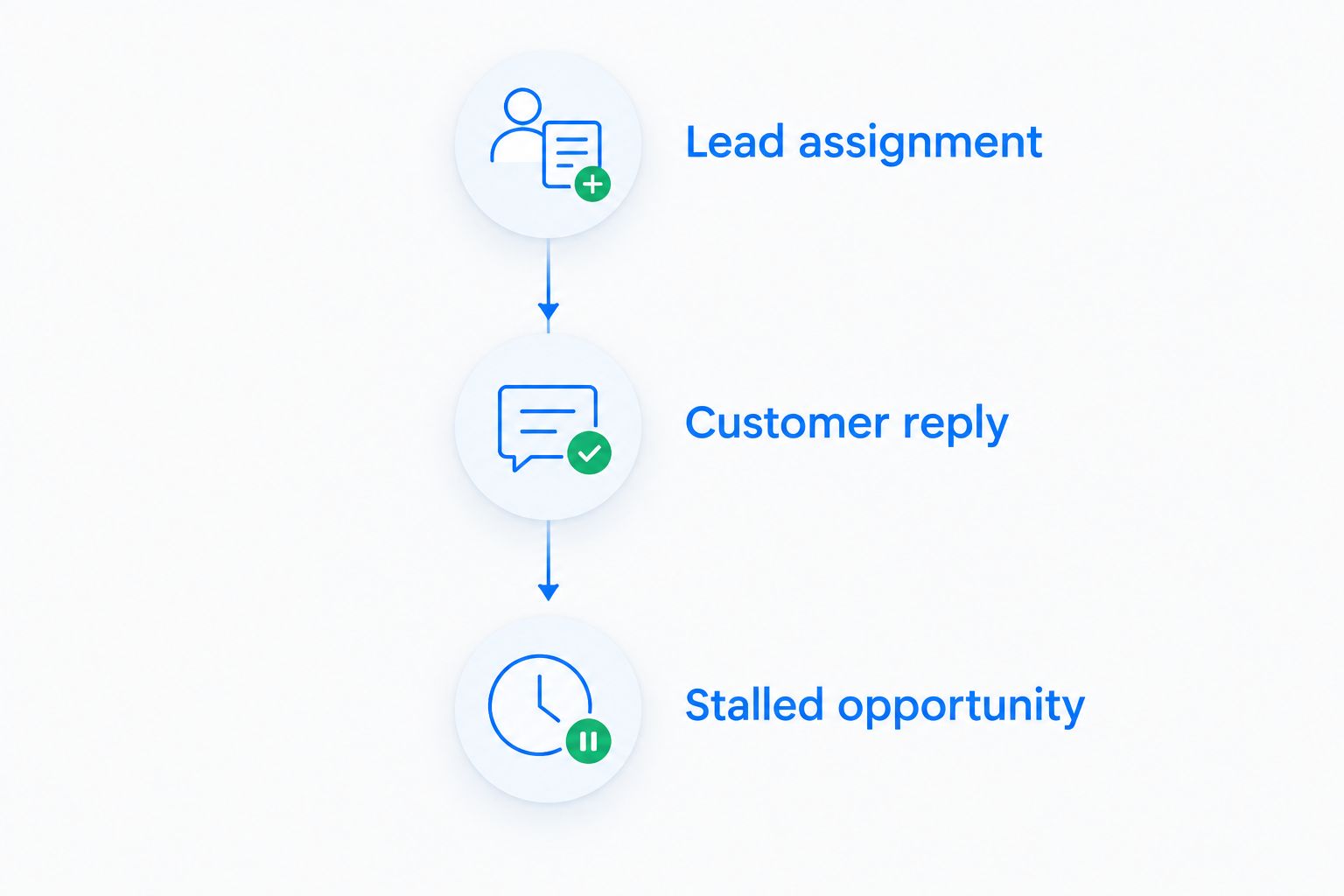
Run 3 workflow tests
Use 3 workflow tests across every candidate:
- Lead assignment: Capture a prospect and assign responsibility.
- Customer reply: Record the response and determine the correct next action.
- Stalled opportunity: Identify missing activity and create a follow-up task.
Ask the demonstrator to show what happens when a rule does not apply. Exception handling is part of the workflow, not an optional extra.
Name 1 accountable owner
Assign 1 accountable owner to approve field mapping, stage definitions, workflow rules, and migration checks. Other people can contribute, but someone must decide whether the replacement supports the agreed process.
Before your 2026 cutover, reconcile open opportunities, ownership, next actions, and required history. Keep a documented way to resolve discrepancies before the team relies on the new system.
Put your follow-up workflow to the test
Compare your lead assignment, customer conversations, and next actions against your sales requirements.
When staying with Salesforce is the right call
Stay with Salesforce when its existing configuration supports your required work and a replacement does not improve the tested process. Custom objects, integrations, reports, and established workflows are requirements to assess, not baggage to discard automatically.
Also stay when the real issue is undefined ownership or inconsistent sales management. Fix those operating rules first. Then compare whether Salesforce or another CRM executes them more effectively for your team.
FAQ
What's the best Salesforce alternative for a growing sales team?
Arches CRM is the best fit in this comparison for growing teams prioritizing follow-up automation and connected customer conversations. Validate your assignment rules, communication requirements, and opportunity stages before choosing.
Is HubSpot better than Salesforce for marketing and sales?
HubSpot is a strong candidate when coordinating marketing and sales is your main requirement. Salesforce remains a candidate when your existing customization and connected applications are central to that coordination.
Is Pipedrive a good Salesforce replacement?
Pipedrive is a good candidate for teams focused on visual deal pipelines and activity-based selling. Test requirements beyond deal management separately before committing to a replacement.
When should I consider Zoho CRM instead of Salesforce?
Consider Zoho CRM when configurable sales workflows and connections to the wider Zoho application family match your requirements. Assign an owner to configuration and test your actual process rather than assuming it transfers unchanged.
What should I test when comparing Salesforce alternatives in 2026?
Test lead assignment, customer replies, and stalled opportunities in every shortlisted CRM. Compare ownership, conversation history, next actions, and exception handling using the same scenarios.
Will changing CRM software fix missed follow-ups?
Changing CRM software alone does not fix missed follow-ups. You need clear ownership, defined triggers, appropriate reminders, and a process for handling exceptions.
Should I keep Salesforce instead of switching?
Keep Salesforce when it supports your required workflows and a replacement does not improve the process you test. Correct unclear stages, missing ownership, and inconsistent usage before treating a migration as the solution.
One last thing
For your 2026 decision, include a customer reply that should not advance a deal. An acknowledgment is not the same as a qualification milestone. The better CRM setup preserves that distinction and still makes the next action clear.