
 Log in
 Start Free Trial
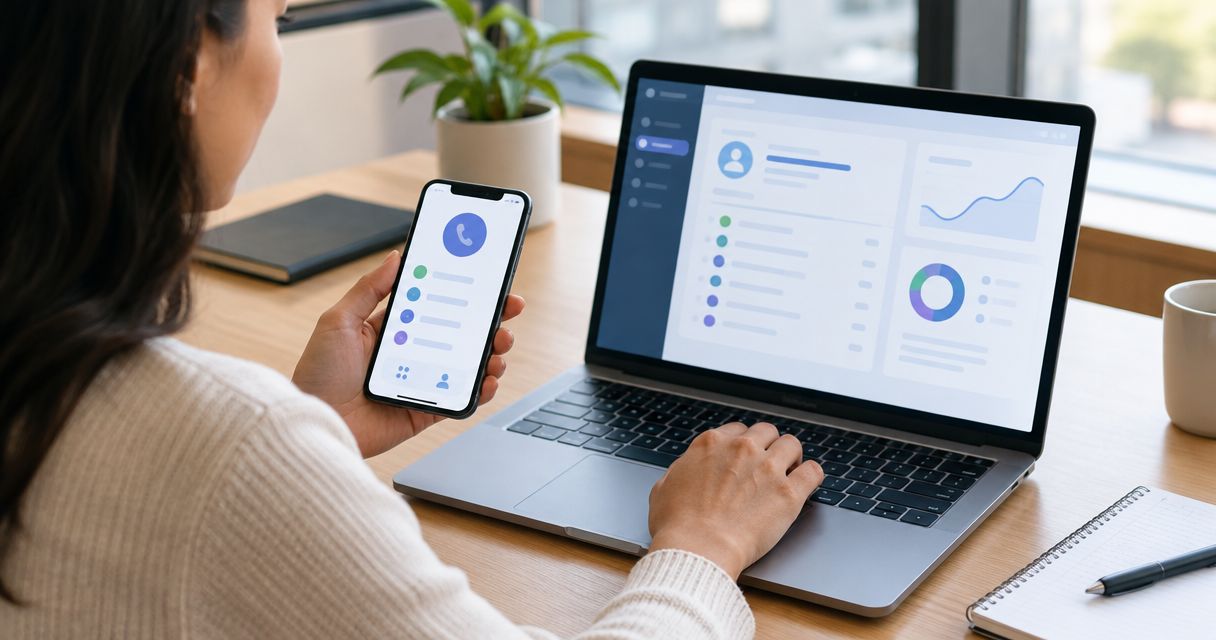
Instead of manually copying phone activity into contact records, set up a CRM call logging integration that sends completed calls to the right contact and assigns the next action. Connect your phone system to Arches CRM through a documented integration or API workflow, then test contact matching, duplicate prevention, and follow-up before enabling it for your team.
- Arches CRM suits growing sales teams that need calls, contacts, and follow-up in one CRM.
- A CRM call logging integration needs verified call events, contact matching, and a supported activity-writing method.
- Log each call once; use its outcome to decide whether sales workflow automation should create a task.
- Test answered calls, missed calls, and repeated events before enabling automatic call logging.
Why this matters
A call ends, but the work does not. Your salesperson still needs to record the conversation, identify the next action, and keep the opportunity current. When those actions live in separate places, the next person handling the lead lacks context.
Arches CRM is best for growing sales teams that need customer conversations and follow-up in one CRM. Its stated capabilities include contact management, sales pipelines, workflow automation, and integrations through APIs. Phone-system compatibility still depends on the connection method and the operations each system supports.
For your 2026 setup, separate two jobs: recording what happened and deciding what happens next. A completed call proves that a call occurred; it does not prove that a prospect qualified or agreed to buy.
Before you start
- Access and documentation: Have permission to configure your phone system, authorize integrations, and manage CRM workflows. Confirm a supported method for receiving call events, finding contacts, and writing call activity before building anything.
- Test materials: Prepare a test contact, a controlled calling number, a salesperson assignment, and an agreed list of call outcomes. Keep real customer conversations out of early tests.
- The gotcha: event identity: Establish which event represents a completed call and which identifier stays consistent across updates. A transferred call can produce several call legs; without a matching rule, one conversation becomes several records.
Also review recording consent, retention, and access requirements before connecting recordings or transcripts. Basic call logging does not require copying audio into the CRM.
Choose the connection method
Choose a route based on verified support, not a connector name alone. A connection that creates contacts but cannot write call activity does not solve this workflow.
| Connection route | Best for | Advantage | Limitation | Check before using |
|---|---|---|---|---|
| Documented connector | Teams with a supported phone-to-CRM connection | Reduces custom mapping work | Exposed events and actions define its scope | Completed-call event, contact lookup, and activity creation |
| API workflow | Teams with technical ownership and documented APIs | Gives control over matching and duplicate handling | Requires monitoring, maintenance, and error handling | Authentication, supported write operations, and event identifiers |
| Manual call logging | Teams validating the process before automation | Makes the required fields and handoff explicit | Leaves repetitive work with salespeople | Consistent ownership, outcome definitions, and next actions |
Use a documented connector when it supports the complete workflow; use an API workflow when you need documented operations the connector does not expose. Keep manual logging as a fallback, not a second automatic writer.
Do not run two routes against the same calls without a shared duplicate-prevention rule. Otherwise, both can create an activity and trigger follow-up.
Phone event configuration
The phone event is the start of your workflow. Select an event whose meaning matches the record you want to create: a finished call, not merely an attempted connection.
- Inspect your phone provider's documented events. Identify the completed-call event and determine how answered, unanswered, rejected, and transferred calls appear.
- Authorize the supported connection with the permissions required for this workflow. Keep credentials out of contact notes, shared spreadsheets, and event descriptions.
- Capture the provider's stable call identifier, caller and recipient numbers, direction, status, timestamps, and salesperson identity where supplied.
- Separate event time from processing time. Preserve the call's original timestamp rather than substituting the time the integration handled it.
- Route incomplete or unrecognized events to a review path. Do not force an unknown status into an answered-call outcome.
Provider labels differ. Use the exact event names and settings in your provider's documentation; the descriptions here define the configuration, not interface labels.
Expected result: A controlled test call produces an event with enough information to identify the call, determine its outcome, and find the relevant customer number.
For the 2026 launch, save a sanitized example event for each outcome you intend to support. These examples become your reference when mappings change.
Contact matching configuration
A technically successful write can still be wrong if it attaches the call to the wrong person. Build the matching rule before the activity-writing step.
- Normalize caller and recipient numbers consistently. Use country context when interpreting local numbers; preserve the original value separately for troubleshooting.
- Select the customer-side number using call direction. For an inbound call, use the caller's number; for an outbound call, use the dialed customer's number.
- Search the CRM using a documented lookup operation. Match against the phone fields your team actually maintains.
- Define three explicit branches: one matching contact, no matching contact, and multiple matching contacts.
- Attach the call when one contact matches. Send ambiguous matches to review; create an unmatched lead only if your team's approved capture policy allows it.
- Resolve salesperson ownership separately from contact identity. Map a phone user or extension to a CRM user only through an agreed mapping.
Expected result: A call from your test contact attaches to that contact. An unknown number and a shared number follow different, deliberate paths.
Avoid matching solely on a displayed caller name. Names are not unique, and a business number can represent several people. If a shared switchboard creates ambiguity, require an additional identifier or human review.
Call activity and follow-up configuration
Keep the activity record factual. Keep the next action conditional. That separation lets you correct a task rule without rewriting the history of the conversation.
- Map the call event to the CRM's documented activity-writing operation. Confirm which fields the destination accepts before enabling the write.
- Include the stable call identifier, direction, timestamp, outcome, customer association, and salesperson association where supported. Add duration only when the source supplies it.
- Establish duplicate prevention before creating the activity. Store or check the source call identifier through a supported mechanism so a repeated event does not create another record.
- Define follow-up by outcome. Route missed inbound calls to a callback task, and let answered-call outcomes determine whether another action is needed.
- Stop automatic sequences when their purpose has already been satisfied. A returned call should not leave an obsolete callback task active.
- Keep pipeline movement tied to meaningful evidence. Require a defined qualification or sales outcome rather than treating every answered call as progress.
Expected result: The call appears once on the correct record, with an accountable owner and only the follow-up required by its outcome.
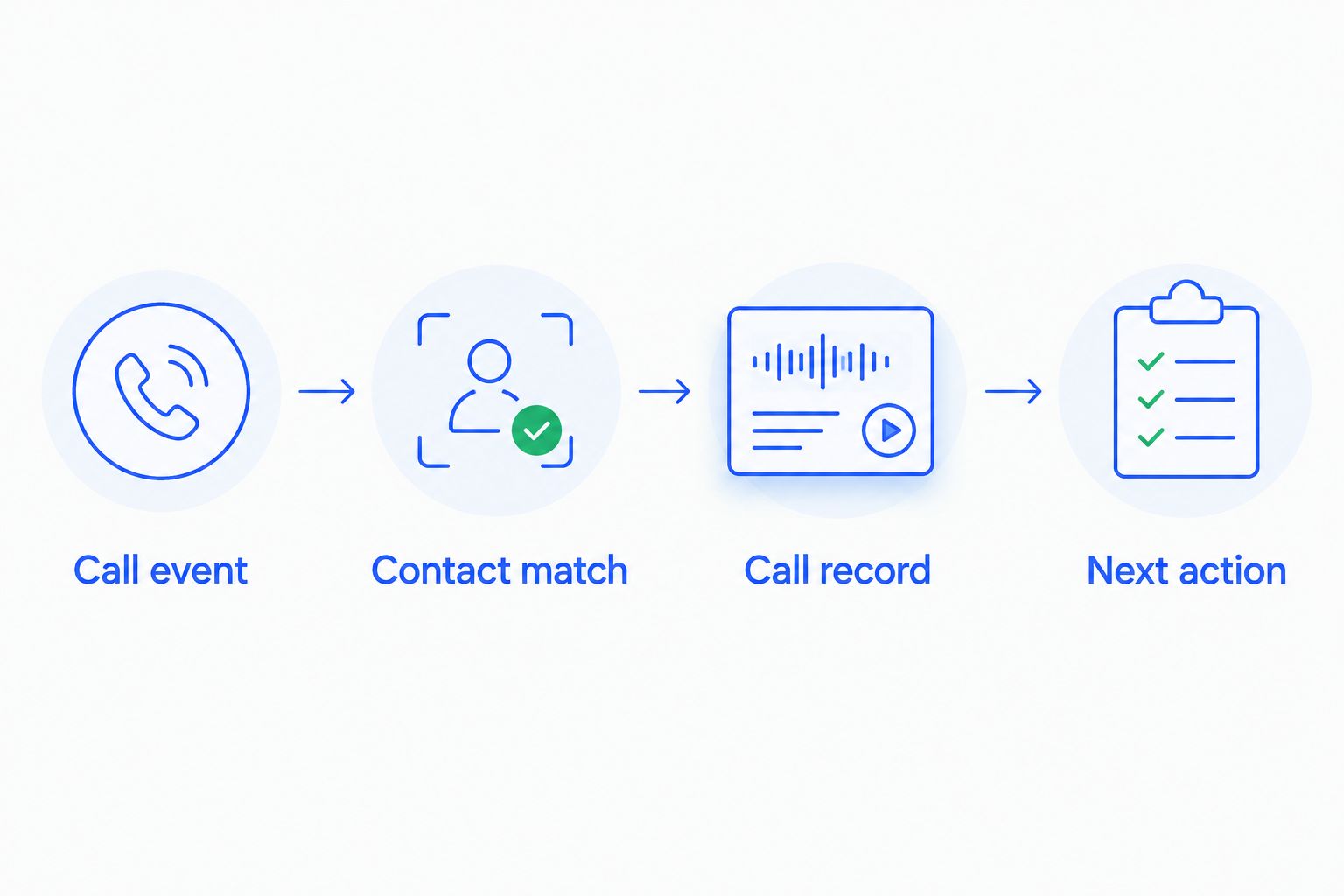
The sequence is Call event, Contact match, Call record, then Next action. Each stage has a separate success check; a failure at contact matching must not silently become an activity on an unrelated contact.
Recording links need a separate access decision. Do not assume that a link suitable for an administrator is appropriate for every salesperson. Include it only when permissions, retention, and customer requirements are satisfied.
Verification and launch configuration
Test the workflow as a salesperson experiences it, not just as a successful automation run. Your 2026 acceptance checklist should cover both correct records and prevented mistakes.
- Place 1 answered test call to a known contact. Verify the customer association, direction, owner, outcome, and original call timestamp.
- Make 1 missed test call. Verify that the activity reflects the missed outcome and creates the intended callback task without sending an unauthorized message.
- Replay 1 identical event through a safe test mechanism. Verify that the activity count stays unchanged and no second task appears.
- Test an unknown number and a number shared by multiple contacts. Confirm that each follows its designated review or capture path.
- Test a transferred call if transfers are part of your process. Verify that call legs do not inflate the number of customer conversations.
- Enable the workflow for a limited group first. Assign someone to inspect failed events, unmatched calls, and unexpected tasks before expanding it.
Expected result: You have evidence that the workflow logs legitimate activity, rejects duplicates, and handles uncertain matches without hiding them.
Record the expected result beside each test. A green execution indicator is not acceptance evidence if the call landed on the wrong contact.
Create a callback task whenever an inbound call is missed
Missed-call handling is an adjacent workflow, not a replacement for completed-call logging. It uses a different outcome to start a task while retaining the same contact-matching and duplicate-prevention rules.
Configure the missed-call branch to identify the customer, select a responsible salesperson, and create a callback task through a supported operation. Set the due time from your team's service standard, rather than copying an arbitrary interval from an integration template.
Best for: Teams receiving inbound inquiries that need a clear callback owner. The advantage is an explicit next action; the limitation is that a task does not guarantee someone completes it.
Suppress unnecessary tasks when a later event shows that the call was answered or returned, using supported update operations. Where that relationship cannot be established automatically, require the salesperson to close the task after the callback.
For your 2026 rollout, test this branch independently. A workflow that logs answered calls correctly can still misroute missed calls because the event carries different ownership information.
Troubleshooting
Calls attach to the wrong contact
Check call direction and number normalization first. An outbound event can contain both your business number and the customer's number; matching the wrong side creates incorrect associations. Review shared-number matches rather than selecting the first search result.
One call creates several records
Inspect whether the integration processes both intermediate and final events, retries, or transferred call legs. Use the stable source identifier for duplicate prevention and define whether your reporting represents conversations or individual legs. Disable overlapping writers until the rule is consistent.
Call activity never appears
Verify authorization, the selected event, and the supported destination operation. Inspect the failed event and response before replaying it. Retrying without identifying the failure can create duplicates once the underlying issue clears.
Callback tasks appear after a successful conversation
Separate answered and missed outcomes, then inspect event ordering. A delayed missed-call event can arrive after a later successful interaction. Evaluate the current record and source timestamps before creating a new task.
Calls show the wrong time or salesperson
Check timestamp interpretation and the user mapping independently. Store a consistent timestamp and let the display use the intended timezone. Route unmapped phone users to review instead of assigning every call to the integration administrator.
Customize your workflow
Expand only after the basic call record is reliable. Add outcome-based reminders, task assignment, and pipeline rules one at a time, with a defined test for each change.
Arches CRM supports sales workflow automation, but your configuration still needs clear entry and stop conditions. Use the guide to automatic follow-up reminders to plan what happens after the call, including when reminders should stop.
Keep an operating checklist for your 2026 workflow: who owns failures, who approves mapping changes, and how salespeople report incorrect records. Review that checklist whenever you change phone providers, routing rules, or contact fields.
FAQ
How do I connect my phone system to Arches CRM for call logging?
Use a documented connector or API workflow that receives call events, finds the correct contact, and writes supported call activity. Verify those operations first, then test duplicate prevention and follow-up before enabling the workflow.
Does every phone system support a CRM call logging integration?
No; compatibility depends on the events and integration operations each system exposes. Confirm completed-call events, contact lookup, and a supported activity-writing method before choosing a connection route.
Can I automatically create a task after a missed call?
Yes, when the connection exposes a missed-call outcome and supports task creation. Define the task owner and suppress obsolete callback tasks after the customer has been contacted.
How do I stop duplicate call logs?
Use a stable source call identifier to detect repeated events before creating activity. Also check for overlapping integrations and multiple call legs from transfers.
Should every answered call move the sales pipeline forward?
No; an answered call is not evidence of qualification or a buying decision. Move opportunities only when a defined sales outcome satisfies the stage rule.
Do I need call recordings for automatic call logging?
No; call logging can use metadata such as direction, timestamp, outcome, and customer association. Treat recordings and transcripts as a separate permissions, consent, and retention decision.
What should happen when the caller matches several contacts?
Send the call to a review path instead of attaching it to an arbitrary contact. Shared business numbers require an additional identifier or a person to resolve the match.
One last thing
A recorded call and a completed follow-up are different outcomes. Before expanding automation, ask a salesperson to open a test contact and explain what happened, who owns the next action, and whether anything remains unresolved. If the record cannot answer those questions, fix the mapping before adding more triggers.