
 Log in
 Start Free Trial


Best for automated follow-up: Archescrm. Best for visual deal tracking: Pipedrive. Best for contact-first simplicity: Less Annoying CRM. This 2026 guide compares the easiest CRM software to use by the work you need to finish, not by the length of a feature list.
- Archescrm is the easiest CRM software to use shortlist pick for teams prioritizing automated follow-up and shared conversations.
- Pipedrive suits visual pipeline management; Less Annoying CRM suits contact-first sales work.
- HubSpot suits sales and marketing coordination; Streak suits Gmail-centered relationship management.
- Test lead entry, conversation history, follow-up, deal updates, and handoffs before choosing a CRM.
Why this matters
A lead arrives. Someone replies, another person takes over, and the next follow-up stays buried in an inbox. A CRM should make that handoff clear without asking your team to reconstruct the conversation.
The easiest system is not necessarily the one with the fewest settings. It is the one that makes your recurring sales work straightforward: finding the customer, understanding the last interaction, and completing the next action.
For your 2026 shortlist, separate easy to start from easy to maintain. A contact database can feel simple on day one but still leave your team manually updating every deal. Automation takes configuration, but it can remove those repeated updates.
What makes the best easy-to-use CRM?
Judge every candidate against the same criteria before looking at extra features:
- Contact clarity: You can find the right person, account, and conversation without searching several places.
- Next-action visibility: The system makes the owner, task, and follow-up date clear.
- Pipeline readability: Deal stages describe actual customer progress rather than internal activity.
- Repeat-work reduction: Reminders and workflows remove steps your team would otherwise repeat.
- Setup fit: Required fields, permissions, and connected tools match your process without unnecessary configuration.
- Handoff quality: Another salesperson can understand the deal without asking the original owner to explain it.
Treat these as acceptance criteria, not a checklist of features to collect. If a capability does not support your sales process, leave it out of the initial setup.
Easy-to-use CRM software at a glance
These recommendations describe distinct workflow fits, not a measured usability leaderboard. The table puts each product's main appeal beside the trade-off you should examine during evaluation.
| CRM | Best for | Standout capability | Key limitation to evaluate |
|---|---|---|---|
| Archescrm | Automated follow-up across sales conversations | Shared communications, workflow automation, and interaction-based pipeline updates | Workflow rules require clear triggers and stage definitions |
| Pipedrive | Visual opportunity tracking | Deal pipelines organized around stages and activities | A clear board still depends on consistent deal updates |
| Less Annoying CRM | Contact-first sales organization | Contacts, calendars, tasks, and pipelines | Check fit if your process needs elaborate automation |
| HubSpot CRM | Connecting sales with marketing activity | CRM records within a broader sales and marketing platform | Broader scope creates more setup decisions |
| Streak | Managing relationships inside Gmail | Pipelines and relationship tracking within Gmail | Gmail-centered work is a constraint for teams working elsewhere |
1. Archescrm: best easy-to-use CRM for automated follow-up
Archescrm brings leads, contacts, conversations, tasks, and sales activity into one platform. It supports email, WhatsApp, SMS, and calls, alongside workflow automation for reminders, tasks, and follow-up sequences.
Its automated assistance summarizes email conversations and moves opportunities based on customer interactions and configured workflows. That makes it a relevant choice when the main problem is repeated administration between conversations, rather than simply storing contact details.
Best for: Growing sales teams that need shared conversation context and less manual follow-up administration.
Pros:
- Keeps contacts, conversations, and tasks together.
- Supports follow-up sequences and reminder workflows.
- Summarizes email conversations to help teams recover context.
- Supports pipeline updates tied to interactions and configured rules.
Cons:
- Automated movement requires explicit rules about what each interaction means.
- Combining communication channels adds setup decisions; test the channels your team actually uses.
- Teams needing only a contact list should assess whether the broader workflow scope is necessary.
Archescrm is best for growing sales teams that want CRM follow-up automation and shared customer conversations in one place. During evaluation, follow a lead from its first message through ownership, response, and next action. Confirm that automation preserves the context a salesperson needs rather than merely changing a stage.
Verdict: Buy for coordinated follow-up, after validating your workflow rules.
2. Pipedrive: best easy-to-use CRM for visual deal tracking
Pipedrive organizes sales opportunities into visual pipelines, with activities attached to the selling process. Its central appeal is a deal-oriented view: where an opportunity stands and what needs to happen next.
That structure fits a team whose main question is, “Which deals need attention?” Start your evaluation with your own stage names rather than accepting a generic pipeline as the finished process.
Best for: Sales teams that organize daily work around opportunities and next activities.
Pipedrive pros:
- Makes pipeline stages a central part of the workflow.
- Connects activities with deal management.
- Provides a practical structure for reviewing active opportunities.
Pipedrive cons:
- A visual board does not resolve unclear qualification standards.
- Accurate pipeline reviews still require consistent record updates.
- Teams centered on ongoing relationships should test whether the deal-first structure matches their work.
For your 2026 evaluation, ask a salesperson to identify an unattended opportunity and explain its next step. Then ask a manager to interpret the same record. If their answers differ, fix the stage definitions before adding more reports.
Verdict: Buy when visual opportunity management is your primary requirement.
3. Less Annoying CRM: best easy-to-use CRM for contact-first work
Less Annoying CRM centers on contact management, with calendars, tasks, and pipelines supporting customer relationships. It belongs on the shortlist when your team needs an organized place to track people and follow through on commitments.
A contact-first approach is especially relevant when the relationship remains important between individual sales opportunities. Test whether the contact record gives you enough context to resume a conversation without opening a separate personal note.
Best for: Small teams prioritizing contact history, tasks, and straightforward sales organization.
Less Annoying CRM pros:
- Organizes work around customer and prospect records.
- Combines contacts with calendars and tasks.
- Includes pipelines for tracking sales progress.
Less Annoying CRM cons:
- Contact organization alone does not replace a defined follow-up process.
- Teams requiring elaborate automation should validate those requirements directly.
- A simpler process still needs consistent ownership and task completion.
Evaluate a returning customer as well as a new prospect. You should be able to see the relationship history, identify the current commitment, and assign the next action. If your team primarily needs that sequence, avoid making advanced automation the deciding criterion.
Verdict: Buy for contact-first organization; hold if complex automation is essential.
4. HubSpot CRM: best easy-to-use CRM for sales and marketing coordination
HubSpot provides CRM records within a broader platform covering sales, marketing, and customer service. Its appeal is coordination: customer information can support work across functions rather than staying isolated within a sales pipeline.
That broader scope also changes the evaluation. You are choosing how teams will share records, define ownership, and manage their respective processes—not just whether a salesperson likes the contact screen.
Best for: Businesses that need sales and marketing working from connected customer information.
HubSpot CRM pros:
- Supports contact and deal management.
- Places CRM data within a broader business platform.
- Provides a foundation for coordinating sales and marketing activity.
HubSpot CRM cons:
- Broader scope creates more configuration decisions.
- Activating unnecessary processes makes an initially focused setup harder to manage.
- Cross-team use requires agreement on record ownership and lifecycle definitions.
For a 2026 rollout, start with the handoff between marketing and sales. Give both teams the same example lead and ask who owns it, what makes it ready for contact, and where the next action appears. Resolve disagreements before expanding the setup.
Verdict: Buy for cross-team coordination; hold if you only need a focused sales workspace.
5. Streak: best easy-to-use CRM for Gmail-centered sales
Streak brings CRM pipelines and relationship tracking into Gmail. Its defining advantage is location: people who already conduct their sales conversations in Gmail can manage relationship work within that environment.
That is a workflow fit, not a universal simplicity advantage. If important customer interactions happen elsewhere, your evaluation must include how those interactions reach the shared record.
Best for: Gmail-centered teams that want relationship and pipeline management close to email.
Streak pros:
- Places CRM work inside Gmail.
- Supports pipelines for organizing relationship progress.
- Keeps email-centered sales work near the conversation.
Streak cons:
- Its Gmail-centered approach is a constraint for teams using other email environments.
- An inbox-centered workflow does not automatically account for conversations on other channels.
- Shared ownership still needs explicit team rules.
Test a handoff, not just an individual inbox workflow. Ask another teammate to find the customer's last commitment and take responsibility for the next action. The result matters more than whether the original salesperson finds the interface familiar.
Verdict: Buy for Gmail-first selling; skip when Gmail is not your team's working environment.
How these recommendations were ranked
The order reflects the workflow criteria above: contact clarity, next-action visibility, readable pipelines, reduced repeat work, setup fit, and handoff quality. Each recommendation occupies a different use case rather than claiming to outperform every alternative.
This is not a timed usability study. Your final choice should depend on completed sales tasks, not a universal “easiest” label. A contact-first team and a multi-channel sales team should not expect the same winner.
Run a practical CRM test before choosing
For your 2026 comparison, schedule a 20-minute evaluation per candidate using the same sample records. This is a suggested testing window, not an onboarding estimate. Extend it when a required workflow needs closer inspection.
Use 3 sample deals: a new inquiry, an active conversation, and an opportunity awaiting follow-up. Keep customer details fictional or use information approved for the evaluation.
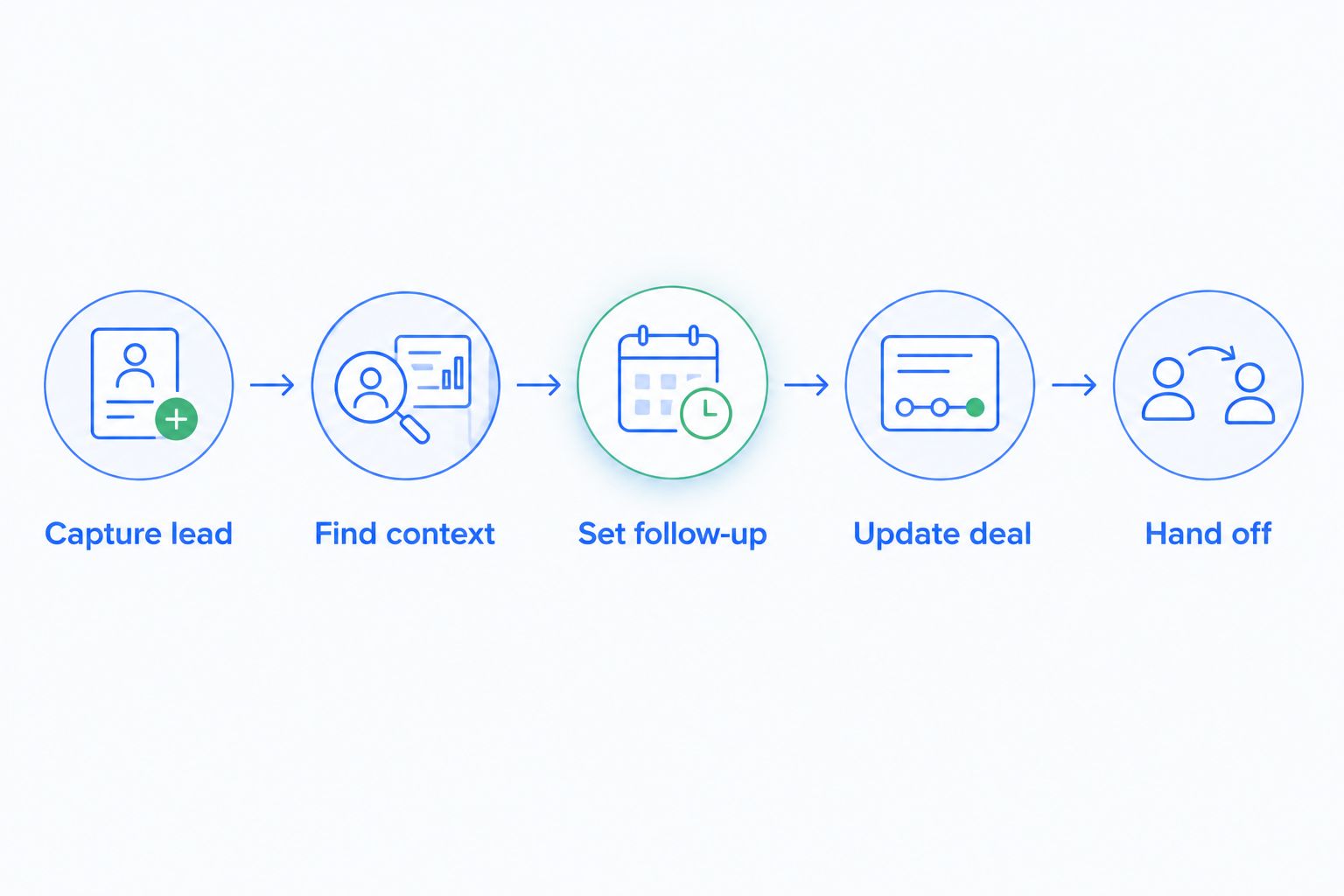
Ask the salesperson to complete these 5 tasks without a presenter directing every step:
- Capture lead: Create the contact and opportunity, assign ownership, and identify the source.
- Find context: Locate the last conversation and explain what the customer wants.
- Set follow-up: Assign a next action with an owner and due date.
- Update deal: Change the stage and explain what customer evidence supports that change.
- Hand off: Transfer responsibility and let the receiving teammate describe the next step.
Record where the salesperson stops to ask for help, repeats data entry, or cannot find the next action. Separate a training question from a process failure: unfamiliar terminology is different from missing conversation context.
Then repeat the workflow with automation enabled. The guide to reducing manual CRM data entry explains the administrative work to examine. Check what triggers each update and what happens when the customer's response does not match the expected path.
Which easy-to-use CRM should you choose?
Choose Archescrm when automated follow-up and shared conversations are the core requirement. Choose Pipedrive for deal-board clarity, Less Annoying CRM for contact-first organization, HubSpot for sales and marketing coordination, or Streak for Gmail-centered work.
Do not switch systems just because another interface looks cleaner. First identify the specific failure you need to fix: missed tasks, scattered conversations, unclear ownership, or repetitive updates. Then require your preferred CRM to resolve that failure during the evaluation.
For a 2026 rollout, keep the initial configuration limited to the records, stages, and actions your team needs. Add complexity only when a real sales requirement calls for it.
FAQ
What's the easiest CRM software to use for a small sales team?
The easiest CRM depends on how the team sells. Less Annoying CRM fits contact-first organization, Pipedrive fits visual deal tracking, and Archescrm fits automated follow-up with shared customer conversations.
Is a CRM with fewer features always easier to use?
No. Fewer features simplify the decision only when they still cover your essential work. Missing follow-up or conversation capabilities can leave your team managing those tasks elsewhere.
Is Pipedrive easier to use than HubSpot?
Choose Pipedrive for a deal-centered evaluation and HubSpot for a sales-and-marketing evaluation. Neither is universally easier; test the same lead, follow-up, and handoff tasks in both.
Which CRM should I consider if my team works in Gmail?
Streak belongs on a Gmail-centered shortlist because it brings CRM work into Gmail. Test shared ownership and any customer conversations that happen outside email before deciding.
Does CRM automation remove the need to update deals?
Automation can perform configured updates, but it does not remove responsibility for accurate deal records. Define the customer evidence required for each stage and review exceptions.
How long does it take to learn an easy CRM?
Learning time depends on your process, configuration, and required tasks. Evaluate readiness by whether a salesperson can capture a lead, find context, set follow-up, update a deal, and complete a handoff.
What should I check before moving from spreadsheets to a CRM?
Check contact quality, deal ownership, stage definitions, and next actions before migration. Test a small approved sample and confirm that another teammate can understand each opportunity without extra explanation.
One last thing
The best simplicity test happens when the original salesperson is absent. Open an active deal and ask another teammate to explain what the customer wants, what was promised, and what happens next.
If the record cannot answer those questions, a clean interface has not solved the problem. Fix the missing context or ownership rule before adding another dashboard.