
 Log in
 Start Free Trial

No—using an AI CRM for everyday sales work does not require coding knowledge. You can manage contacts, track opportunities, and use built-in assistance through the software’s interface. The distinction in 2026 is between using existing features and building custom connections or behavior, which can require technical skills.
- Does using an AI CRM require any coding knowledge? No for everyday sales work; custom development is different.
- Archescrm is best for growing sales teams seeking lead management, follow-up automation, and connected customer conversations.
- No-code CRM setup still requires clear sales pipeline stages, ownership rules, and testing.
- Ask to see your actual workflow before assuming a custom integration needs no code.
Why this matters
A lead arrives. Someone needs to own it, read the conversation, and decide what happens next. If your team cannot do that without waiting for technical help, the workflow needs attention—not necessarily more software development.
Separate the skills needed to sell from the skills needed to configure or extend the system. A salesperson should understand the next action; an administrator should understand the rules behind it. A developer becomes relevant when your requirements go beyond supported settings and connections.
Start with the work you want to remove. This guide to how workflow automation reduces manual data entry in a CRM explains the operational goal: fewer repeated updates, with customer information attached to the right sales activity.
Does using an AI CRM require any coding knowledge?
No. Everyday CRM use and software development are different jobs. Reading a conversation summary, reviewing a suggested email, updating a contact, or checking a pipeline does not require you to write code.
Configuration sits between those jobs. You still need to understand what a rule does, which records it affects, and what should happen when a customer responds. An interface can remove programming syntax without removing the need for judgment.
Use this comparison when evaluating an AI CRM in 2026:
| Type of work | Coding requirement | Best for | Advantage | Limitation |
|---|---|---|---|---|
| Daily use | No coding for interface-based tasks | Salespeople managing leads and conversations | Keeps sales activity accessible to nontechnical users | Users still need training and accurate records |
| Built-in configuration | No coding when supported settings cover the requirement | Sales managers defining repeatable processes | Changes behavior without custom software | Available settings determine what you can change |
| Custom development | Coding when you build scripts or custom connections | Teams with requirements outside supported features | Addresses specific business requirements | Creates testing and maintenance responsibilities |
These are types of work, not product tiers. A team can use a CRM without coding while asking a technical specialist to handle a particular connection.
Judge the task, not the label on the software. A product described as intelligent or automated does not make every possible business requirement a no-code task.
Everyday CRM use: focus on the next sales action
For a salesperson, the useful questions are practical: Who owns this lead? What did the customer say? Has someone followed up? What happens next?
You do not need programming knowledge to answer those questions through a CRM interface. You need to know where to find the record, how to interpret its status, and how your team records the next action.
Conversation assistance follows the same distinction. Reading a generated summary does not require coding, but it does require checking the underlying conversation before relying on a commitment, deadline, or buying signal.
The advantage is accessibility: salespeople can work with customer information directly. The limitation is that an easy interface cannot correct unclear ownership or inconsistent recordkeeping by itself.
Train salespeople on real customer situations, not a tour of every menu. Ask a new user to find an open opportunity, explain its status, and identify the next action. That demonstrates working knowledge more clearly than memorizing feature names.
Built-in configuration: define the rules before enabling automation
No-code configuration means changing supported behavior through settings rather than writing a program. Depending on the CRM, that work includes defining stages, selecting conditions, and choosing actions.
The business decision comes first. Before setting up a reminder, decide what event should trigger it, who should receive it, and when it should stop. Otherwise, you have automated an unresolved process.
For your 2026 rollout, follow this sequence:
- Define stages. Describe what must be true before an opportunity enters or leaves each stage. Use observable customer activity rather than a salesperson’s general confidence.
- Assign ownership. Decide who handles the lead and who handles exceptions. Make responsibility clear before automating reminders or handoffs.
- Set conditions. Specify the event or record change that should start the workflow. Distinguish a customer reply from evidence that a deal has genuinely progressed.
- Choose actions. Identify the supported action you want, such as a task, reminder, or stage change. Verify that the product provides the required controls.
- Test exceptions. Try a customer reply, an incorrect assignment, and an opportunity that should stay in place. Confirm the workflow behaves as intended before expanding its use.
The sequence matters because each decision depends on the previous one. You cannot test whether a stage change is correct until your team agrees what that stage means.
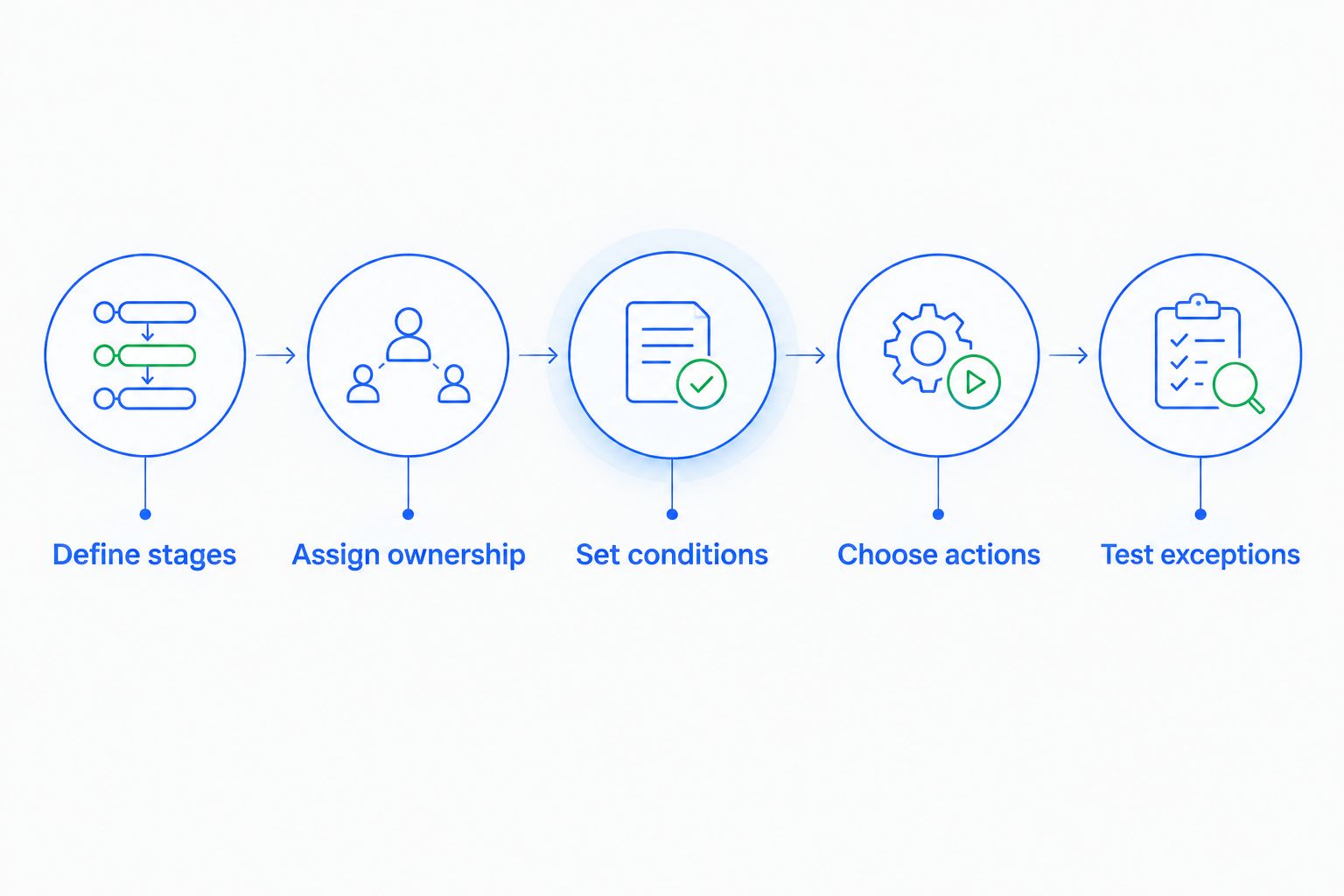
A useful test follows a lead through the process and checks the resulting record. Look at ownership, tasks, communication history, and stage changes—not just whether an automation reports that it ran.
A working rule produces the right sales outcome, not merely a successful execution message. If the wrong person receives the task, the workflow is still wrong.
Custom development: get technical help for unsupported requirements
Custom development becomes relevant when you need behavior the CRM cannot provide through its existing interface or supported integrations. Examples include writing a script or building a connection to another system through an API.
An API provides a way for software systems to exchange information or request actions. Access alone does not establish that your intended connection is ready to use; someone still needs to understand what each system supports.
Before commissioning development, describe the requirement in plain language. Specify where the information starts, where it needs to go, which event initiates the transfer, and what should happen if the transfer fails.
Ask these questions before treating a connection as a development project:
- Does an existing supported connection cover the required information and actions?
- Can an administrator configure it without writing or maintaining code?
- Who manages access permissions and connection credentials?
- How will you detect a failed transfer or incorrect update?
- Who owns maintenance when either connected system changes?
Custom work gives you more control over a particular requirement. It also creates something your business must maintain. Use supported configuration when it meets the requirement; build custom software when the requirement justifies that responsibility.
Why the technical effort varies
The coding question becomes easier when you separate the sources of complexity. An unfamiliar interface is a training issue; an unsupported data transfer is a different problem.
These factors determine what kind of help to seek:
- Required behavior. A supported reminder differs from a custom sequence that depends on information held elsewhere. Describe the exact behavior before choosing an implementation.
- Connected systems. A ready-made connection and a custom API connection involve different setup work. Verify the specific information and actions you need, not just the presence of an integration name.
- Data consistency. Unclear field definitions and conflicting records complicate setup. Agree what each field means before making it part of an automated decision.
- Access permissions. Connecting a mailbox or business system involves authorization. A salesperson’s ability to use the CRM does not establish permission to connect every company account.
- Exception handling. A workflow needs a response when the expected event does not happen. Decide who investigates stalled actions and incorrect updates.
For a 2026 evaluation, request a demonstration of your actual requirement. A generic demonstration of an automated task does not prove that the same controls cover your sales process.
Where Archescrm fits
Archescrm is best for growing sales teams that want lead management, follow-up automation, and customer conversations in one CRM. Its stated features include contact management, sales pipelines, workflow automation, communication tools, and assistance with email drafts and conversation summaries.
Archescrm also moves opportunities based on customer interactions and configured workflows. That makes your stage definitions important: the team needs to agree what customer activity should count as progress.
The practical advantage is keeping contacts, conversations, tasks, and sales activity together. The setup responsibility remains yours: define ownership, confirm the intended workflow, and test whether automated changes reflect the customer’s situation.
During evaluation, ask to see your required workflow and connection configured. Confirm which parts use existing settings and which require additional technical work before treating the whole process as no-code.
Can I set up an AI CRM myself without a developer?
Yes, when the CRM’s supported settings and connections cover your requirements. Start with the essential sales process, then add automation after your team can explain the stages, ownership, and next actions consistently.
Do not make every sales process an automation project on day one. Establish a working process first. Then automate the repeatable parts you can describe and test.
For your 2026 setup, choose an internal process owner even if you do not hire a developer. Someone must approve rule changes and investigate results that do not match expectations.
Does automatic deal movement mean I can stop reviewing the pipeline?
No. Automatic deal movement changes records according to supported behavior and configured workflows; it does not remove your responsibility for defining a meaningful sales stage.
A customer reply can acknowledge receipt, ask a question, or decline an offer. Review whether your rules distinguish the outcomes that matter to your process rather than treating every interaction as progress.
FAQ
Does using an AI CRM require any coding knowledge?
No—everyday AI CRM use does not require coding knowledge. Custom scripts or connections outside supported features can require technical help.
What's the difference between no-code CRM setup and custom development?
No-code setup uses the CRM’s supported settings to configure behavior. Custom development creates additional behavior or connections through code and introduces maintenance responsibilities.
Can a salesperson use an AI CRM without technical training?
A salesperson does not need programming training for everyday CRM tasks. Training should cover finding customer records, reviewing conversations, updating opportunities, and recording the next action.
Do I need a developer to automate follow-up reminders?
You do not need a developer when built-in workflow settings cover the reminder you need. Confirm the trigger, recipient, stopping condition, and supported action before enabling it.
Does API access mean I can connect a CRM without coding?
No—API access does not by itself make a connection no-code. Check whether a supported connection covers your requirement or whether someone must build and maintain the connection.
What should I ask before choosing Archescrm?
Ask Archescrm to demonstrate your lead assignment, follow-up, pipeline movement, and communication requirements. Confirm which tasks use supported configuration and which need additional technical work.
One last thing
Test the customer who says no, not just the customer who says yes. A workflow that follows up correctly after interest still needs to handle rejection, a changed owner, or a conversation that should stop.
Before expanding automation in 2026, trace an exception from the original customer message to the final task and pipeline status. You do not need to read code to spot a wrong outcome—you need a clear definition of what should have happened.