
 Log in
 Start Free Trial

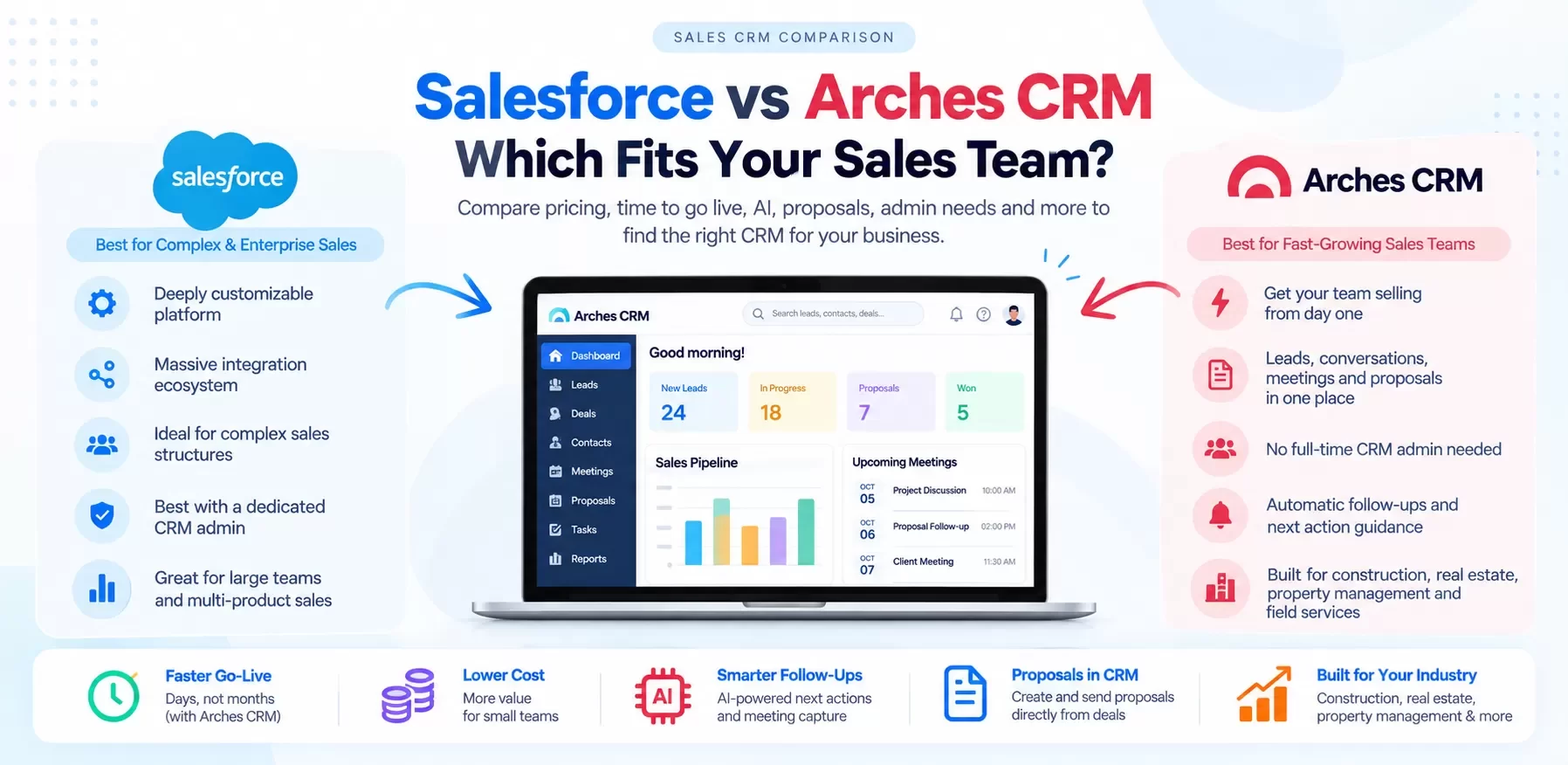
Who should pick Salesforce?
Salesforce earns its reputation. Be honest with yourself about whether you are its buyer.
Salesforce is the stronger choice when:
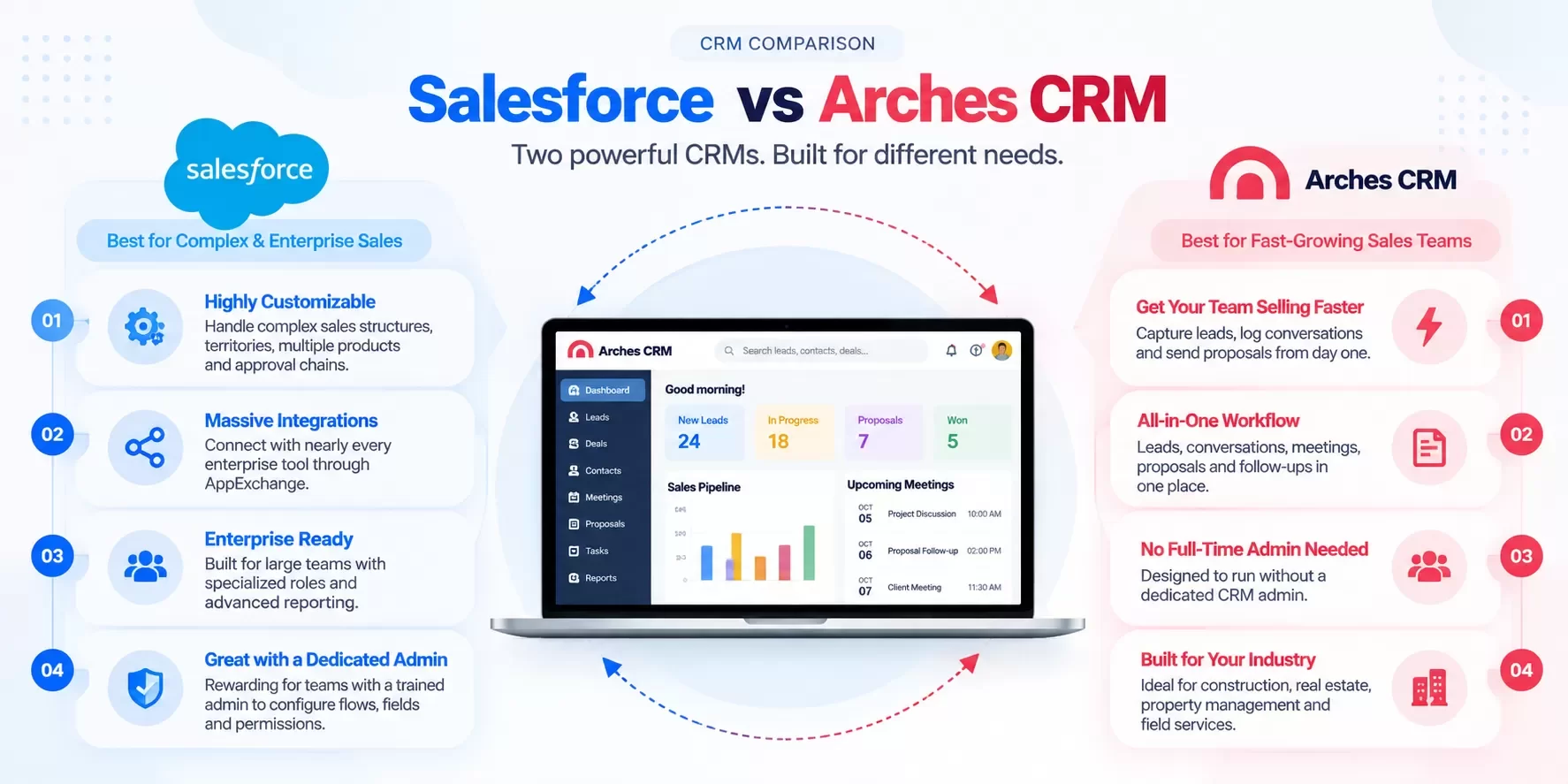
- You have complex sales structures. Multiple business units, territories, product lines, currencies, and approval chains. Salesforce's data model and permission system handle this better than almost anything on the market.
- You need a massive integration ecosystem. AgentExchange (formerly AppExchange) and the partner network mean nearly every enterprise tool already connects.
- You have admin capacity. A certified admin (in-house or partner) who configures flows, fields and reports. Salesforce rewards that investment.
- Your buyers or board expect it. In some enterprise and regulated sales motions, "we run Salesforce" is itself a credibility signal.
- You plan to scale into hundreds of reps with specialized roles: SDR, AE, CSM, sales ops, RevOps.
If three or more of those describe you today, Salesforce is probably the right call. We will say that plainly.
Who should pick Arches CRM?
Arches CRM is built around one idea: Sales Made Simple. One place for every lead, conversation, meeting, proposal and follow-up.
Arches is the stronger choice when:
- You want reps selling, not configuring. Your team needs to capture leads, log conversations and send proposals from day one.
- You don't have (and don't want) a full-time CRM admin.
- Proposals are part of your close. Contractors, property managers and B2B service firms live and die on the quote. Arches keeps the proposal in the same record as the lead and the meeting.
- Follow-up is where deals leak. Arches is designed to tell each rep the next action and follow up automatically.
- You sell in construction, trades, real estate, property management, or field services. Arches started in construction and still speaks that language.
Teams like Go Build, Symphony Homes, Laguna Properties and Utah Dental Association use Arches. [CONFIRM: approval to name these customers in a comparison post]
Salesforce vs Arches CRM: side-by-side
Salesforce prices below are from the Salesforce Sales Cloud pricing page, as of Sep 2026.
| Salesforce | Arches CRM | |
|---|---|---|
| Entry pricing | Starter Suite: $25/user/month (monthly or annual billing). Pro Suite: $100/user/month, billed annually | [CONFIRM price] |
| Mid/upper tiers | Sales Cloud Core $195, Advanced $395, Max $550 per user/month, billed annually | [CONFIRM: mid-market / 100+ seat pricing] |
| Time to go live | Starter can be quick; Pro and above typically involve a configuration project, often with a partner | Days, not months [CONFIRM: typical onboarding time] |
| AI | Starter includes AI email, event and contact sync. Agentforce is available to purchase on Core and above; "Agentforce for Sales" is included in Max | AI next-action guidance, meeting capture and follow-up drafting [CONFIRM: which AI features are live] |
| Proposals / quotes | "Sales Quoting" starts at Pro Suite; advanced CPQ is a separate product | Proposal creation inside the deal record [CONFIRM: proposal builder + e-signature live] |
| Admin needs | Real. Flows, fields, permissions and reports reward a trained admin | Designed to run without a dedicated admin [CONFIRM] |
| Vertical fit | Horizontal platform; industry clouds for some sectors | Construction, trades, real estate, property management, field services, general SMB |
| Ecosystem | Largest in CRM | Core integrations [CONFIRM: integrations list] |
| Best for | Complex, admin-supported sales orgs | Teams that want one simple place to close deals |
Where Salesforce clearly wins: ecosystem breadth, customization depth, enterprise reporting, and scale. Don't let anyone tell you otherwise.
Where Arches clearly wins: speed to value, no fragmented tools between meeting and proposal, and a workflow a busy rep actually follows.
What does Salesforce really cost a 10-user team over 3 years?
License price is the smallest honest number in a CRM decision. The real cost is licenses plus implementation, admin time, add-on tools, and the hours reps spend on data entry.
Here is a worksheet. Every non-license number is a labeled example assumption. Replace them with your own.
Example assumptions (hypothetical, for illustration only)
- 10 users, 36 months
- Salesforce Pro Suite at $100/user/month (published list price, billed annually)
- Implementation partner for Salesforce: $15,000 one-time (example)
- Part-time admin: 5 hours/week at $60/hour (example)
- Separate proposal/e-signature tool: $15/user/month (example)
- Training and change management: $3,000 (example)
3-year TCO worksheet
| Cost line | Salesforce Pro Suite (example) | Arches CRM |
|---|---|---|
| Licenses: 10 users x 36 months | 10 x 100x36=∗∗36,000** | 10 x [CONFIRM price] x 36 |
| Implementation / setup | $15,000 (example) | [CONFIRM: onboarding cost] |
| Admin time: 5 hrs/wk x $60 x 156 weeks | $46,800 (example) | Example: 1 hr/wk x $60 x 156 = $9,360 [CONFIRM admin load] |
| Proposal / e-sign tool | 10 x 15x36=∗∗5400** (example) | Included [CONFIRM] |
| Training | $3,000 (example) | [CONFIRM] |
| 3-year total | $106,200 (example) | Fill in once pricing is confirmed |
Three things jump out:
- Admin time outweighs licenses in this example. That is common for small teams that buy a platform built for large ones.
- Starter Suite changes the math. At $25/user/month, licenses drop to $9,000 over three years. But Starter does not include the quoting and forecasting that Pro Suite adds, so proposal tooling moves outside the CRM.
- The cost you don't see is rep time. If each rep spends 30 minutes a day on CRM upkeep and switching between tools, that's roughly 10 reps x 0.5 hrs x 240 days = 1,200 hours a year (example). At $50/hour loaded, that's $60,000 a year in selling time. Whichever CRM cuts that number wins the TCO fight.
Want to run your own numbers? Use the Arches lead cost and campaign ROI calculators. [CONFIRM: calculator live + URL]
A real-world scenario: the roofing contractor's bid pipeline
Picture a 10-person roofing and exteriors company. Four estimators, two office staff, an owner, three production leads.
On Salesforce: They buy Pro Suite. A partner builds custom objects for jobs and bids, a flow for storm-season lead routing, and a quote template. It works. Six months in, the partner has moved on, a field needs changing, and nobody knows how. Estimators go back to texting photos and building quotes in a spreadsheet. The CRM becomes a reporting tool the owner updates on Fridays.
On Arches: A homeowner submits a web form after a hailstorm. The lead lands in Arches with source attached. The estimator walks the roof, and the meeting notes are captured against the deal. Arches suggests the next action (send the proposal within 24 hours), the estimator creates the proposal from the same record, and if the homeowner goes quiet, follow-up runs automatically. [CONFIRM: web-form capture, meeting capture and automated follow-up live]
Same team. Same leads. The difference is whether the system fits how estimators actually work.
What does the AI actually do?
"AI-powered" means nothing until you see the moment it saves time. Here's the one that matters most for small teams: the meeting-to-proposal handoff.
| Step | Without AI | With Arches AI [CONFIRM: each step live] |
|---|---|---|
| 1. Meeting ends | Rep jots notes on a phone | Meeting notes captured to the deal |
| 2. Summarize | Rep rewrites notes that night (or doesn't) | AI summarizes scope, budget, timeline, objections |
| 3. Next action | Rep remembers (or doesn't) | AI recommends the next action and due date |
| 4. Proposal | Built from a blank template | Proposal drafted from meeting details for rep review |
| 5. Follow-up | Calendar reminder, maybe | Automated follow-up if no response in X days |
Salesforce can do versions of this too, particularly with Agentforce on its upper tiers. The difference is packaging: on Salesforce you assemble and configure it; Arches is designed to ship it as the default workflow.
How to decide in 10 minutes
Answer yes or no:
- Do we have, or will we fund, a dedicated CRM admin?
- Do we have more than 50 reps, or will we within 18 months?
- Do we need complex territories, multi-currency or multi-entity forecasting?
- Do we depend on enterprise tools that integrate primarily with Salesforce?
- Is our biggest problem reporting depth, not rep adoption?
Mostly yes: Salesforce. Budget for implementation and admin from day one.
Mostly no: Arches CRM will likely get you to revenue faster with less overhead.
Still unsure whether Salesforce is overkill? Read Is Salesforce Too Much CRM for Your Small Business? next.
FAQ
Is Arches CRM a Salesforce alternative for small business?
Yes. Arches is built for small and mid-sized sales teams that want leads, conversations, meetings, proposals and follow-up in one place without a CRM admin project. It also supports teams of 100+ [CONFIRM: mid-market readiness claims].
Is Salesforce cheaper than Arches?
It depends on the tier. Salesforce Starter Suite is $25/user/month and Pro Suite is $100/user/month, billed annually, per Salesforce's pricing page as of Sep 2026. Arches pricing: [CONFIRM price]. Compare total cost, including admin time and add-ons, not just licenses.
Can Arches handle proposals like Salesforce CPQ?
Arches creates proposals inside the deal record [CONFIRM: proposal builder live]. If you need complex configure-price-quote rules across thousands of SKUs, Salesforce's CPQ products are the deeper tool.
How long does it take to go live on Arches?
Most teams can be selling in days [CONFIRM: typical onboarding time]. Salesforce Pro and above typically require a configuration project.
Can we migrate from Salesforce to Arches?
Yes. Export accounts, contacts, opportunities, activities and notes from Salesforce (Data Export or Data Loader), then map fields into Arches. Hexagon IT Solutions has 16+ years of CRM implementation experience and can run the migration [CONFIRM: migration service offering and pricing].
Is Arches SOC 2 compliant?
[CONFIRM: SOC 2 status before publishing this answer.]
Internal-link suggestions
- Is Salesforce Too Much CRM for Your Small Business? (anchor: "is Salesforce overkill")
- Zoho CRM Alternatives: Pricing, AI and Real Use Cases (anchor: "other Salesforce alternatives")
- Pipedrive Alternatives for Teams That Outgrew the Pipeline (anchor: "pipeline plus proposals")
LinkedIn teaser
Salesforce is a great platform. For a 10-person team, the admin time can cost more than the licenses. Here's the 3-year math, side by side.
Ready to see the difference?
No fragmented tools. One platform. Stop managing your CRM. Start closing deals. Small team? Start your free trial of Arches CRM. 100+ employees? Book a demo and we will map your current stack to one platform.