
 Log in
 Start Free Trial
Introduction
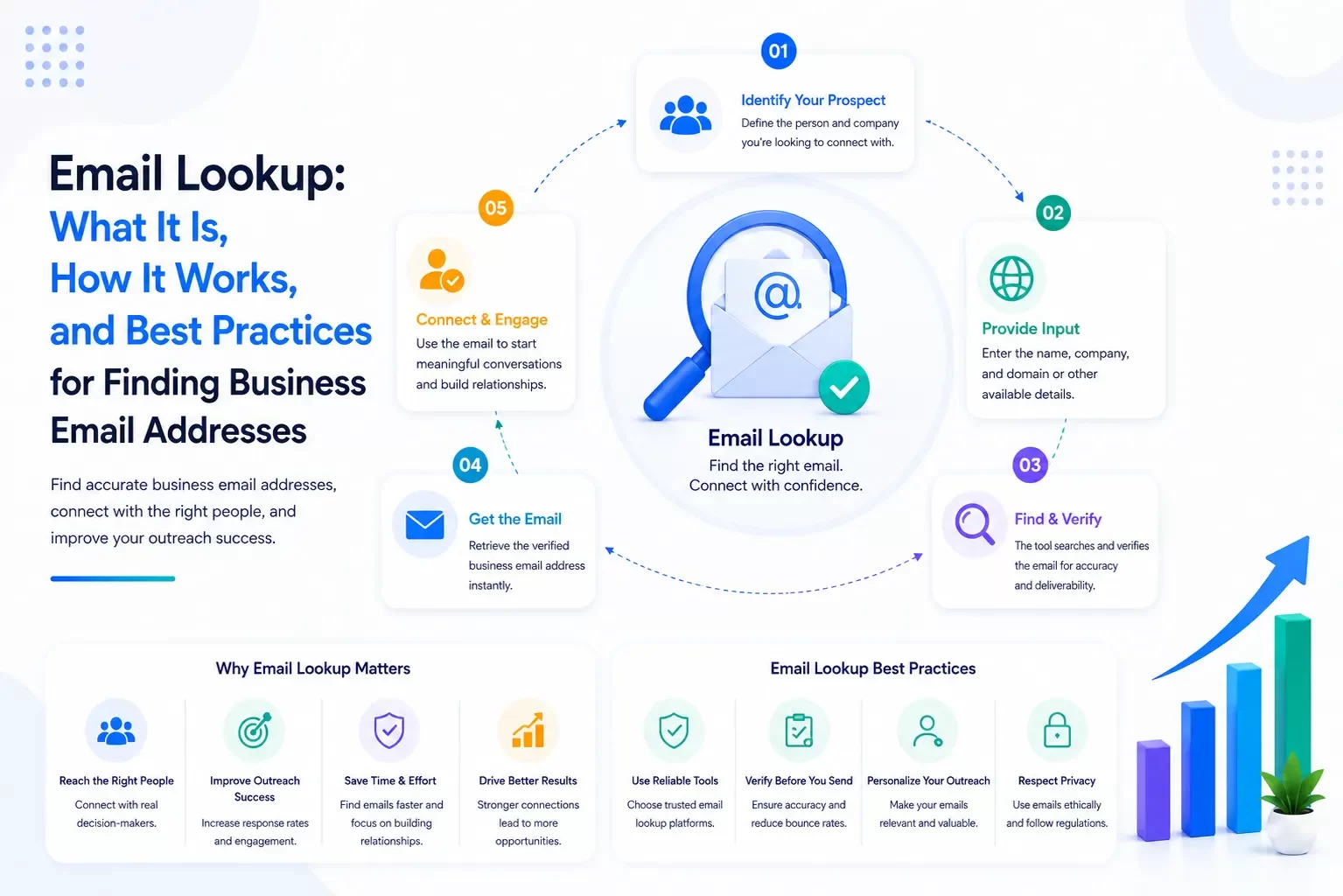
Finding the right email address can make the difference between connecting with a potential customer and missing a valuable business opportunity. Whether you're building a sales prospect list, recruiting candidates, reaching out to potential partners, or expanding your professional network, an email lookup process helps you identify and verify business email addresses efficiently.
However, email lookup isn't simply about finding an address. Successful outreach depends on accuracy, respecting privacy, complying with applicable laws, and organizing contact information so your team can build meaningful relationships.
Modern CRM platforms such as Arches CRM help businesses store verified contacts, manage outreach, automate follow-ups, and keep every customer interaction organized in one place.
In this guide, you'll learn what email lookup is, how it works, common methods, best practices, legal considerations, and how CRM software supports an effective outreach strategy.
What Is Email Lookup?
Email lookup is the process of finding or verifying an individual's or business's email address using publicly available information, professional networking data, company websites, business directories, or specialized email discovery tools.
Businesses commonly use email lookup to:
- Identify decision-makers.
- Build prospect lists.
- Contact potential clients.
- Recruit candidates.
- Reach business partners.
- Verify existing contact information.
- Improve CRM data quality.
The objective is to obtain accurate contact information that supports legitimate business communication.
How Does Email Lookup Work?
Email lookup tools use multiple data sources to identify likely business email addresses. These may include:
- Company websites
- Public business directories
- Professional networking profiles
- Publicly available contact pages
- Domain name records
- Previously verified business information
Many platforms also verify whether an email address is likely to receive messages by checking technical indicators such as mail server responses without sending an email.
Common Email Lookup Methods
Company Websites
Many organizations publish contact information for executives, sales teams, media representatives, or customer support on their websites.
Examples include:
- About Us pages
- Leadership pages
- Contact pages
- Press pages
- Investor relations pages
Professional Networking Platforms
Professional networking profiles often provide company names, job titles, and other details that can help identify the appropriate contact person, even if the email address itself is not publicly displayed.
Business Directories
Industry associations, chambers of commerce, and professional directories frequently publish business contact information.
Email Lookup Services
Dedicated email lookup platforms combine public business information with verification technology to help organizations find and validate business email addresses.
Existing CRM Data
Many businesses already possess valuable customer information within their CRM. Keeping customer records updated and organized often eliminates unnecessary duplicate searches.
Why Businesses Use Email Lookup
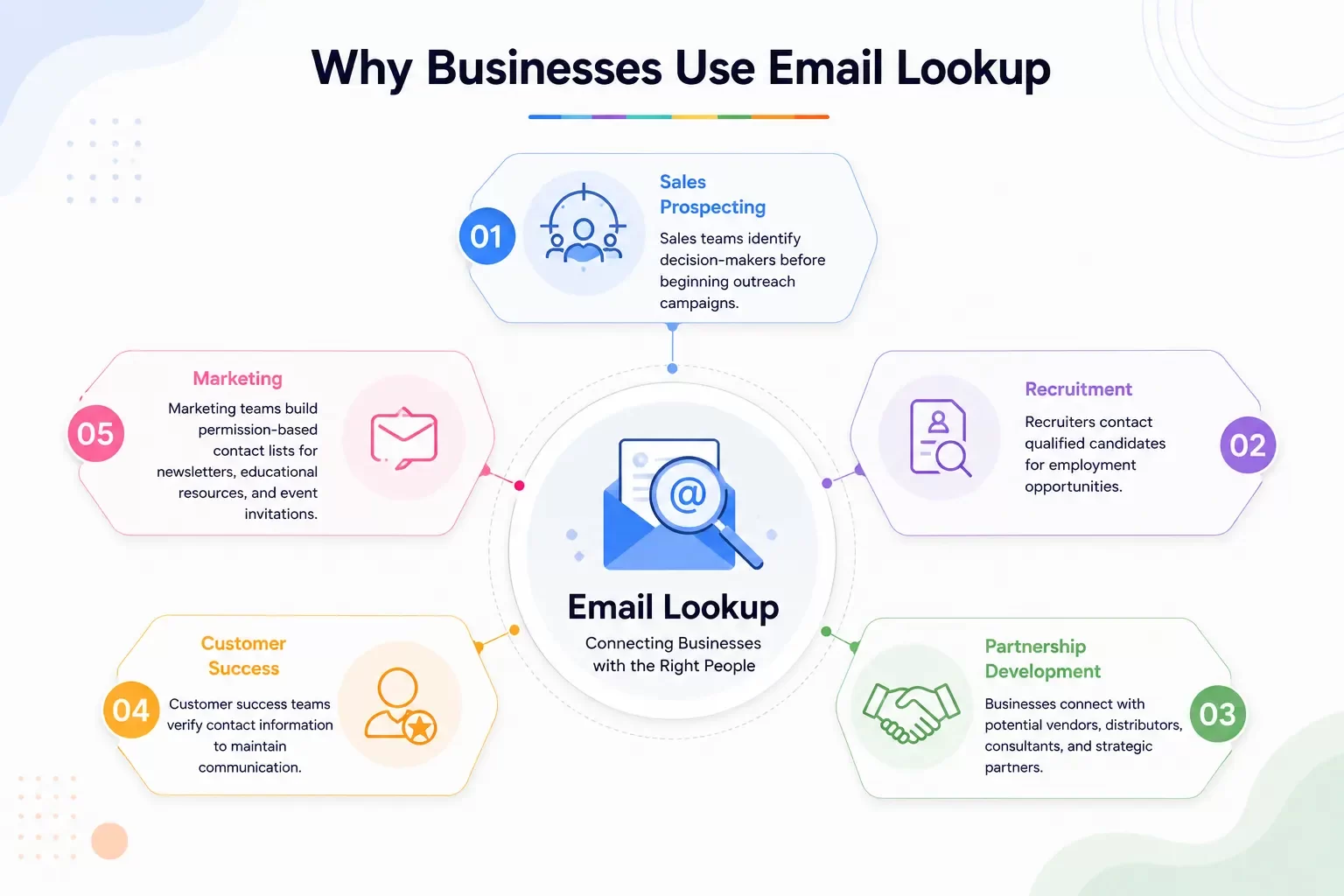
Organizations use email lookup for many legitimate business purposes, including:
Sales Prospecting
Sales teams identify decision-makers before beginning outreach campaigns.
Recruitment
Recruiters contact qualified candidates for employment opportunities.
Partnership Development
Businesses connect with potential vendors, distributors, consultants, and strategic partners.
Customer Success
Customer success teams verify contact information to maintain communication.
Marketing
Marketing teams build permission-based contact lists for newsletters, educational resources, and event invitations.
Best Practices for Email Lookup
Effective email lookup is about more than simply finding an address. Follow these best practices:
- Verify email addresses before sending campaigns.
- Personalize outreach whenever possible.
- Respect privacy and communication preferences.
- Keep CRM records updated.
- Remove duplicate contacts.
- Focus on quality rather than quantity.
- Use legitimate business purposes for outreach.
- Maintain accurate customer records.
Building trusted business relationships always produces better long-term results than sending large volumes of generic emails.
Legal and Compliance Considerations
Businesses should always comply with applicable privacy and email marketing regulations when collecting and using contact information.
Depending on where your organization and recipients are located, relevant regulations may include:
- CAN-SPAM Act (United States)
- GDPR (European Union)
- CASL (Canada)
- Other local privacy and electronic communication laws
Organizations should ensure that outreach practices are transparent, lawful, and respectful of recipients' preferences.
How CRM Software Supports Email Lookup
Finding an email address is only the beginning of the customer journey. Once contact information has been identified, businesses need a reliable system to organize customer relationships, manage communications, and automate follow-up activities.
CRM software helps businesses:
- Store verified contact information.
- Track customer interactions.
- Organize sales opportunities.
- Segment contact lists.
- Schedule follow-ups.
- Assign leads to sales representatives.
- Monitor communication history.
- Generate reports and analytics.
A centralized CRM ensures customer information remains accurate, accessible, and actionable.
How Arches CRM Helps Businesses Manage Email Outreach
Arches CRM helps organizations move beyond simple contact storage by providing a complete customer relationship management platform.
Key capabilities include:
Contact Management
Maintain complete customer profiles with email addresses, phone numbers, notes, documents, and communication history.
Lead Management
Capture leads from websites, forms, advertising campaigns, WhatsApp, email, and other connected channels.
Email Integration
Connect business email accounts to manage customer conversations directly within the CRM while maintaining a complete activity history.
Workflow Automation
Automatically assign leads, schedule follow-ups, create tasks, and trigger email sequences based on customer activity.
AI Productivity
Use AI to draft emails, summarize conversations, recommend follow-up actions, and improve communication efficiency.
Analytics
Track outreach performance, response rates, pipeline activity, and sales progress through real-time dashboards.
Common Email Lookup Mistakes
Avoid these common mistakes:
- Sending emails without verifying addresses.
- Purchasing low-quality contact lists.
- Ignoring privacy regulations.
- Failing to personalize messages.
- Neglecting CRM updates.
- Contacting the wrong decision-maker.
- Sending excessive follow-up emails.
Building trust should always be the priority.
Conclusion
Email lookup is an important part of business development, sales prospecting, recruiting, and professional networking. When performed responsibly and combined with a structured CRM strategy, it helps organizations connect with the right people while maintaining accurate customer information.
Arches CRM supports this process by centralizing contact management, communication, automation, reporting, and customer relationship tracking in one platform.
Rather than simply collecting email addresses, businesses can build organized, scalable, and long-lasting customer relationships that support sustainable growth.