
 Log in
 Start Free Trial
Introduction
CRM migrations fail for two reasons: poor planning and poor data hygiene. Skipping the preparation work, the audit, the mapping, and the environment configuration guarantees broken pipeline history, dead integrations, and a sales team that won't trust the new system.
Migrating dirty data is one of the most common and costly mistakes in the process, and it happens precisely when teams rush past the steps that surface those problems early. This CRM migration checklist covers everything you need to do before, during, and after the switch to avoid a months-long recovery project.
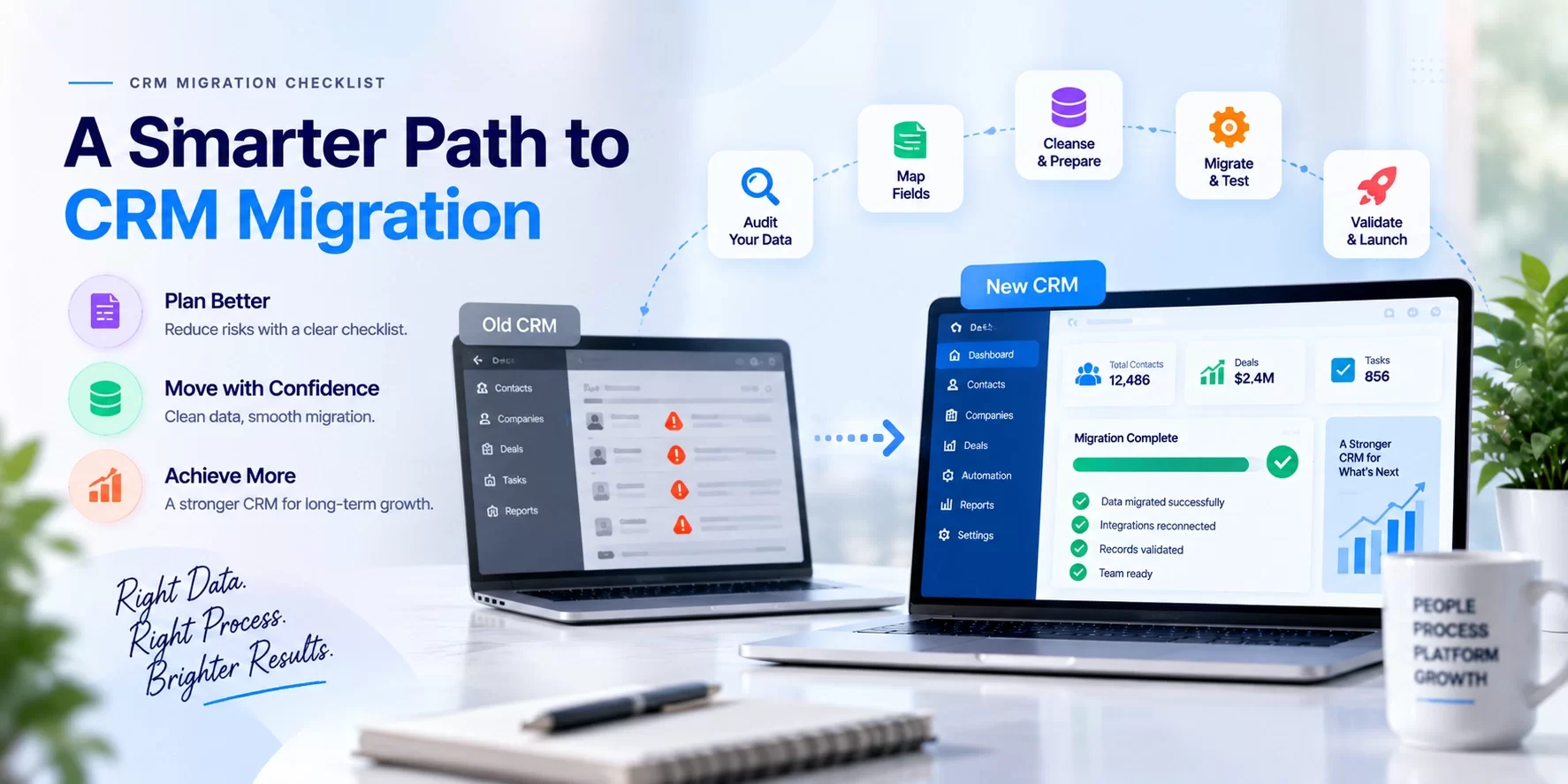
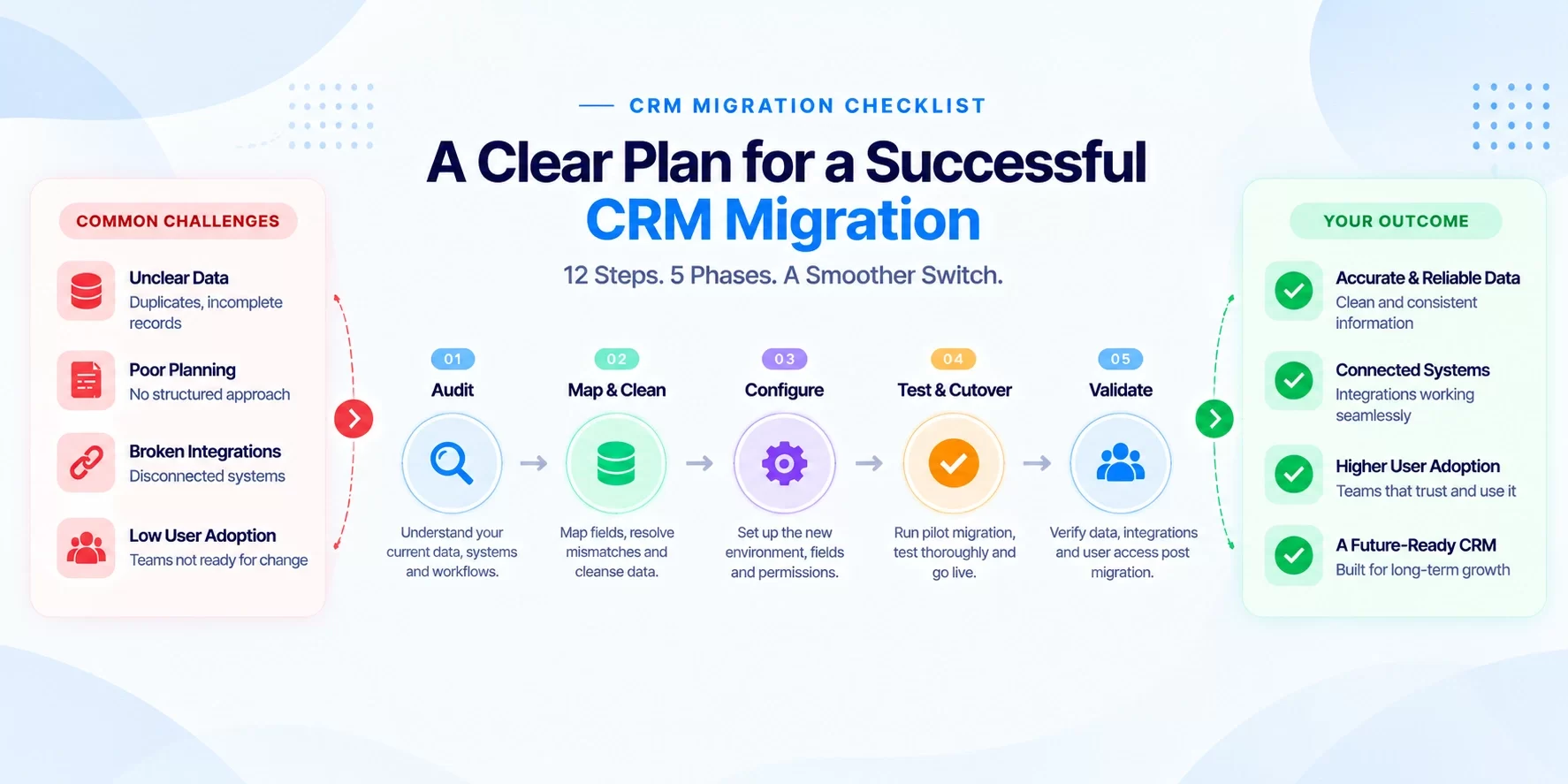
The checklist runs through five structured phases: pre-migration audit, field mapping and data cleansing, environment configuration, pilot execution and cutover, and post-launch validation. Follow it in order. Each phase depends on the one before it, and skipping any of them means discovering the gaps under pressure, not before it.
Before writing a single migration script, firms like Arches CRM run a free workflow audit to surface hidden data risks, the kind that don't show up in a CSV export but quietly derail migrations weeks later. That's the right place to start, and this checklist is built around the same principle.
1. CRM Migration Checklist, Start with a Data Audit
This is the most skipped step and the most important one. Migrating dirty data doesn't solve a data problem; it moves the problem to a new address with a cleaner interface.
Before any record transfers, your team needs a clear picture of what you actually have, what's worth keeping, what should be archived, and what should be deleted outright.
A thorough audit covers record counts by object type, duplicate analysis, empty required fields, invalid email formats, and stale contacts with no activity in the past 12 months or longer.
You're also checking for broken relationship links between contacts, companies, and deals. Those broken associations are the ones that surface as mysterious missing records on day one of the new system.
What to look for in your source CRM data
Start by flagging duplicate contacts and accounts using email domain and phone number as match criteria. Then identify records missing required fields and pull an activity history completeness report.
Pay specific attention to custom fields: document how many users actually populate each one. Fields with low fill rates are candidates for removal, not migration.
Data quality at the source directly determines migration complexity and timeline. High duplicate rates and low field completeness materially extend migration effort and risk. Know your baseline before committing to a go-live date.
Why a workflow audit catches risks that exports miss
Raw data exports show you fields and records. They don't show you how your team actually uses the system.
A workflow audit maps real usage: which pipeline stages get skipped in practice, which fields are populated inconsistently, and which automations are quietly failing in the background. This is where the hidden risks live.
This is precisely why Arches CRM starts every CRM engagement with a systems and workflow audit before any migration planning begins. Teams that skip this step enter the migration phase with an incomplete picture and usually discover the gaps under pressure.
2. CRM Migration Checklist, Field Mapping and Data Cleansing
This is where most migrations run into real trouble. Salesforce, HubSpot, and Microsoft Dynamics use different object structures, field types, and picklist conventions.
A "Lead Status" in one system doesn't map cleanly to "Contact Lifecycle Stage" in another without deliberate transformation rules applied before migration day.
The field mapping process follows a specific sequence: list every source field, identify its counterpart in the destination system, flag type mismatches such as text to picklist or multi-select to single-select, and document fields that have no equivalent and will require a custom property in the new system.
Think of this as your data mapping checklist, every field accounted for before a single record moves.
Common mapping failure points between platforms
Three problems appear most frequently across platform migrations like HubSpot to Salesforce.
Mismatched picklist values are the first: "Prospect" in one system doesn't automatically reconcile with "MQL" in another, so map each value explicitly before migration day.
Data type conflicts come next, A number field in the source mapped to a text field in the destination causes import rejections that surface mid-migration and are painful to untangle.
Finally, watch for missing required fields that exist in the destination but weren't required in the source; these need defaults populated before the transfer begins.
Data cleansing rules to apply before migration day
Set your cleansing standards in writing before touching any migration tool. Normalize phone number formats. Standardize country and state values. Remove records with no meaningful activity in the defined archive window. Merge duplicates using email as the primary identifier. Strip HTML from notes fields where it exists.
Clean data in the source system or in a staging environment, never mid-migration. Teams that try to cleanse data while migrating introduce new errors faster than they fix old ones. The cleanup phase is a prerequisite, not a parallel task.
3. Configure the New CRM Environment Before Data Arrives
Migrating data into an unconfigured CRM creates a second cleanup job. The destination environment needs to be fully ready before the first record lands: page layouts built, required fields defined, permission sets configured, and integrations connected.
Rushing this step produces downstream failures during user acceptance testing that cost significantly more time to fix than proper upfront configuration would have.
Setting up role-based access and user permissions
Define the permission hierarchy before go-live. Determine which roles see which records, who can export data, who can delete, and which fields are locked to specific teams.
Document the permission matrix for sales reps, managers, operations admins, and read-only stakeholders.
Misconfigured permissions are a common cause of UAT failures; users can't test workflows they can't access. In Salesforce, use Profiles for baseline field access and Permission Sets for granular layering. In HubSpot, configure User Roles and Object Permissions within the settings menu before any user is invited into the new environment.
Connecting integrations and validating API links before data lands
List every integration the old CRM powered: email platforms, marketing automation, customer support tools, ERP connections, and data enrichment services.
For each integration, confirm the new CRM has the connector available, the API credentials are live, and the sync direction - one-way versus two-way - is configured correctly.
Run a dry connection test before migration begins. Broken integrations discovered post-migration are often more costly to fix than broken integrations discovered before data moves. This step is the one most teams treat as optional. It isn't.
4. Run a Pilot Migration Before the Full Cutover
A pilot migration using a small, representative subset of production data, for example, 50 to 100 records or a modest percentage appropriate to your dataset size, is one of the best risk mitigation steps in the entire CRM migration plan.
It validates field mapping accuracy, catches import errors, confirms relationship integrity between objects, and gives your team a realistic preview of what full migration will produce.
Select the pilot dataset deliberately: prioritize active accounts, current-quarter opportunities, and recent contacts rather than archived or low-activity records.
The pilot should stress-test the scenarios that matter most to the business, not just the ones that are easiest to migrate.
What to validate in a test migration
After the pilot runs, check record counts against the source. Spot-check 20 to 30 priority accounts for data accuracy.
Verify that relationship links between contacts and companies are intact. Confirm activity history landed on the correct records. Check that required fields are populated and no import rejections occurred silently.
Document every discrepancy in a shared tracker before proceeding. No pilot errors should carry into production migration.
If the pilot surfaces structural mapping issues, fix them in the configuration layer and re-run the pilot. Running a full migration on top of known errors compounds the problem.
CRM Cutover Checklist, How to Plan a Safe, Time-Boxed Cutover
Cutover planning comes down to four decisions.
First, define the cutover window: schedule during a low-activity period such as a weekend or Friday evening, avoiding high-pressure times like end of quarter for sales teams.
Second, set the freeze period, when the source CRM goes read-only.
Third, establish the rollback trigger: the specific conditions under which the team reverts to the old system.
Fourth, determine the parallel running period: how long both systems stay live.
Once those four decisions are locked, document the cutover runbook with step-by-step owner assignments and timestamps. Every task needs a named owner. No step should be assigned to "the team."
5. Post-Migration Validation and Measuring What Success Actually Looks Like
Go-live is not the finish line. The 30 days after cutover determine whether the migration sticks or quietly unravels into shadow spreadsheets and support tickets.
Immediate post-launch validation, structured user acceptance testing, and a defined governance cadence are what separate migrations that deliver lasting ROI from ones that get quietly abandoned six months later.
Post-go-live validation and user acceptance testing
Have sales, marketing, and operations users run real workflows on day one: create a contact, log an activity, move an opportunity through the pipeline, and run a standard report.
Compare outputs against known baselines from the old system. Log every discrepancy in a shared issue tracker and assign resolution owners with 48-hour SLAs.
Decommission the old CRM only after 30 days of stable production operation, not on go-live day. Teams that shut down the legacy system immediately on launch day lose their rollback option and increase pressure on every minor issue that surfaces.
Keep it accessible and read-only until the new system has proven itself under real load.
KPIs that confirm the migration is working
Define success metrics before the migration begins. The core set to track includes:
- Data completeness rate for required fields: target 98% or higher.
- Daily active user rate: target 85% or higher.
- Pipeline data accuracy: verified by sales managers.
- Lead response time: compared to the pre-migration baseline.
- Sales cycle length: reviewed at the 90-day mark.
Set a formal review cadence at 30, 90, and 180 days post-launch and assign an executive owner to each primary metric.
Governance is an ongoing process, not a post-project checkbox. Teams that treat adoption and data quality as someone else's responsibility after go-live are the ones who end up planning a second migration project down the road.
A Migration Done Right Starts Before the Migration Begins
A CRM migration done right is not a one-day event. It's a structured, phased process where the work before migration day determines the outcome after it.
The five phases cover the full arc: audit, map and cleanse, configure, pilot and cut over, then validate and govern. Each phase depends on the one before it. There are no shortcuts that don't eventually surface as problems.
Use this CRM migration checklist to structure your planning from the first audit through the final governance review.
If your team hasn't done a workflow audit yet, that's where to start. Arches CRM offers a free systems and workflow audit before any migration project begins. It's how teams discover data risks they didn't know they had before those risks become expensive rollbacks.
Schedule yours before the first export file opens.
For additional guidance on CRM data migration strategies and practical checklists, see resources on CRM data migration and wider CRM migration best practices to align your team and tools before the first record moves.
Reduce CRM Migration Risk Before the First Record Moves
Start with a structured systems and workflow audit to uncover data-quality issues, field-mapping risks, broken integrations, and cutover dependencies before migration work begins.