 Log in
 Start Free Trial

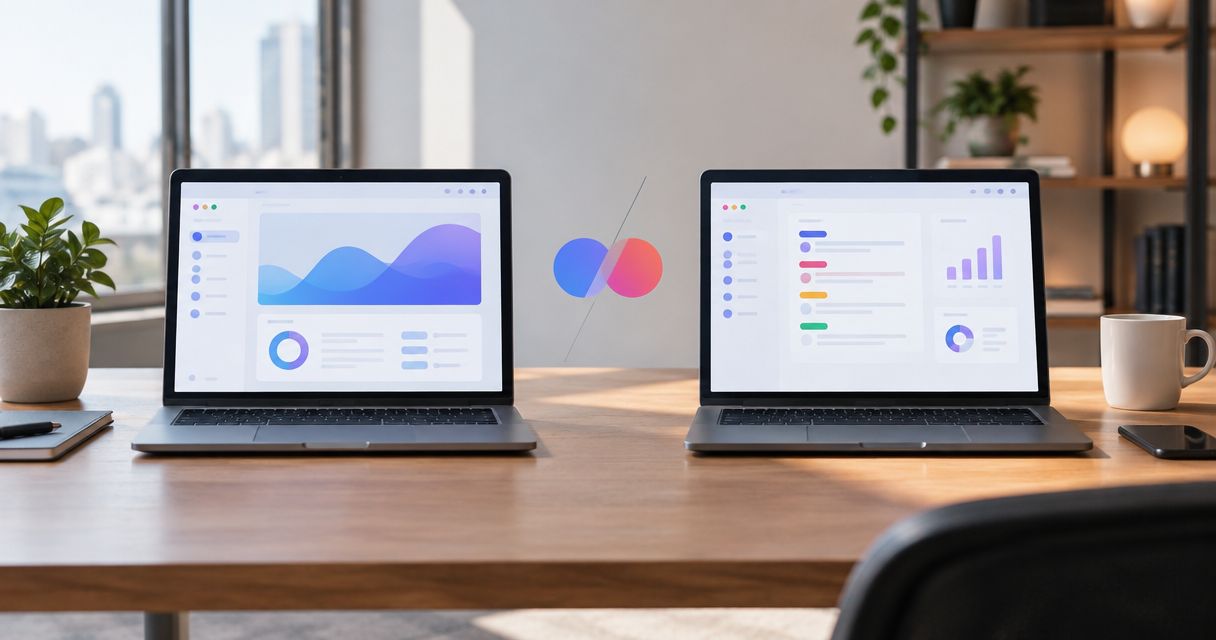
Choose Arches CRM if your sales team needs customer conversations, follow-up, and deal progression in one sales workflow; choose ClickUp if your team needs to coordinate projects, documents, and delivery tasks across departments. In 2026, the deciding question is whether you need to manage the next customer interaction or the next piece of work.
- Arches CRM vs ClickUp is a choice between sales relationship management and broader work management.
- Choose the sales CRM when customer conversations and follow-up drive your daily workload.
- Choose ClickUp when project tasks, shared documents, and delivery coordination drive your daily workload.
- Both support automation and reporting; test the actual workflow rather than counting features.
Why this matters
A lead replies, but the owner misses the message. A task gets marked complete, but nobody schedules the next conversation. Those are sales-process failures, not simply task-management problems.
Project delivery has a different problem: people need clear assignments, dependencies, documents, and deadlines. Your 2026 software decision should start with the work that breaks today, not the longest feature list.
A completed task is not the same as an advancing deal. Equally, a well-maintained pipeline does not prove that your team can coordinate the work promised after a sale.
At a glance
| Dimension | Arches CRM | ClickUp |
|---|---|---|
| Best for | Growing sales teams managing leads, conversations, and follow-up | Teams coordinating projects and cross-functional work |
| Customer context | Contacts, conversations, tasks, and sales activity together | Customer information organized through configured tasks, fields, and views |
| Standout feature | Automatic opportunity movement based on interactions and configured workflows | Flexible task and project organization across different types of work |
| Project delivery | Sales tasks and workflow automation | Tasks, dependencies, project views, and delivery coordination |
| Shared documentation | Email summaries, notes, and customer context | Shared Docs connected to work |
| Automation | Sales reminders, tasks, follow-up sequences, and pipeline workflows | Rule-based automation for task and work-management processes |
| Reporting | Sales activity and performance monitoring | Dashboards and reporting built around workspace data |
| Pricing model | Confirm billing basis, included capabilities, and usage terms | Per-user subscription tiers; check feature and usage terms |
Best for: customer follow-up versus project execution
The sales CRM fits a team whose daily questions are: Who needs a response? What did the customer say? What must happen before this deal moves forward?
ClickUp fits a team whose daily questions are: Who owns this task? What is blocking delivery? Which deadline or dependency needs attention?
Both products organize work, but the central record differs. A sales system revolves around a customer relationship and its opportunities. A work-management system revolves around tasks and projects that you can configure for different processes.
Use that distinction to write your shortlist. A sales manager fixing neglected inquiries has a different requirement from an operations manager coordinating client delivery, even when both ask for better visibility.
Arches CRM keeps customer context closer to the next action
Arches CRM is best for growing sales teams that need customer conversations and follow-up tied to their pipeline. It brings contacts, conversations, tasks, and sales activity together, including email, WhatsApp, SMS, and calls.
That structure matches a sales rep's immediate problem: understand the relationship before contacting the prospect again. Email summaries and organized activity help the rep review what happened without treating every interaction as an isolated task.
ClickUp can organize customer information through tasks, custom fields, and views. The tradeoff is that your team must decide how those pieces represent contacts, opportunities, and communication history; a customer list alone does not define that relationship.
During evaluation, ask someone other than the record owner to explain the latest conversation and next action. If they need a separate inbox search or a verbal handoff, the workflow still has a context gap. The same test applies when evaluating how a CRM tracks calls, emails, and texts in one timeline.
The sales CRM wins when interactions should advance deals
A sales pipeline needs more than movable cards. Its stages should reflect what the customer has done and what the sales team needs to do next.
The dedicated platform automatically moves opportunities through the pipeline based on customer interactions and configured workflows. It also supports automated reminders, tasks, and follow-up sequences. That is the stronger fit when your requirement centers on keeping sales records aligned with conversations.
ClickUp supports statuses, custom fields, and automations that you can use to represent a sales process. Its flexibility is useful, but you must define what each status means and how information enters that process.
The dedicated approach still needs discipline. A reply is not automatically proof of buying intent, and a workflow should not confuse activity with qualification. Define the condition for a stage change before enabling automatic progression. Test a positive reply, a rejection, and an unrelated response separately.
ClickUp wins for coordinating project delivery
ClickUp is the better fit when your main requirement is organizing work across projects and departments. Tasks, dependencies, different project views, and shared workspaces directly address delivery coordination.
For example, a customer implementation involves assignments that extend beyond winning the deal: preparing materials, sequencing work, resolving blockers, and meeting internal deadlines. A project-management structure gives those responsibilities an explicit place.
The sales CRM includes tasks and workflow automation, which support sales execution. Do not treat that as proof that it meets every requirement for project scheduling or dependency management. Ask for a demonstration using your actual delivery process.
ClickUp's tradeoff is configuration responsibility. Flexible structures let departments work differently, but your team still needs naming rules, status definitions, and ownership standards. Without them, a shared workspace does not create a shared operating process.
ClickUp wins when shared documents are part of the work
ClickUp Docs makes ClickUp the stronger choice when teams need shared written material alongside tasks. This suits project briefs, operating instructions, meeting documents, and delivery plans that multiple contributors maintain.
The sales CRM's email summaries, notes, and customer history serve a different purpose: helping someone understand a relationship and act on it. Those capabilities are valuable for selling, but they are not the same requirement as maintaining a collaborative documentation workspace.
Decide which kind of writing your team needs most. A concise account of a prospect's objections belongs near the deal. A project specification that several departments revise belongs in a documentation process with clear ownership.
The limitation cuts both ways. A shared document can explain a customer situation, but it does not automatically become a maintained pipeline record. Keep the sales decision and the delivery instructions distinct, even when they refer to the same customer.
Both automate work; test the trigger and the result
Automation is a tie at the category level, not proof of identical workflows. The sales CRM supports sales-focused reminders, tasks, follow-up sequences, and interaction-based pipeline movement. ClickUp supports automations for task and work-management processes.
For your 2026 evaluation, test a complete chain rather than a single automated action. Creating a reminder is useful only if it reaches the right owner, reflects the latest customer response, and stops being relevant when circumstances change.
Use 5 sample leads as a small pilot, not as a performance benchmark. Include a new inquiry, an active conversation, a delayed decision, a rejection, and a stalled opportunity. Run each through these steps:
- Capture lead: Record the contact and reason for the inquiry.
- Assign owner: Make responsibility explicit.
- Record reply: Keep the customer response visible.
- Set follow-up: Connect the next action to the current situation.
- Review outcome: Check whether the record and action still match.
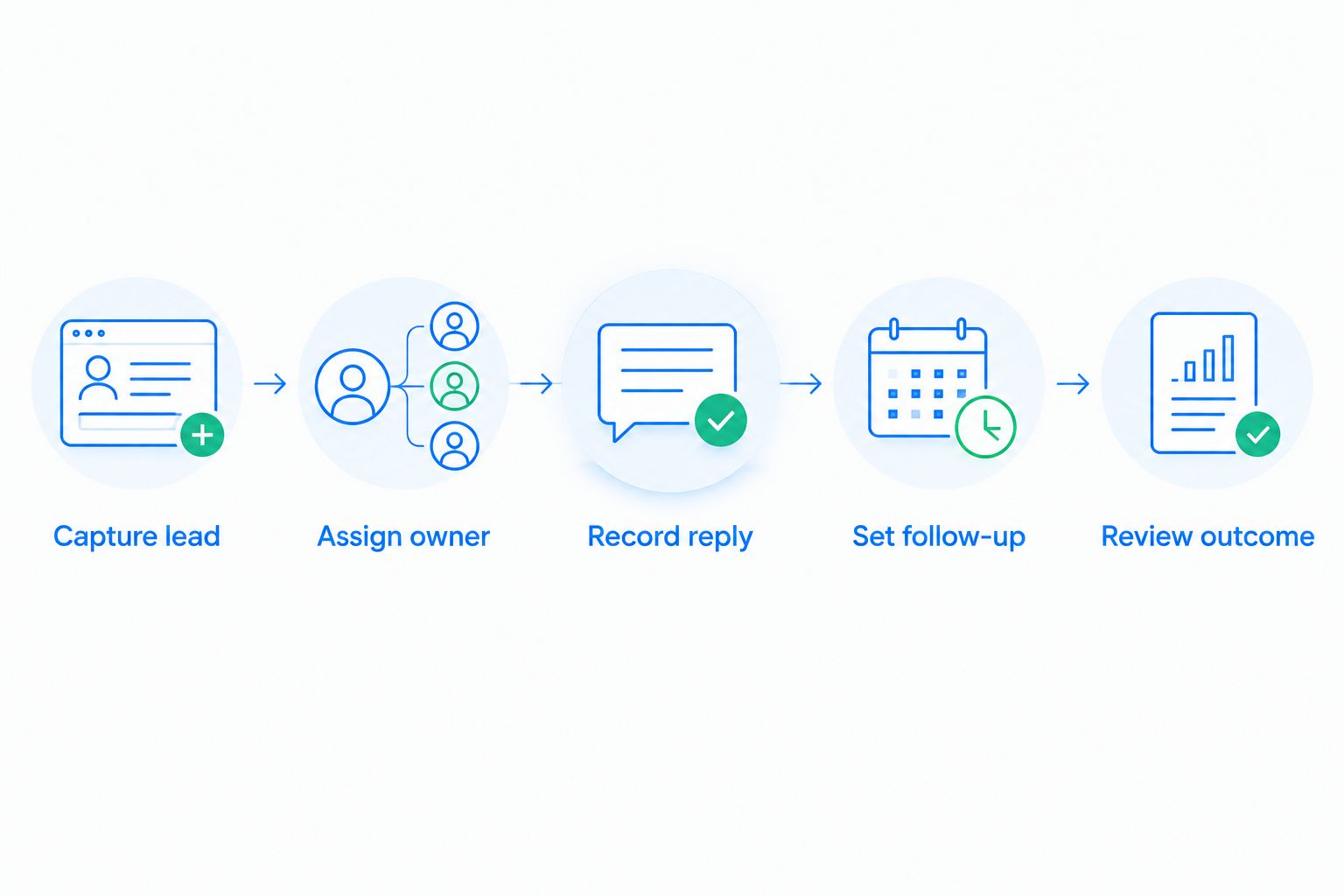
Give each sample lead 1 named owner so shared responsibility does not hide a missed handoff. By scoping a sales automation pilot around these defined outcomes, you can distinguish a successful trigger from a process that actually keeps customer follow-up accurate.
Record the manual corrections each workflow requires. Do not declare a winner because a demonstration looks quick; choose the system that completes your required process with clear ownership and understandable exceptions.
Both report on work; useful reporting starts with definitions
Both platforms support reporting, but the questions differ. The sales CRM monitors sales performance and activity. ClickUp dashboards summarize the work and data organized within its workspace.
For a sales team, define what counts as an active opportunity, a completed follow-up, and a stalled deal. For a delivery team, define what counts as overdue, blocked, and complete. A chart cannot resolve inconsistent definitions.
Test 3 reporting questions in each shortlisted system: What needs attention? Who owns it? What changed since the last review? These are evaluation prompts, not claims about either product's results.
This dimension is an honest tie until you test your required report. Choose the reporting structure that answers your operating questions without a separate reconstruction exercise. A visually busy dashboard is not evidence that it answers them.
Pricing: compare billing terms and the work around them
For a 2026 buying decision, separate the billing model from the operating effort. ClickUp uses per-user subscription tiers; review the terms governing the capabilities and usage your team requires.
For the sales CRM, confirm the billing basis directly, along with the treatment of automation, communication channels, integrations, and account access. Do not assume that a feature mentioned in a product description has the same commercial terms across every agreement.
Ask both vendors the same questions:
- Which people require paid access, including managers and administrators?
- Which required capabilities belong to the proposed subscription?
- Which usage terms affect messaging, automation, or integrations?
- Who will configure workflows and maintain them after launch?
- What changes commercially when the team or workload expands?
A defined subscription supports predictability only when you understand what it covers. Configuration flexibility also has a tradeoff: somebody must own the process design and ongoing changes.
Choose on the complete operating requirement, not a subscription label. Neither product earns a pricing win without matching the same scope, users, and workflow requirements.
Final verdict: choose the system built around your main job
Choose Arches CRM if you lead a growing sales team
Your main problem is leads losing momentum between conversations. You need contact management, customer communication, follow-up automation, and pipeline tracking working together.
Winner: the dedicated sales CRM. Its stated capabilities match the work of deciding who to contact, understanding the conversation, and keeping an opportunity moving. Validate your channel setup, workflow rules, and reporting requirements before committing.
Choose ClickUp if you lead cross-functional delivery
Your main problem is coordinating tasks, documents, dependencies, and deadlines across people or departments. Sales tracking is secondary to managing the work itself.
Winner: ClickUp. Its work-management structure fits that requirement better. If you also use it for sales, demonstrate the customer-record and follow-up process rather than assuming a project template covers it.
One-glance scorecard
| Dimension | Winner |
|---|---|
| Best for | Sales CRM for selling; ClickUp for delivery |
| Customer context | Sales CRM |
| Interaction-based deal progression | Sales CRM |
| Project delivery | ClickUp |
| Shared documentation | ClickUp |
| Automation | Tie; test the complete workflow |
| Reporting | Tie; test your required questions |
| Pricing model | No winner without matched commercial scope |
FAQ
Is Arches CRM better than ClickUp for sales?
Arches CRM is the stronger fit when you need customer conversations, automated follow-up, and interaction-based pipeline progression together. ClickUp is the stronger fit when your primary requirement is coordinating tasks and projects.
Can I use ClickUp as a CRM?
You can configure ClickUp tasks, custom fields, statuses, and views to represent a sales process. Test how your team will maintain customer history, manage follow-up, and distinguish contacts from opportunities before adopting that setup.
Which is better for managing projects?
ClickUp is the better fit for project management centered on tasks, dependencies, shared documents, and delivery coordination. A sales CRM's task features should be tested separately against your project requirements.
Do both platforms support workflow automation?
Both platforms support automation, but they organize it around different work. Compare the trigger, owner, action, exception, and final record for your actual process rather than treating automation as a single interchangeable feature.
How should I compare subscription terms in 2026?
Compare the same users, required capabilities, communication needs, and automation scope in each proposal. Confirm billing terms directly and include the internal work required to configure and maintain the system.
What should I test before moving my sales team?
Test a new inquiry, an active conversation, a delayed decision, a rejection, and a stalled opportunity. Require a visible owner, customer context, next action, and accurate outcome for every sample.
One last thing
For your final 2026 test, hand a sample opportunity to someone who did not create it. Ask them to explain the customer situation and take the next appropriate action without help from the original owner.
If the handoff requires a verbal explanation, your process still depends on someone's memory. Fix that gap before adding more automation.